“go to TABLE OF CONTENTS”
FRIULINOX ALI GROUPS.R.L. A SOCIO UNICO 26
Via Treviso,4 - 33083 Taiedo di Chions (PN) -Italy
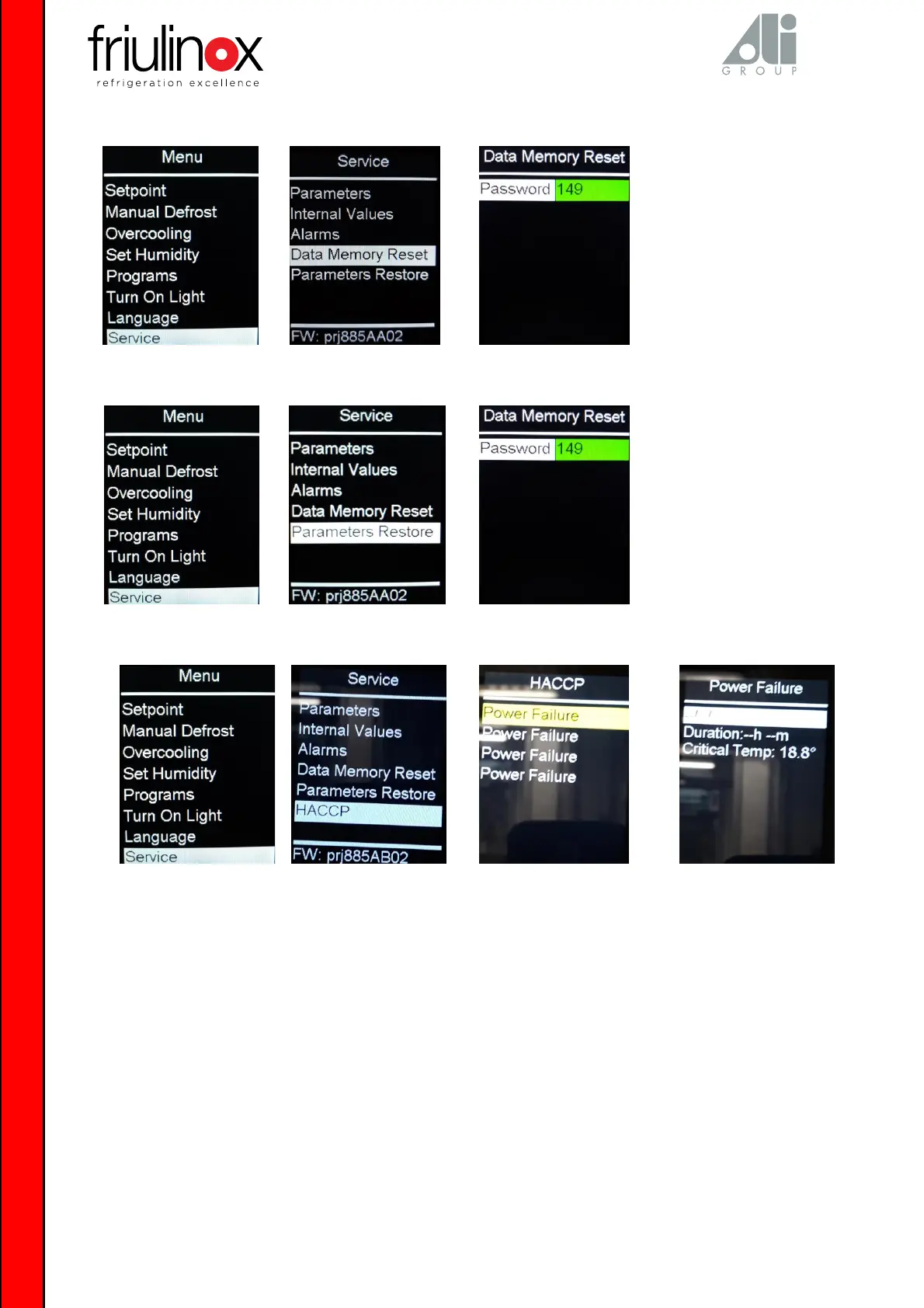
The following alarms are visible in the SERVICE menu, under HACCP:
Minimum Temp minimum temperature alarm: the minimum temperature in disagreement with the setpoint has been reached.
Maximum Temp maximum temperature alarm: the maximum temperature in disagreement with the setpoint has been reached.
Door Open door microswitch alarm: indicates the maximum temperature reached with prolonged door opening.
Power Failure power supply stop alarm: indicates the cell temperature upon power supply reset.
The alarm description shows:
Date and time in which the alarm occurred*.
Alarm duration in hours and minutes.
Critical temperature reached during the alarm.
*for the board with code BN1681232, these values follow the settings present in the Real Time Clock (rtc) menu


 To Next Page