FROMM
CH12-TI-FS250.EN10
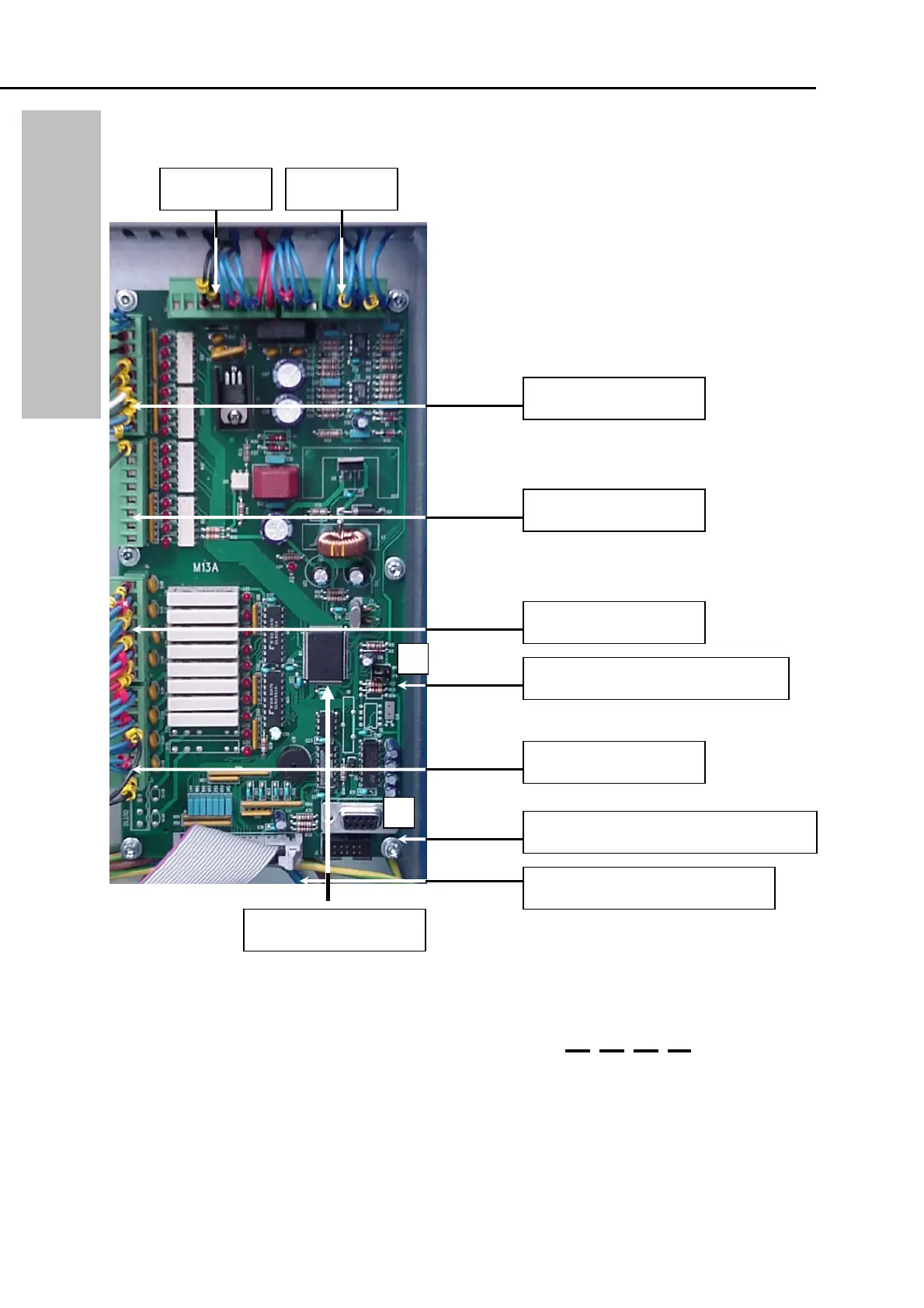
CONTROL CARD FS 250 – FS 270 – FS 270+
Figure 1
Uploading a new programm
9 Turn OFF the machine by switching the main switch to Zero
9 Connect the standard modem cabel to ( 1 )
9 Replace the jumpers ( 2 ) both to the right (RUN = Left)
9 Turn On the machine (Output on the machine display is )
9 Start up the programm Flash 16
When you have started the programm you should see the screen at the next page.
Please see to it that all setting are equal.
Input J6 Digital
Input J7 Digital
Output J8 Digital
Output J9 Digital
Input J5 A Input J3
Flatcable to control unit
Jumpers (RUN = left side)
Standard Modem cable 2-2 / 3-3 / 5-5
Programm Eprom F0
1
2
CONTROL CARD FS 250 – 270



 To Next Page