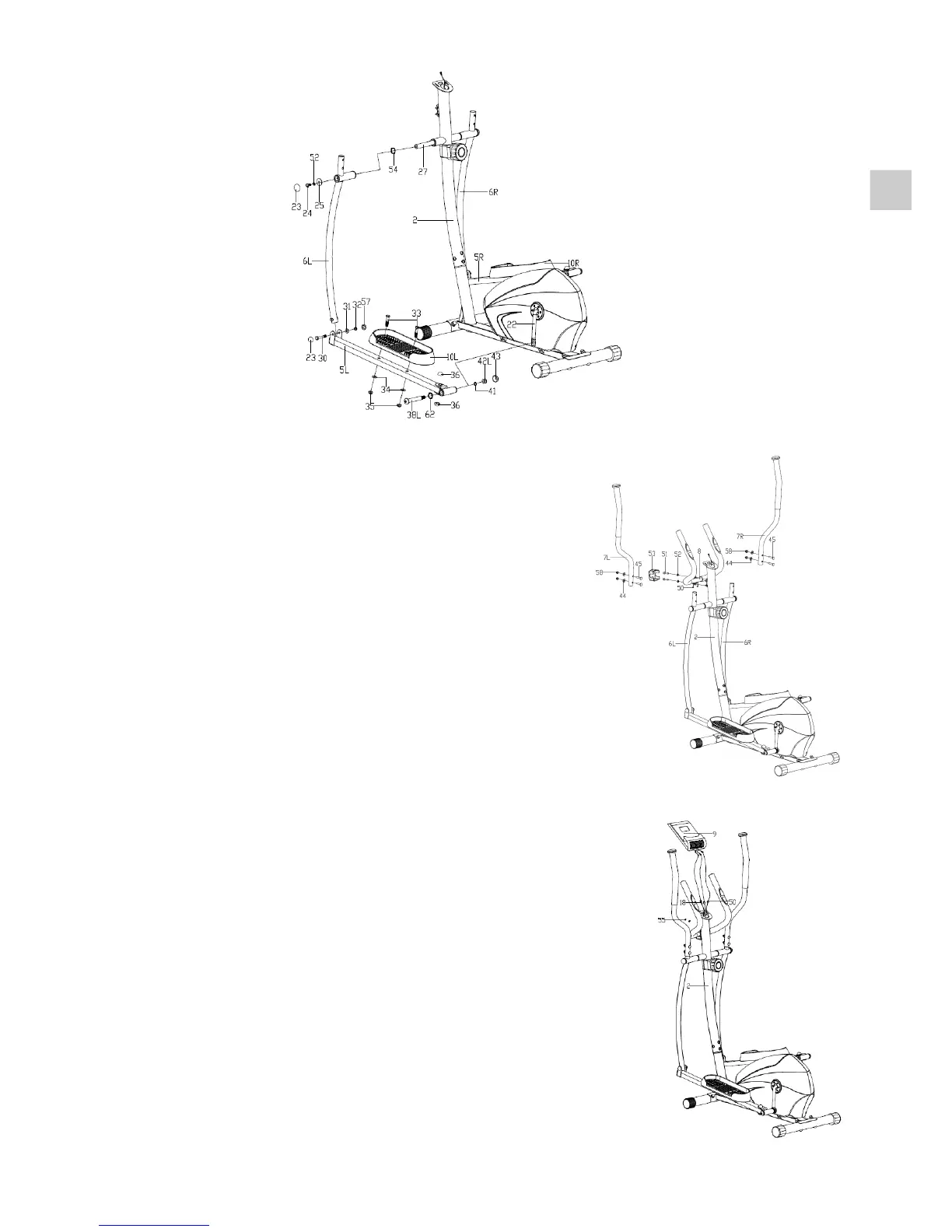
Step 4:
• Put the Pulse sensor wire (50) through the handlebar
post (2) and then out of the hole of the computer
bracket. Fix the armrest (8) on the handlebar post (2)
with Hex screw (51) and Spring washer (52) and then
cover the Handlebar chuck cover (53) to the related
position.
• Attach the Handlebar (7L/R) to the Swing bar (6L/R)
using Carriage bolt (45), Arc washer (44) and Acorn nut (58).
Step 5:
• Connect the Pulse sensor wire (50) and Extension
wire (18) with the wires coming from the Computer (9),
andthenxtheComputer(9)ontothecomputer
bracket of the Handlebar post (2) with Cross screw
(55) as shown.
EN


 To Next Page