1-4
1.4 Morning (AM) Polishing Cycle
1
2
3
4
5
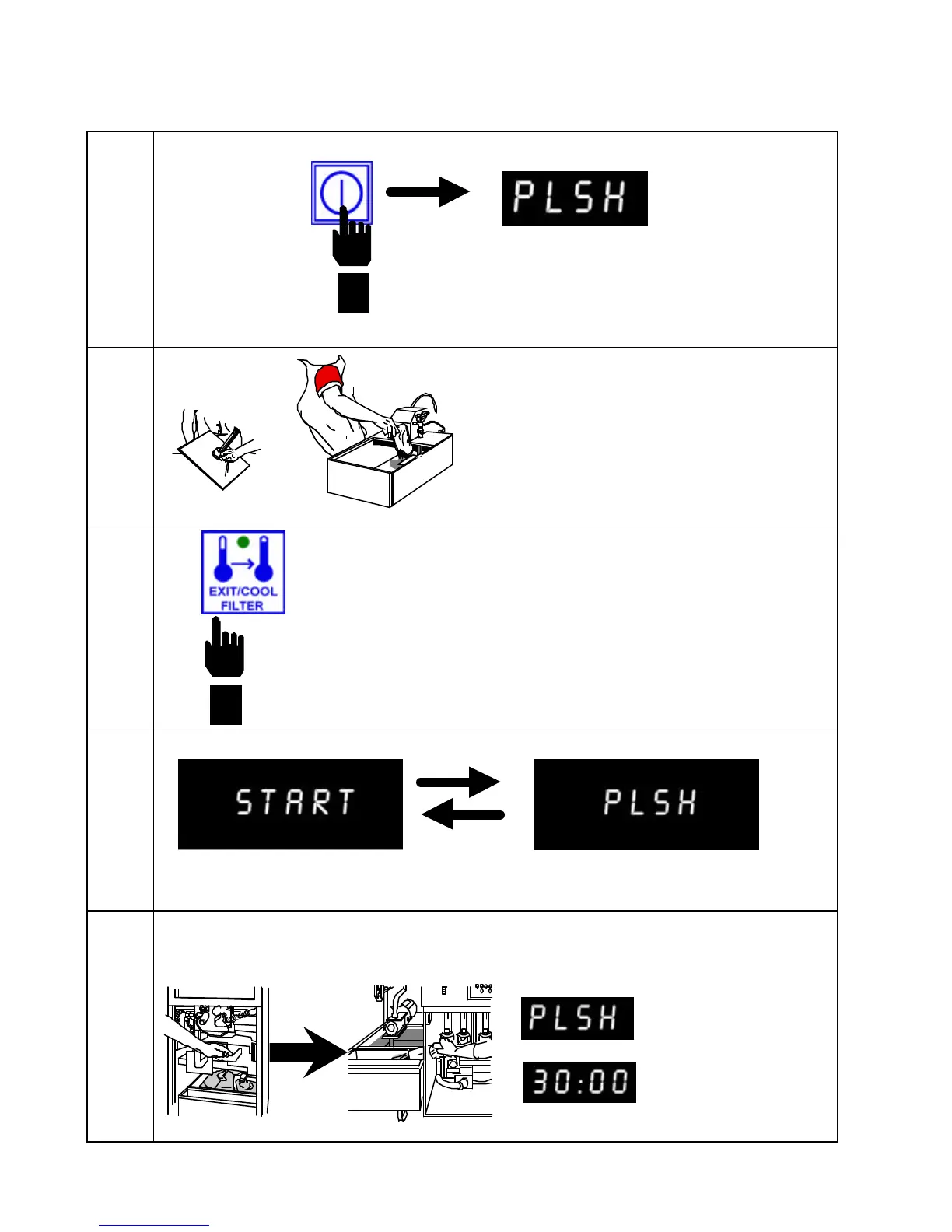
Computer display changes to PLSH.
When the fryer reaches filtration setpoint, the display alternates between START and
PLSH.
Press EXIT/COOL FILTER button on computer
face.
Assemble filter. Sprinkle 8 ounces
of filter powder over filter paper in
filter pan.
Open drain valve. Turn pump ON. Computer displays PLSH 30:00 to polish shortening for 30 min.
Computer
ON/OFF button
to turn fryer ON.


 To Next Page