1-5
1.4 Morning (AM) Polishing Cycle (cont.)
6
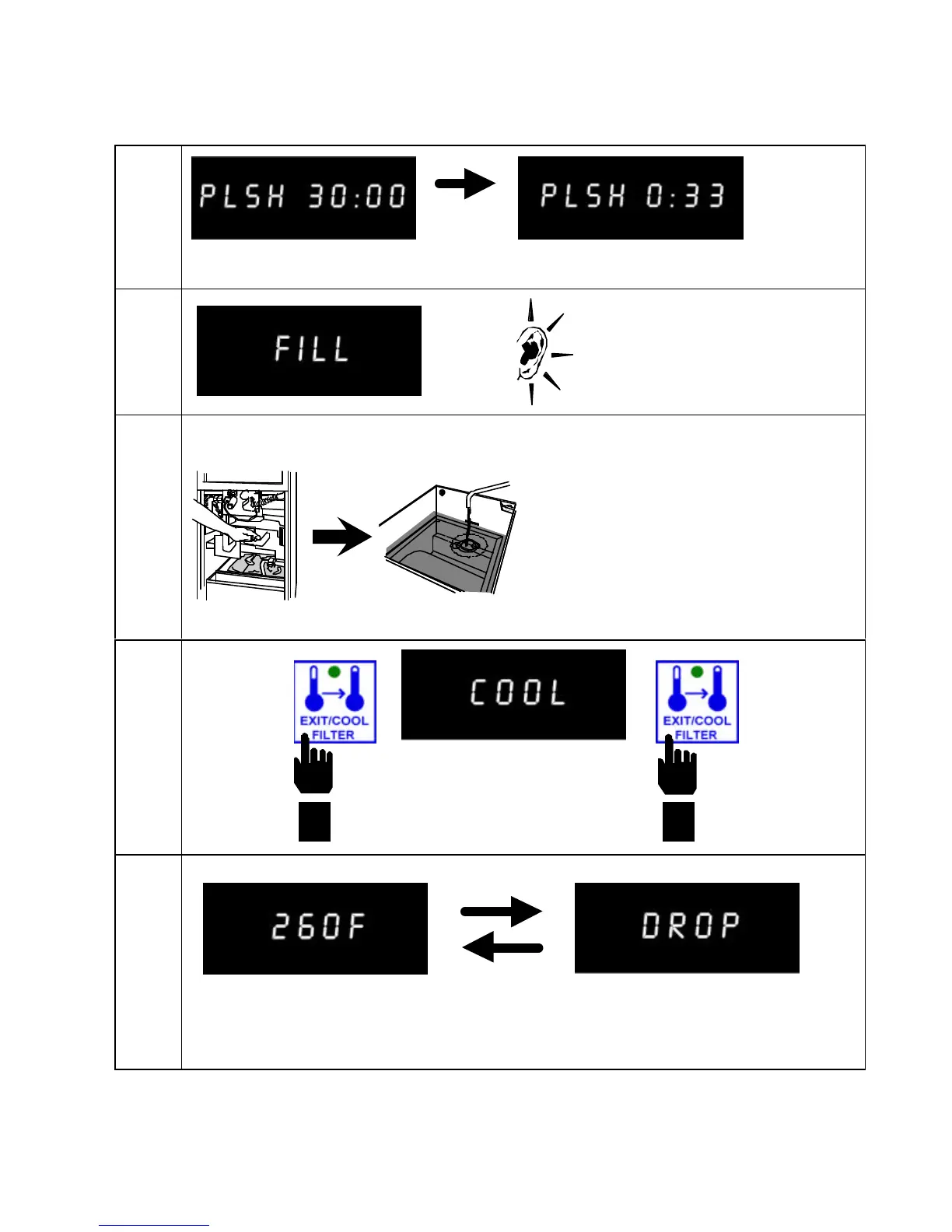
Computer counts down. Polishing lasts 30 minutes.
7
8
9
10
Computer displays FILL
and an alarm sounds.
Press Exit/Cool Filter to
shut off alarm.
Cool appears in right display.
Press
EXIT/COOL
FILTER
button
Computer displays oil temperature
and fryer heats to setpoint.
Fryer displays drop when it’s at
setpoint and ready to cook.
Close drain
valve. Pump
shortening into
frypot. Turn
pump OFF.
Press
EXIT/COOL
FILTER
button


 To Next Page