1-7
1.5 Afternoon (PM) Polishing Cycle (cont.)
5
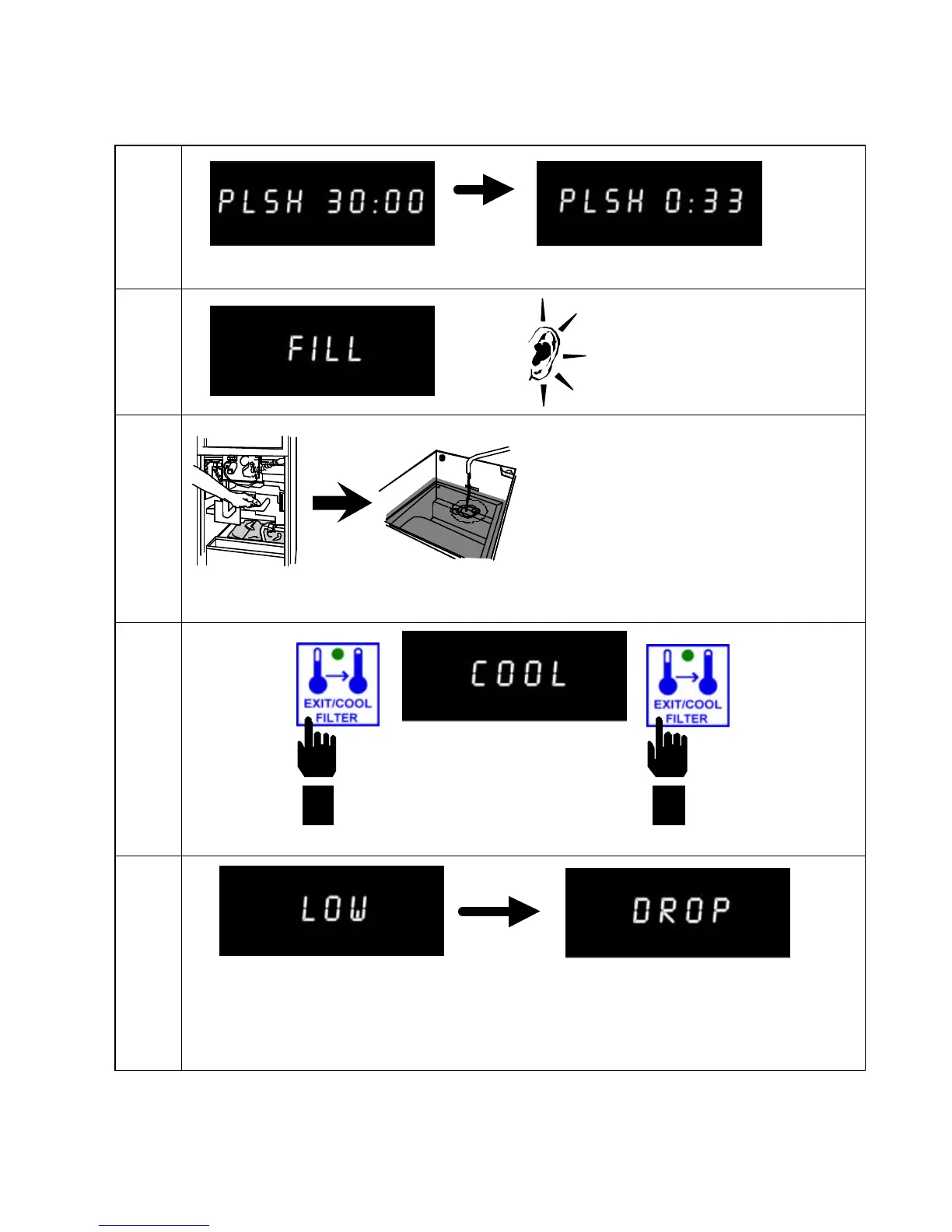
Computer counts down.
6
7
8
9
At the end of the polishing
cycle, the computer displays
FILL and an alarm sounds.
Press Exit/Cool Filter to shut
off alarm.
COOL appears in right display.
Computer displays LOW and fryer
heats to setpoint.
Fryer displays DROP when
oil/shortening temperature is at
setpoint and ready to cook.
Press
EXIT/COOL
FILTER
button
Press
EXIT/COOL
FILTER
button
Turn pump off.
Pump shortening into
frypot.


 To Next Page