EasyManua.ls Logo

Frymaster PF50 Series - User Manual

Frymaster PF50 Series
22 pages
Print Icon
To Next Page IconTo Next Page
Loading...
Frymaster, a member of the Commercial Food Equipment Service Association, recommends
using CFESA Certified Technicians.
24-Hour Service Hotline 1-800-551-8633
12/2017

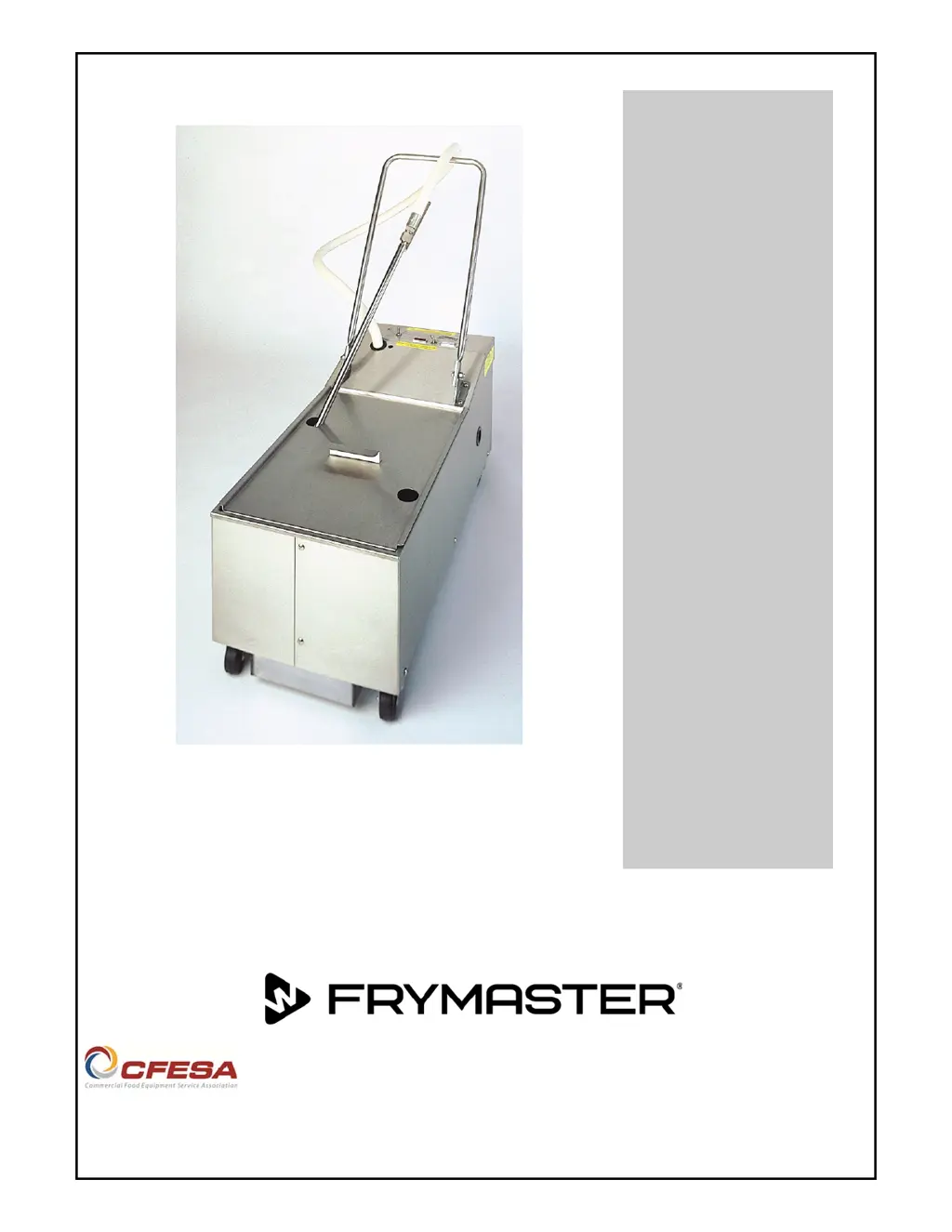
PF50 Series Portable
Filtration Systems
Operating Manual
Please read all sections of this manual and retain for future reference.
SERIES PF50 & PF50S
*8197503
*

Questions and Answers

  • K
    Karen WilliamsJul 28, 2025
    What to do if Frymaster PF50 Water Filtration Systems pump stops during filtering process?
    • M
      mcarterJul 28, 2025
      If the pump stops during the filtering process, allow the filter unit to cool for at least 45 minutes, then press the motor thermal overload switch to reset it. Turn the filter pump off, let the oil cool, and empty the pan. Make sure the filter paper is clean and properly installed. Refill the pan and restart the process.
  • R
    Randy GrayAug 4, 2025
    What to do if Frymaster Water Filtration Systems oil is not being returned to frypot?
    • K
      Kathryn RobertsAug 4, 2025
      If oil isn't returning to the frypot, several issues could be the cause. First, the filter hose may be clogged with debris; clear the hose. Second, the filter paper might be clogged; scrape off excess sediment or replace the filter paper. Finally, the filter pan suction tube could be blocked; use a thin, flexible wire to unclog it.
  • J
    John GutierrezAug 10, 2025
    Why is Frymaster PF50 Water Filtration Systems pumping erratic?
    • T
      Taylor WeissAug 10, 2025
      Erratic pumping can occur if the filter paper isn't properly installed under the hold-down ring or if the filter hose connection isn't tight and secure. Verify these components to ensure proper functionality.
  • B
    Barbara MoranAug 15, 2025
    How to prevent plugged lines in Frymaster PF50?
    • N
      Nicole OrtizAug 15, 2025
      To guard against plugged lines when using solid shortening, follow these guidelines: 1. Turn the Heater/Filter switch to HEATER and allow the heater to remain on for 20-30 minutes before attempting a filter cycle. 2. At the end of the filtering cycle, let the filter bubble into the fryer through the flexible hose for about 15-30 seconds. If it is blowing bubbles, air is moving through the lines and the filter is less likely to be plugged. 3. When filtering is complete, drain oil or shortening from the hose.
  • P
    Patricia WilsonAug 22, 2025
    How to fix plugged paper in Frymaster PF50?
    • F
      Francis OliverAug 22, 2025
      Plugged paper is usually caused by improper use of the filter powder. Review the instructions for the correct use of filter powder and change the filter paper more frequently. When filtering several fryers prior to changing paper, ensure that excess sediment is scraped off the filter paper after filtering each frypot.

Summary

Introduction

Parts Ordering

Information required to order replacement parts for the filter system.

Service Information

Contact details and information needed for obtaining service for the filter unit.

After Purchase Details

Chart to record service technician and filter unit details for improved service.

Safety Notation Explanation

Explanation of safety notations (Caution, Warning, Danger) used throughout the manual.

Qualified Service Personnel Definitions

Definitions of qualified operating, installation, and service personnel for the equipment.

Important Information

General Specifications and Operation

Overview of PF50 portable filters, specifications, and basic operation principles.

Rating Plate Information

Location and importance of the unit's rating plate for identification and electrical requirements.

Pre-Installation Requirements

Standards, electrical connection requirements, and grounding instructions for filter unit installation.

Unpacking and Shipping Damage Handling

Procedure for unpacking the filter system and reporting any shipping damage.

Filter Preparation

Filter System Assembly Steps

Step-by-step instructions and illustration for assembling the portable filter system.

Operating and Filtering Instructions

Filter Operation Procedure

Detailed steps for operating the filter system, including using the heater and switches.

Cleaning and Maintenance

General Cleaning Categories

Overview of cleaning operations: wiping, daily prep, and weekly cleaning.

Cleaning After Each Use

Tasks to perform after each filter session, including washing and wiping.

Daily Close Of Business Cleaning

Steps for cleaning the filter system at the end of each working day.

Weekly Cleaning and Inspection

Additional steps for weekly cleaning and checking hose connections.

Troubleshooting Guide

Common Operating Problems

Identifies common issues like plugged lines and filter paper.

General Troubleshooting Chart

Diagnostic chart for common malfunctions with solutions and corrective actions.

Wiring Diagrams

Electrical wiring diagrams for PF50 and PF50S models (115V/230V).

Frymaster PF50 Series Specifications

General IconGeneral
BrandFrymaster
ModelPF50 Series
CategoryWater Filtration Systems
LanguageEnglish