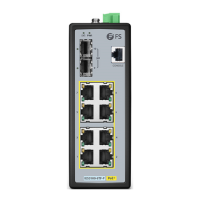
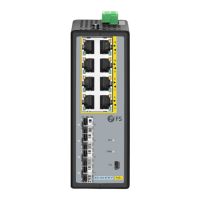
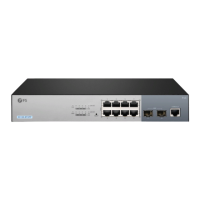
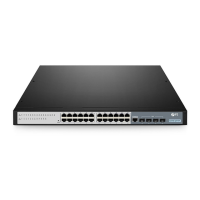
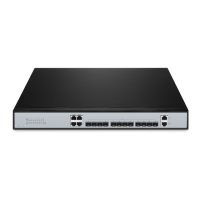
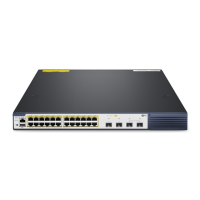
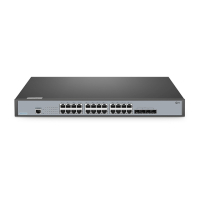
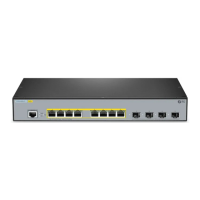
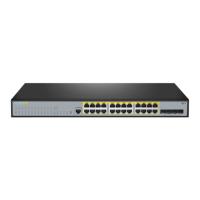
The FS PoE+ Series Switches are a range of managed switches designed for network deployments, offering various port configurations to suit different needs. These switches provide Layer 2+ Gigabit Ethernet connectivity with Power over Ethernet Plus (PoE+) capabilities, making them suitable for powering and connecting network devices such as IP cameras, IP telephones, and Access Points (APs).
Function Description:
The primary function of these switches is to provide high-speed network connectivity and power to connected devices over Ethernet cables. As managed switches, they offer advanced network management features, allowing administrators to configure, monitor, and troubleshoot the network effectively. The PoE+ capability adheres to the IEEE 802.3at standard, delivering up to 30W per port to compatible Powered Devices (PDs). The switches support Gigabit Ethernet (10/100/1000BASE-T) for standard network connections and also include SFP/SFP+ ports for fiber optic uplinks, enabling high-speed connections to other network segments or core switches. The L2+ designation indicates advanced Layer 2 features and some Layer 3 capabilities, such as static routing, enhancing network performance and flexibility.
Important Technical Specifications:
The series includes several models with varying port counts and uplink options:
- S3150-8T2FP: An 8-port Gigabit L2+ PoE+ managed switch with 2 SFP ports.
- S3260-8T2FP: An 8-port Gigabit L2+ PoE+ managed switch with 2 SFP ports.
- S3260-16T4FP: A 16-port Gigabit L2+ PoE+ managed switch with 4 SFP ports.
- S3400-24T4FP: A 24-port Gigabit L2+ PoE+ managed switch with 4 SFP ports.
- S3400-48T4SP: A 48-port Gigabit L2+ PoE+ managed switch with 4 SFP+ ports.
Common features across the series include:
- RJ45 Ports: 10/100/1000BASE-T for Ethernet connection.
- SFP/SFP+ Ports: SFP ports for 1G transceivers (S3150, S3260, S3400-24T4FP models) and SFP+ ports for 10G transceivers (S3400-48T4SP model). Some models also feature RJ45/SFP Combo ports, where one RJ45 port and one SFP slot share the same bandwidth, with only one port active at a time.
- Console Port: An RJ45 console port for serial management, allowing command-line interface (CLI) access for configuration.
- Power Supply: Supports both AC (100-240Vac, 50/60Hz) and DC (53.5Vdc) power input, depending on the model, with a Power ON/OFF switch.
- Grounding Point: Essential for proper electrical grounding and safety.
- LED Indicators:
- PWR (Power): ON (Switch is powered on).
- SYS (System): Blinking Green (System is working properly), ON/OFF (System is not working properly).
- Lnk/Act (Link/Activity): Blinking Green (Data is being transmitted or received), ON/OFF (Connection is not connected).
- PoE (Power over Ethernet): ON (Connected PD device, working properly).
- Reset Button: Used to restart the switch and restore factory default settings.
Usage Features:
The FS PoE+ Series Switches are designed for flexible deployment and ease of use.
- Mounting Options:
- Desk Mounting: Simple installation by attaching four rubber pads to the bottom of the chassis and placing it on a desk.
- Rack Mounting: The switches are compatible with standard 19-inch racks. Mounting brackets are secured to the sides of the switch with M3 screws, and then the switch is attached to the rack using M6 screws and cage nuts. A minimum of 1U height is required in the rack.
- Connectivity:
- Power Connection: The AC power cord plugs into the power port on the back of the switch and connects to an AC power source. For models with DC input, a DC power supply is used.
- RJ45 Ports: Standard Ethernet cables (Category 5e or higher) are used to connect IP cameras, IP telephones, Access Points (AP), or other network devices to the RJ45 ports.
- SFP/SFP+ Ports: Compatible SFP/SFP+ transceivers are plugged into these ports, and fiber optic cables connect to other fiber devices for high-speed uplinks.
- Console Port: An RJ45 console cable connects the switch to a computer's RS-232 serial port for command-line configuration.
- Configuration:
- Web-based Interface: The switches can be configured via a web browser. By connecting a computer to any Ethernet port, setting the computer's IP address to 192.168.1.x (where x is 2-254) and subnet mask to 255.255.255.0, users can access the interface by typing http://192.168.1.1 in the browser and logging in with the default username and password (admin/admin).
- Console Port (CLI): For advanced configuration, users can connect via the console port using terminal simulation software (e.g., HyperTerminal) with specific parameters: 115200 bits per second, 8 data bits, no parity, 1 stop bit, and no flow control. The default username and password for CLI access are also admin/admin.
Maintenance Features:
The switches incorporate features and guidelines to ensure reliable operation and ease of maintenance.
- Installation Requirements:
- Environmental Conditions: The installation site must be well-ventilated, with adequate airflow around the switch, and the ambient temperature should not exceed 50°C. It should be free from dust, leaking/dripping water, heavy dew, and humidity.
- Stability: The switch must be level and stable to prevent hazardous conditions.
- Grounding: Proper grounding is crucial. The grounding cable connects the switch to a proper earth ground, such as the rack. The earth connection should not be removed unless all supply connections have been disconnected.
- Troubleshooting:
- Loading Failure: If the system fails to load, users should first check physical port connections. If connections are correct, review the loading process information displayed on the super terminal for input errors.
- Password Recovery: In case of a lost or forgotten system password, it can be reset via the console port. This involves connecting to the console, entering Uboot mode (Ctrl + B), and starting the system with an empty configuration file using the command
Bootrom#boot_flash_nopass. Users will be prompted to revert to the default config file. It is important to note that this process may cause configuration loss and business interruption, so remembering credentials is highly recommended.
- Configuration System Troubleshooting: If configuration issues arise, ensure the power supply is normal, the console cable is correctly connected and of the right type, the control cable driver is installed, and HyperTerminal parameters are correct.
- Product Warranty and Support:
- Warranty: FS offers a 4-year limited warranty against defects in materials or workmanship for PoE+ Series Switches.
- Returns: A free return within 30 days is offered for damaged or faulty items due to workmanship, excluding custom-made items.
- Resources: FS provides online resources for downloads, a help center, and contact information for support.
The FS PoE+ Series Switches are robust and versatile networking devices, offering a comprehensive solution for managing and powering network infrastructure in various environments.



 Need help?

 To Next Page
 General