99
4. POWER ON / OFF
Power ON / OFF Button:
• To turn ON the system, press the button for 1 second.
• To turn OFF the system, press and hold the button for 4 seconds.
Assistance Level:
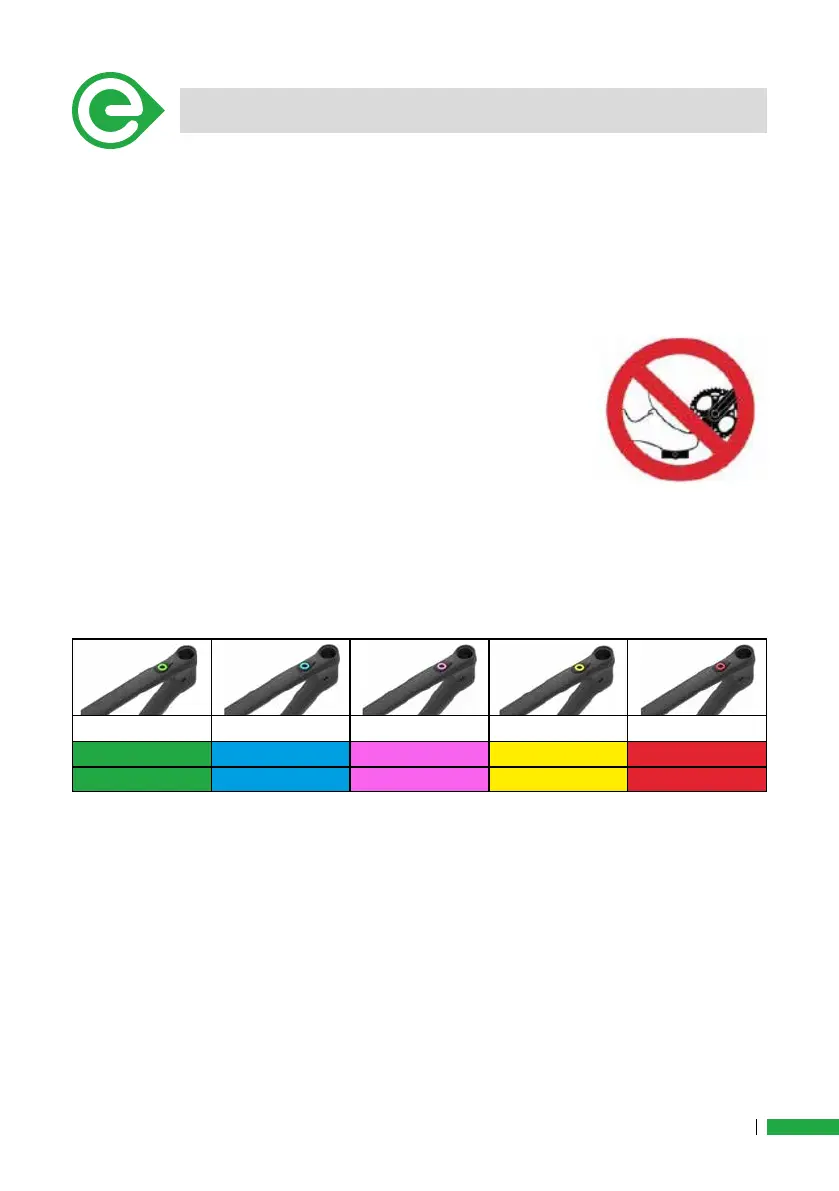
When switched on, the system automatically selects the ECO level (green).
Meanwhile, please don’t place your feet on the pe-
dals and do not move the bike, it must be stationary
(0km/h), in order to allow the torque sensor and speed
sensor to calibrate themselves. As soon as the light
turns to the green, the bike can be mounted and feet
placed on the pedals.
To select the desired assistance level, press the button: with each suc-
cessive press, the assistance level increases: 1 green, 2 blue, 3 pink, 4
yellow, 5 red. At selected level 5, a further pressure on the key will return
to level 1.
Level 1 Level 2 Level 3 Level 4 Level 5
Eco: Green Light
Blue Light Pink Light Yellow Light
BOOST: Red Light
Neutral Active Active Active Active



 To Next Page