Installation and Preparation
Supported Aircrafts
1.
Aircrafts:Matrice 30 Matrice 300
series.
2.
Please upgrade your aircraft to the latest firmware.
3.
Make sure that the aircraft is ready for operation before mission; Firstly turn on the remote
controller and then turn on the aircraft.
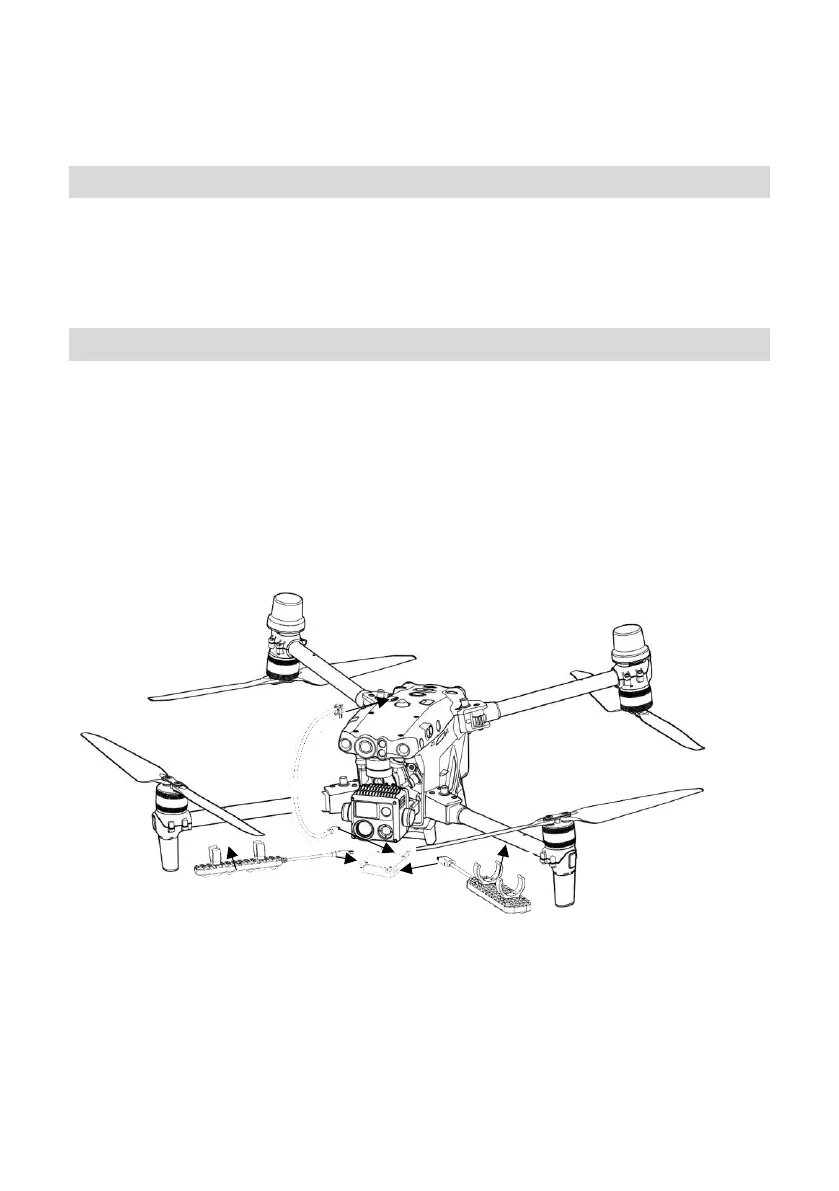
Mounting the S2
1.
Put snap
A1/A2
to Bracket
B1/B2
until you hear a "click" to ensure it is locked.
2.
Connect the power cable to the control template T-ypec interface.
3.
Connect the payload cable to the control template and then connect to the aircraft SDK interface.
4.
The above operations are carried out while the aircraft keeps shutdown; Firstly open the remote
controller and then start the flight.
5/10



 To Next Page