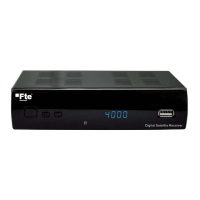
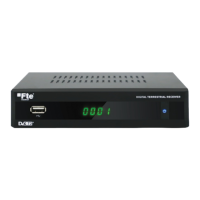
Need help?
Do you have a question about the FTE Maximal DVB 310 S and is the answer not in the manual?
The DVB 310 S and DVB 310 S CI modules are designed for the reception and distribution of satellite television and radio channels. These devices are particularly suited for headend installations, allowing for the reception of both free-to-air and, in the case of the DVB 310 S CI, codified channels, all adhering to the DVB-S standard. A key feature of these modules is their ability to modulate received signals into Vestigial Side Band (VSB), which enables the distribution of adjacent channels within a single distribution network without intermodulation problems.
At its core, the DVB 310 S module functions as a satellite receiver and modulator. It is capable of receiving signals in QPSK modulation and then re-modulating them into a PAL/SECAM TV or radio channel. This process allows satellite signals to be integrated into existing terrestrial television distribution systems, making them accessible to a wider range of display devices without the need for individual satellite receivers at each viewing point. The DVB 310 S CI model extends this functionality by incorporating a Common Interface (CI) slot, which allows for the decoding of encrypted or "codified" channels using a compatible Conditional Access Module (CAM) and smart card.
Each module is equipped with a "Loop" connector, facilitating the cascading of multiple modules at the input stage. This means that a single satellite feed can be distributed to several DVB 310 S or DVB 310 S CI modules, each tuned to a different transponder or channel. Similarly, a "Mix" connector is provided for output, allowing the modulated channels from multiple modules to be combined into a single output stream for distribution. The output channel can be selected from a wide range, specifically between C2 and C69, offering flexibility in channel allocation within the distribution network.
The programming and monitoring of these modules are managed through a dedicated PRO 201 programmer. All parameters, including input frequency, symbol rate, output channel, and video/audio settings, can be configured via this programmer. The programmer features a display that shows the current settings and allows for navigation through various menus and submenus. Additionally, the A/V output on the device itself can be used to monitor the video and audio signals, providing a direct visual and auditory confirmation of the module's operation and the quality of the received and modulated signal.
The DVB 310 S and DVB 310 S CI modules are designed for ease of integration and operation within a headend system. The physical connections are straightforward, with F-type connectors for RF input and output, and an A/V connector for monitoring. The "LNC IN" connector is used to connect to the LNB (Low Noise Block) of a satellite dish or to the "LOOP OUT" of a preceding module in a cascaded setup. The "LOOP OUT" connector, in turn, allows the satellite signal to be passed on to the next module. The "OUT" connector provides the modulated channel, which is mixed with any signals received through the "MIX" connector.
Programming is a central aspect of using these devices. The PRO 201 programmer connects to the "PRO 201" Ethernet connector on the module. Once connected, the programmer recognizes the module and displays a main menu, showing the firmware version and providing access to various configuration options. Navigation through the menus is intuitive, using "Up," "Down," "Left," and "Right" buttons on the programmer's keyboard, with "OK" to select options and "Cancel" to return to the previous menu.
The "Manual" menu allows for detailed configuration of transponder parameters. Users can set the TV system (PAL B/G, PAL I, PAL D/K, SECAM), video level, picture format (AUTO, 4:3 Letter Box, 4:3 Pan & Scan, 16:9 Letter Box), and for CI models, configure the Conditional Access System. Input parameters such as antenna feeding (13V, 18V, 22kHz tone, DiseqC switch settings), input frequency, symbol rate, and local oscillator frequency are all adjustable. Output parameters include RF channel (frequency), RF video level, and RF level. The module also supports searching for channels within a transponder, deleting channels from the list, and switching between TV and radio channels.
A significant usage feature is the "Auto" menu, which facilitates the storage and recovery of complete device configurations. This is particularly useful for installations with fixed channel lineups, as it allows technicians to save a configuration to the programmer's memory and then quickly "dump" it to multiple modules, streamlining the installation process. This "Head Config" feature includes options to "Read from module" (saving the module's current configuration to the programmer) and "Write to module" (copying a stored configuration from the programmer to the module).
The "TV Mode" menu provides control over output-specific parameters such as volume, output channel selection, and audio output (e.g., stereo). These settings allow for fine-tuning the modulated signal to suit the requirements of the distribution network and end-user devices.
The DVB 310 S and DVB 310 S CI modules are designed with several features that contribute to their maintainability and longevity. The safety measures outlined in the manual emphasize proper handling and installation to prevent damage and ensure safe operation. These include avoiding exposure to extreme temperatures, liquids, and hot sources, ensuring adequate ventilation, and never opening the device while it is connected to the electrical net. These guidelines are crucial for preventing malfunctions and extending the device's lifespan.
For software maintenance, the "Update" option in the "Manual" menu allows for updating the module's firmware. This can be done by downloading updated software from the programmer to the module or by receiving updated software from the module to the programmer. Keeping the firmware up-to-date ensures that the module benefits from the latest features, bug fixes, and compatibility improvements.
The "Reset" function, also found in the "Manual" menu, provides a way to restore the module to its default factory settings. This can be a valuable troubleshooting step if the module is experiencing configuration-related issues or if a complete re-configuration is desired. A confirmation step is included to prevent accidental resets.
The "Head Program" option within the "Auto" menu allows for updating the DVB module with the software version stored in the programmer. This ensures that all modules in a headend system can be easily synchronized to the same software version, simplifying management and ensuring consistent performance. During this process, the AUDIO/VIDEO output will not show any signal, and the programmer's screen will display a progress bar.
In terms of physical maintenance, the design of the modules, with their robust connectors and clear labeling, facilitates easy connection and disconnection of cables. The recommendation to terminate unused inputs and outputs with a 75Ω load (FCF) is a good practice for maintaining signal integrity and preventing reflections in the distribution network, which contributes to the overall stability and performance of the system.
The modular nature of the DVB 310 S and DVB 310 S CI, along with their compatibility with other FTE maximal accessories like amplifiers and mixers, means that individual components can be serviced or replaced without necessarily overhauling the entire headend system. This modularity simplifies troubleshooting and repair, reducing downtime.
Finally, the manual explicitly states that repairs and maintenance of the device must be performed by TV and radio specialized technicians, underscoring the importance of professional expertise for any internal servicing. This ensures that complex repairs are handled correctly, preserving the device's functionality and safety.
 General
| Input Frequency Range | 950 - 2150 MHz |
|---|---|
| FEC | 1/2, 2/3, 3/4, 5/6, 7/8 |
| DiSEqC | 1.0, 1.1, 1.2 |
| Aspect Ratio | 4:3, 16:9 |
| LNB Power | 13/18V, 500mA |
| Video Decoder | MPEG-2 |
| Audio Decoder | MPEG-1 Layer 1, 2 |
| Connectors | RCA |
| Power Consumption | 15W |
| Demodulation | QPSK |
| Input Connector | F-type |
| Operating Temperature | 0°C to +40°C |

 To Next Page