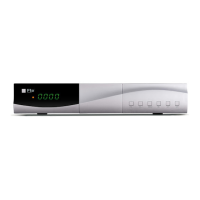
REMOTE CONTROL UNIT & PANEL DESCRIPTION
English v 1.1
´´o
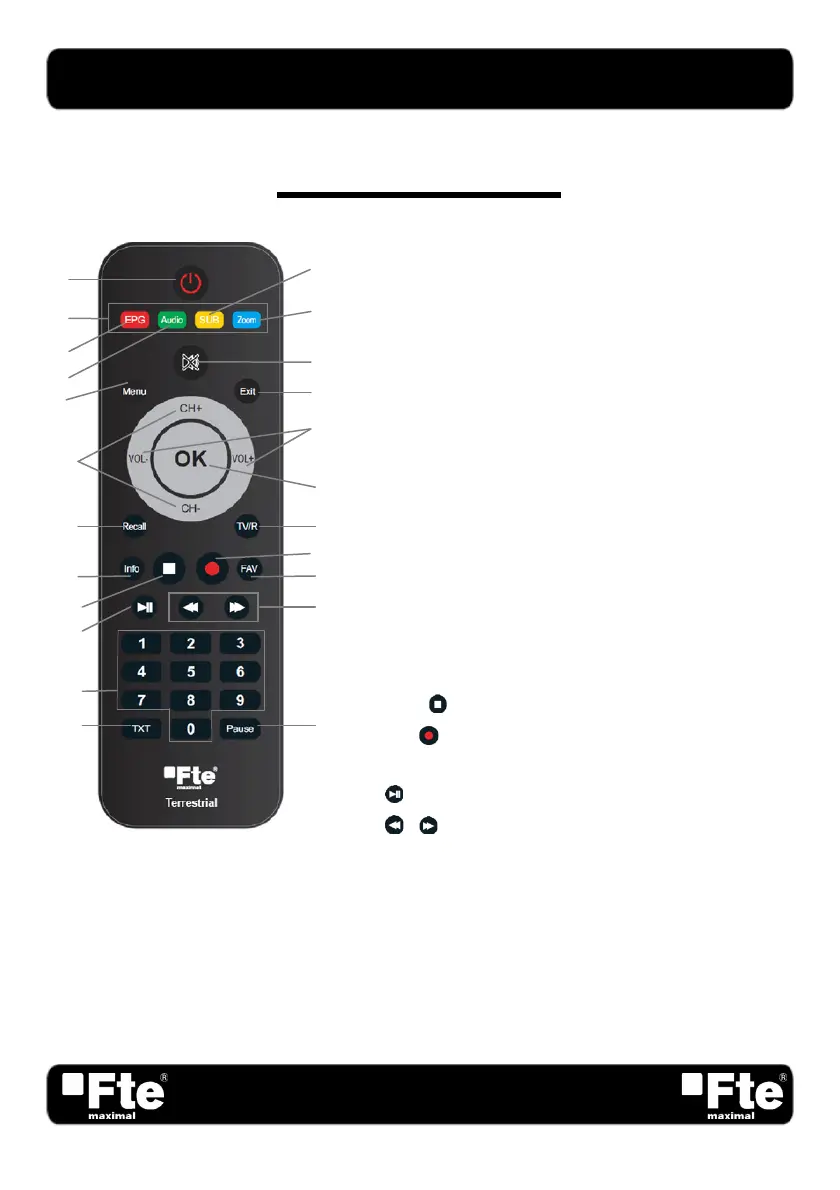
REMOTE CONTROL UNIT DESCRIPTION
1. POWER: Switches the receiver on or in standby mode.
2. Colour Keys: Control menu options.
3. EPG: Shows the EPG information.
4. Audio: Open audio menu.
5. Sub: Show or hide subtitle in the screen.
6. Zoom: Zoom function.
7. MUTE: Switches audio on and off.
8. Menu: Show the main menu.
9. Exit: Exit menus or stop operations.
10. CH+/CH-: Changes channels or controls the cursor in menus.
11. VOL-/VOL+: Adjust audio volume or controls the cursor in
menus.
12. OK: Confirm selections or open the list of channels.
13. Recall: Watch the last viewed channel.
14. TV/R: Switches between TV and Radio channels.
15. Info: Show channel information and the signal bar.
16. STOP
: Stop button for media files.
17. REC
: Quick start for recording. *
18. FAV: Open favourite list.
19.
: Start and pause button for media files.
20.
/ : Rewind/ Fast Forward button for media files.
21. Numeric keys: To typing the channel number or names.
22. TXT: Open or close the Teletext.
23. Pause: If you press it once, you will stop the image, and
it will come back to normal mode when you press it
again.
* This function will only be available in models with PVR
ready function ability
12
19
18
9
10
3
2
1
4
5
6
7
8
11
13
14
15
16
17
21
20
22 23



 To Next Page