EasyManua.ls Logo

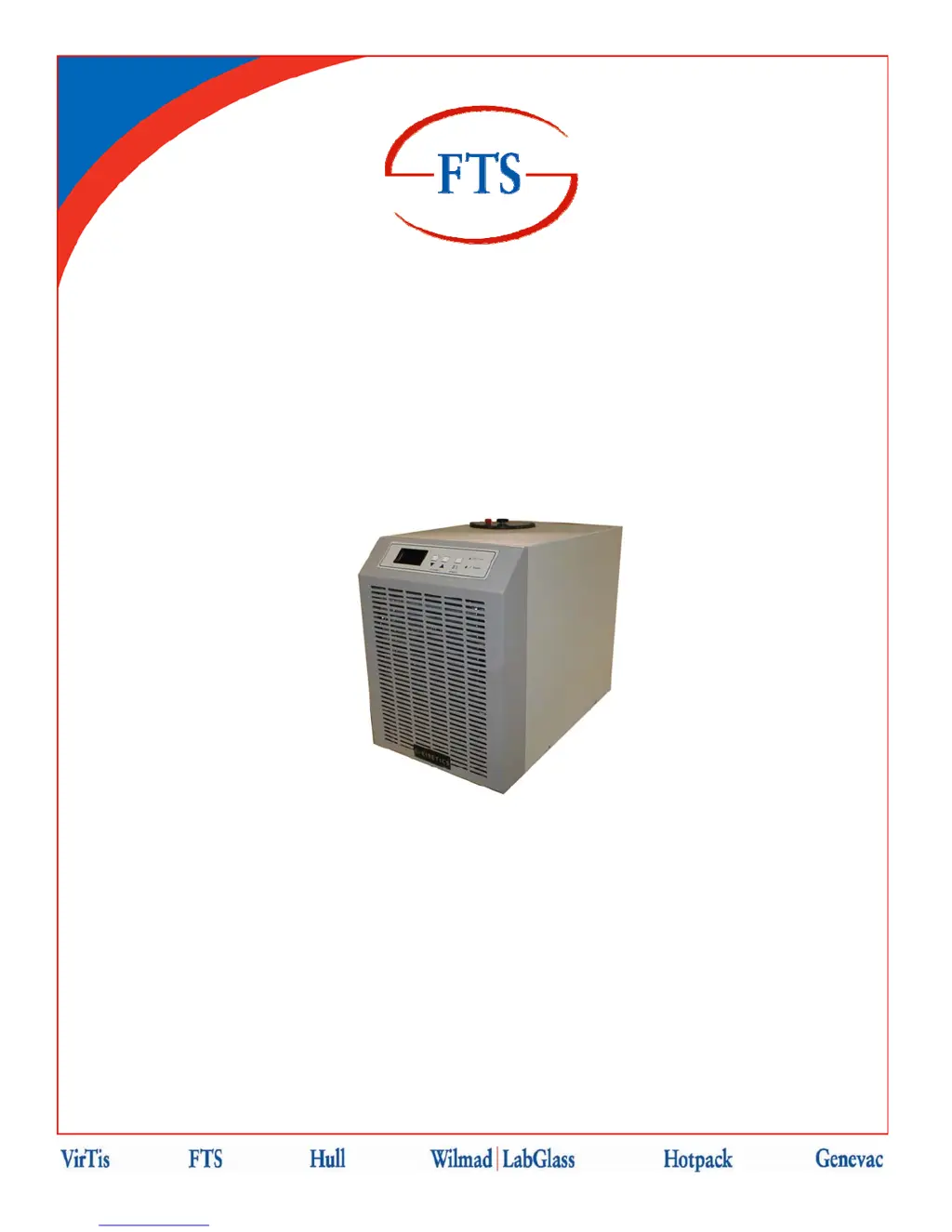
FTS RS Series - User Manual

FTS RS Series
53 pages
Print Icon
To Next Page IconTo Next Page
Loading...
Document #MNL-008-A, Rev. 009
RSSeriesChillers
Operator’sManual
FTS
3538 Main Street
Stone Ridge, NY 12484 USA
www.SPIndustries.com
(800) 824-0400 or 001 (845) 687-0071
SP Service:
(877) 548-4666 or 001 (645) 687-5400
FAX: (845) 687-0024
E-Mail: service@SPindustries.com

Questions and Answers

  • K
    kschmidtAug 2, 2025
    How to troubleshoot an FTS RS Chiller that will not start?
    • K
      Kimberly HallAug 3, 2025
      If your FTS Chiller unit isn't starting, it could be due to a few reasons. First, ensure that the power is properly connected; it's best to have an electrician verify the connections. Another common cause is the breaker being in the "off" position, so make sure to switch it "on". Lastly, a blown fuse could also be the culprit; a qualified person should check and replace it if necessary.
  • A
    Ana CannonNov 8, 2025
    Why is my FTS RS unit not cooling properly?
    • F
      Faith CrossNov 8, 2025
      If your FTS Chiller isn't cooling properly, start by checking if the temperature setting is higher than the fluid temperature and adjust it accordingly. Also, the fluid's viscosity might be too high for the intended temperature range, consider changing the fluid. The ambient temperature could also be a factor; for optimal performance, it should be around 72°F/22°C. Make sure that plumbing is correctly connected, ensuring the "LIQUID OUT" port connects to the inlet and the "LIQUID IN" connects to the outlet of the system being cooled. Check that all lines have adequate insulation, and that there are no local sources of heat that may be contributing to the load. Finally, a refrigerant leak could be the issue, in this case you should enlist a qualified, certified refrigeration technician to c...
  • K
    Kerry HuntNov 16, 2025
    What to do if the pump on my FTS Chiller will not start?
    • F
      fdavisNov 16, 2025
      If the pump on your FTS Chiller isn't starting, several factors could be responsible. Begin by verifying that the power is correctly connected; it's advisable to have an electrician inspect the connections. Ensure that the breaker is in the "on" position. Another possibility is that the pump needs priming, so prime the pump. Also, the impeller might be jammed, to resolve this, verify that the motor is getting voltage and that the voltage is correct. If the fluid freezes it will jam the pump impeller. The pump motor may have overheated, it will restart when the motor has cooled down. This is usually a result of the pump being overworked. Insure that the viscosity of the fluid being used remains
  • R
    Rose BeltranNov 24, 2025
    How to improve inadequate fluid flow in my FTS RS Chiller?
    • S
      Stephanie LutzNov 24, 2025
      If the fluid flow in your FTS Chiller is inadequate, it could be due to several reasons. The viscosity of the fluid might be too high for the intended temperature range, so consider changing to a fluid with lower viscosity. If you're using a high-pressure pump like the HPP2, the pump screen might be blocked, you can access it by removing the insulation from the pump and removing the large nut on the pump housing. Ensure that the ball valve is open. Check the plumbing lines for any restrictions or breaks and repair as needed. Restrictions in the system may prevent needed flow with supplied pump, so use larger line sizes or replace pump with pump capable of supplying needed flow with the given plumbing restrictions. The impeller of the pump might be damaged, remove pump and check impeller. T...

Summary

Important Symbols

Safety and Operating Symbols Guide

Explains safety, warning, and operational symbols used throughout the manual.

Foreword

Safety Precautions

Essential safety guidelines for operating and maintaining the unit.

Equipment Inspection Guide

Procedures for inspecting the unit upon receipt and for potential damage.

Introduction

Model Number Identification

Guide to identifying the specific model and its configured options.

Installation Guidelines

Physical Location and Air Requirements

Recommendations for unit placement, ventilation, and ambient temperature.

Selecting a Process Fluid

Guidance on choosing suitable process fluids based on temperature range and properties.

Process Fluid Properties

Details on fluid expansion, creep, dissolved gases, solubility, and vapor pressure.

Electrical Requirements

Specifications and precautions for connecting the unit to electrical power.

High Pressure Bypass Hook-Up

Instructions for installing the optional high-pressure bypass accessory.

Connecting to the Process

Steps for connecting the process fluid lines and adding the process fluid.

Operation Procedures

System Preparation, Start-Up, Control, and Shut-Down

Step-by-step guide for preparing, starting, controlling, and shutting down the unit.

User Menu Configuration

Navigating the User Menu

Overview of the EDC Controller's user menu structure and navigation.

Proportional Control Menu

Detailed explanation of parameters within the Proportional Control Menu.

Span Menu (Alarms)

Configuration of high and low alarms and setpoint limits.

Miscellaneous Menu Settings

Settings for parameter lock, decimal point, power failure recovery, and temperature scale.

Communications Menu

Settings for RS-232 communication parameters like baud rate, stop bits, and parity.

High Fluid Temperature Alarm

Description, reporting, detection, and response for high fluid temperature alarms.

Low Fluid Temperature Alarm

Description, reporting, detection, and response for low fluid temperature alarms.

PID Tuning Guide

Instructions for tuning the PID controller for optimal performance.

PID Parameters: IT and DT

Explanation and calculation of Integral Time (IT) and Derivative Time (DT).

PID Parameter: CCT

Method for determining the Cool Cycle Time (CCT).

PID Parameter: CPB

Calculating and setting the Cool Proportioning Band (CPb).

PID Parameters: HPB, CPB, and DB

Calculations for Heat Proportioning Band (HPb), Cool Proportioning Band (CPb), and Dead Band (db).

RS-232 Communications Programmers Reference

Overview and Hardware Specifications

Introduction to RS-232 interface, hardware, and communication basics.

Data Transmission and Formatting

Details on data format, transmission direction, and line structure for RS-232.

Command Types and Structure

Explanation of Absolute, Parametric, and Query command formats.

Transmitted Data and Responses

Format of data transmitted by the system, including acknowledge and terminator characters.

Command Set Reference

List and explanation of available RS-232 commands.

RS-232 Error Codes

Detailed list and explanation of RS-232 communication error codes.

Sample Communication Program

A sample BASIC program for troubleshooting RS-232 communication issues.

Maintenance Procedures

Maintenance Safety Warnings

Critical safety warnings including hazardous voltages, hot surfaces, and personnel requirements.

Lockout;Tagout and Panel Removal

Procedure for safely disconnecting power and removing access panels for maintenance.

Fuse Replacement

Instructions for safely replacing fuses with correct type and rating.

Cleaning Instructions

Routine cleaning procedures for exterior surfaces and internal components.

Draining Fluid Procedure

Steps for safely draining the unit's process fluid reservoir.

Troubleshooting Common Issues

Unit and Pump Start-Up Problems

Diagnosing and resolving issues with the unit or pump failing to start.

Cooling and Control Problems

Troubleshooting steps for poor cooling, temperature control failures, and fluid flow issues.

Refrigeration and Pump Issues

Diagnosing and resolving problems with refrigeration start-up, cutting out, pump noise, and heating.

Service and Support Information

Contacting FTS Service Department

Contact details and procedures for obtaining service for FTS equipment.

Standard Domestic Warranty

Details of the one-year parts and labor warranty coverage and limitations.

Service Plan Options

Information on extended warranties, preventative maintenance, and service contracts.

Equipment Return Procedure

Instructions for returning FTS equipment for repair or service, including RA number.

FTS RS Series Specifications

General IconGeneral
BrandFTS
ModelRS Series
CategoryChiller
LanguageEnglish

Related product manuals