EasyManua.ls Logo

FTX TORRO - Radio Control Adjustments

FTX TORRO
28 pages
Print Icon
To Next Page IconTo Next Page
To Previous Page IconTo Previous Page
Loading...
11
FTXTorroIDManual.indd 11 12/07/2019 13:26
-I
••
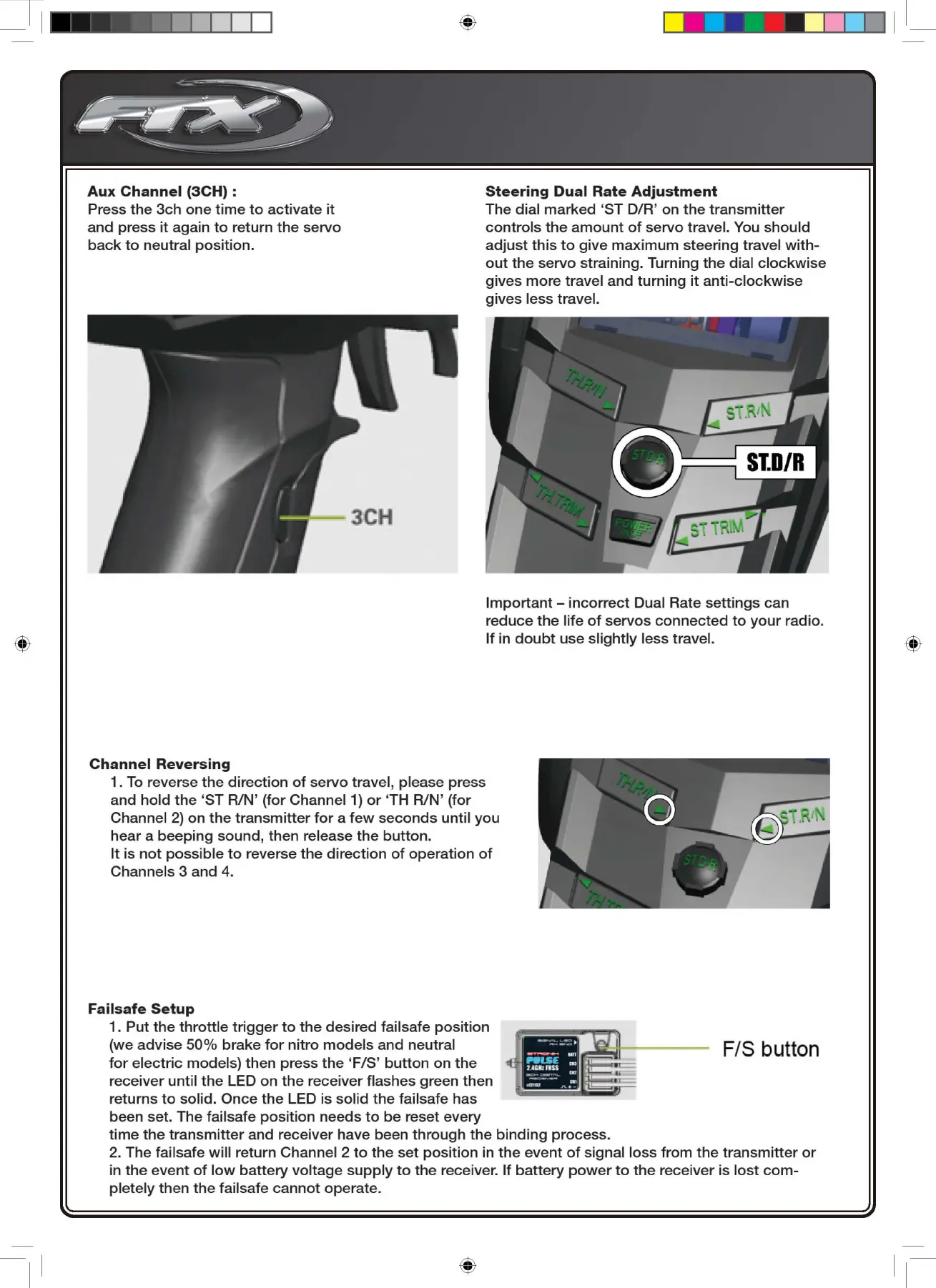
Aux
Channel
(3CH) :
Steering
Dual
Rate
Adjustment
Press
the
3ch
one
time
to
activate
it
and
press
it
again
to
return
the
servo
back
to
neutral
position.
The dial
marked
'ST
D/R' on
the
transmitter
controls
the
amount
of
servo
travel. You
should
adjust
this
to
give
maximum
steering travel
with-
out
the
servo straining. Turning
the
dial
clockwise
gives
more
travel and
turning
it
anti-clockwise
gives
less travel.
Important-
incorrect
Dual Rate
settings
can
reduce
the
life
of
servos
connected
to
your
radio.
If in
doubt
use
slightly
less travel.
Channel
Reversing
1.
To
reverse
the
direction
of
servo
travel, please press
and
hold
the
'ST RIN' (for Channel 1)
or
'TH
RIN'
(for
Channel
2)
on
the
transmitter
for
a
few
seconds
until
you
hear a
beeping
sound,
then release
the
button.
It
is
not
possible
to
reverse
the
direction
of
operation
of
Channels 3
and
4.
Failsafe
Setup
1.
Put
the
throttle
trigger
to
the
desired
failsafe
position
(we
advise
50%
brake
for
nitro
models
and
neutral
for
electric
models) then press
the
'F/S'
button
on
the
receiver until
the
LED on
the
receiver flashes green then
returns
to
solid.
Once
the
LED is solid
the
failsafe has
been set. The failsafe
position
needs
to
be
reset every
time
the
transmitter
and receiver have been
through
the
binding
process.
F/S
bu
tt
on
2.
The failsafe
will
return Channel 2
to
the
set
position
in
the
event
of
signal loss
from
the
transmitter
or
in
the
event
of
low
battery
voltage
supply
to
the
receiver. If
battery
power
to
the
receiver is
lost
com-
pletely
then
the
failsafe
cannot
operate.
1-

Related product manuals