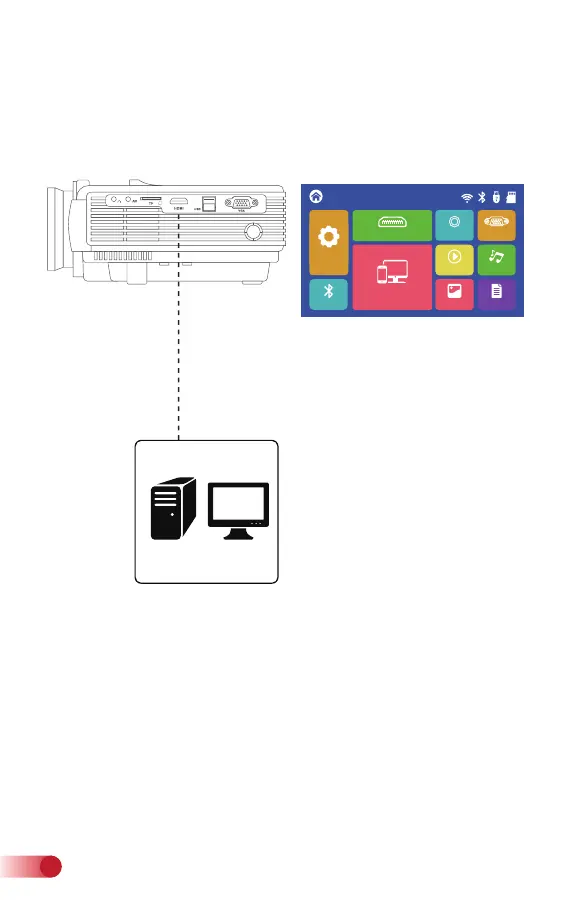
3. HDMI connection
Use the HDMI slot to connect computers and HDMI compatible
devices. Once connected, select the HDMI signal source.
Suported resolutions:
576P,480P,720P,1080P,640x480,800x600,1024x768,1280x1024,
1280x720,1440x900,1366x768,1920x1080,1280x800,1440x960,
680x1050
Setting
Screen Mirroring
PHOTO
MOVIE
MUSIC
HDMI
TEXT
HOME
VGA
AV
BT
Setting
11
support@fudonipower.com
2



 To Next Page