SCREEN MIRRORING
For iOS System
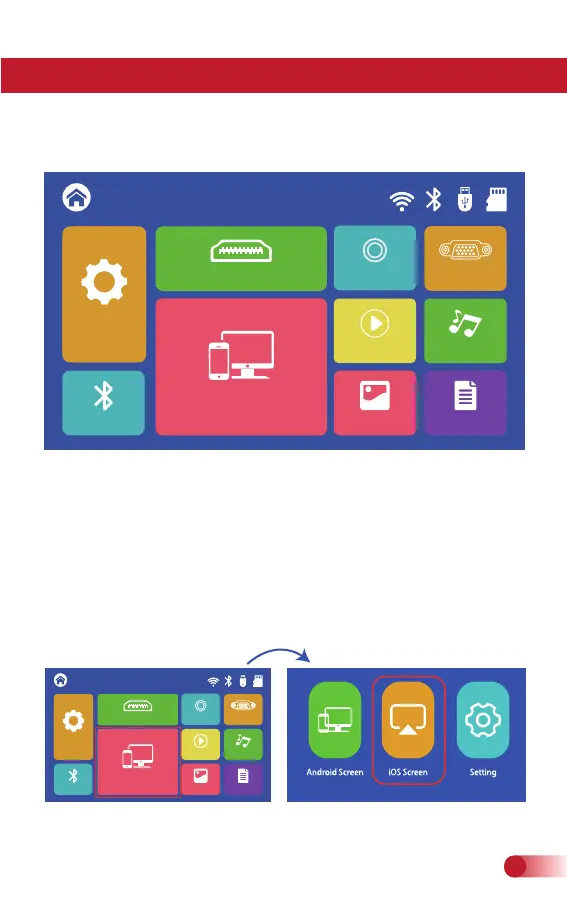
*Important: Before screen mirroring, please select “Screen Mirror-
ing” in the HOME main menu first.
*Method A Streaming with Cellular Date
1.Turn on the projector, select “Screen Mirroring" in the HOME main
menu, and then choose "iOS Screen".
For iOS devices, there are three ways to connect as follows.
Setting
Screen Mirroring
PHOTO
MOVIE MUSIC
HDMI
TEXT
HOME
VGA
AV
BT
Setting
Setting
Screen Mirroring
PHOTO
MOVIE
MUSIC
HDMI
TEXT
HOME
VGA
AV
BT
Setting
16
support@fudonipower.com



 To Next Page