EasyManua.ls Logo

FUDONI SPARE P1 - Powering On and Off; Multimedia Boot Screen

Default Icon
28 pages
Print Icon
To Next Page IconTo Next Page
To Previous Page IconTo Previous Page
Loading...
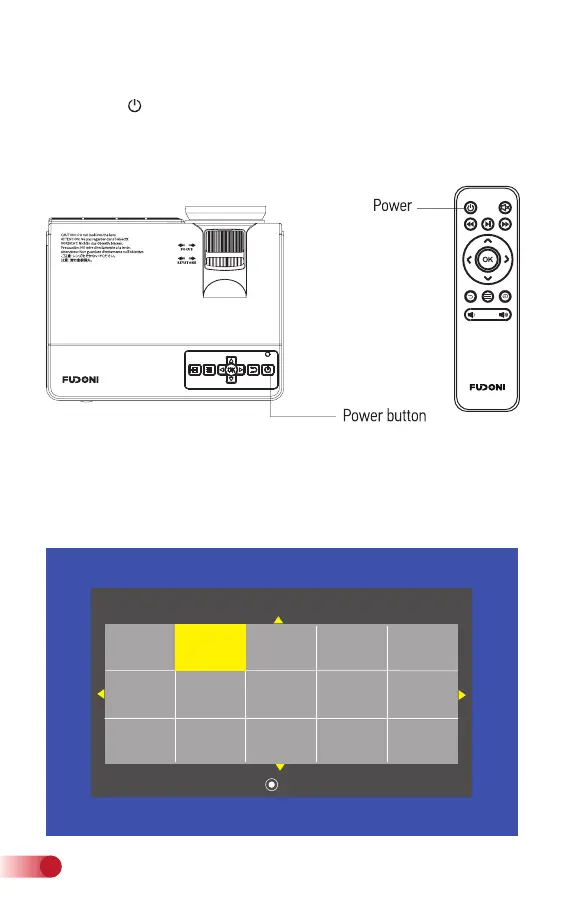
After 5-10 seconds, the multinnedia screen will be displayed.
3. Multimedia boot screen
Press the “ ” button on the projector or on the remote control to
power on. After the projector gets power through the power cable, it
goes into stand-by status.
2. Power ON/OFF

   
    
   



5
support@fudonipower.com

Related product manuals