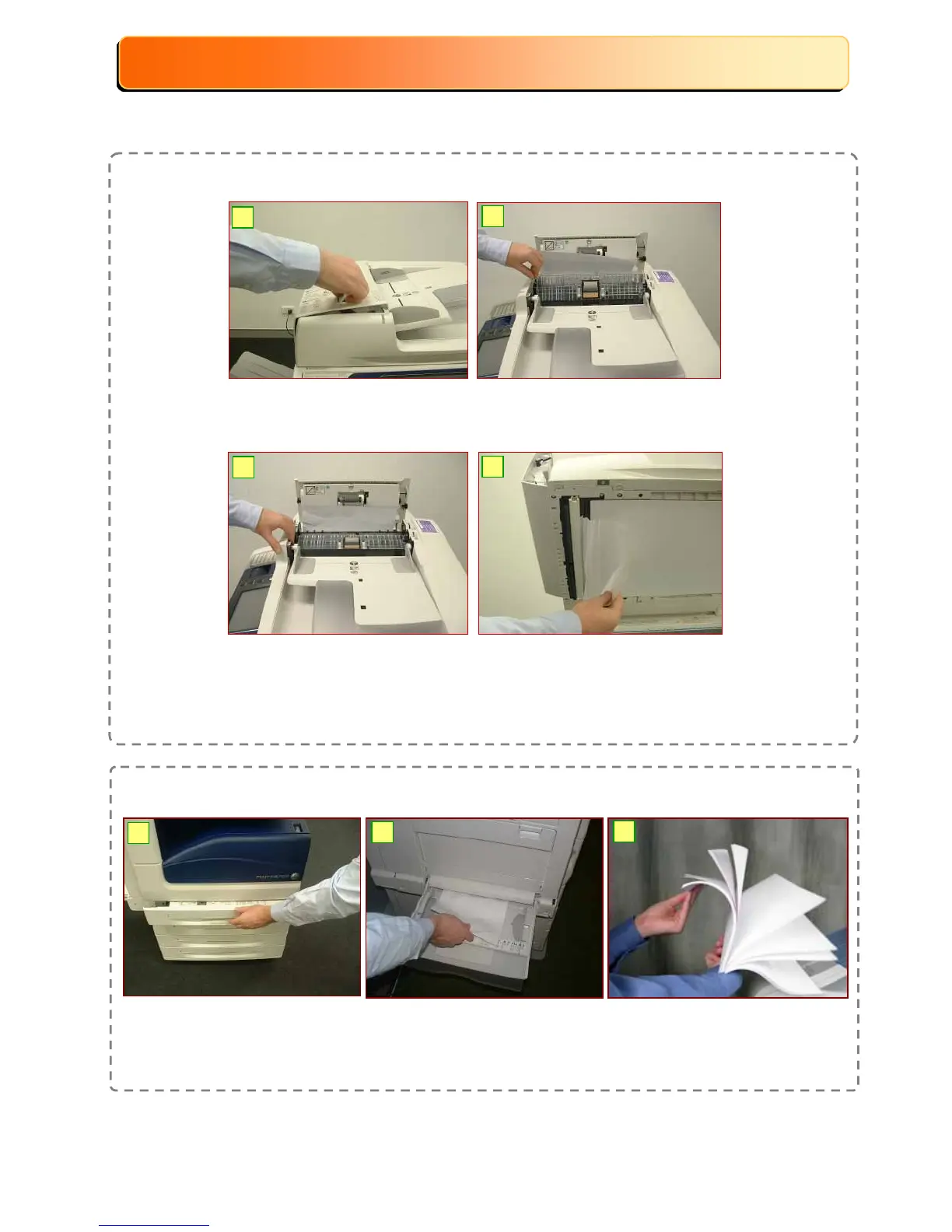
Paper Jam in the Document Feeder (DADF)
37
37
Maintenance : Clearing Paper Jams
Maintenance : Clearing Paper Jams
Maintenance : Clearing Paper Jams
NOTE: Follow instructions displayed on the Touch Screen to remove the jammed paper.
1
2
3
4
1: Lift up cover & remove
jammed original.
2: Carefully remove any
jammed original.
6: If paper jammed
underneath, lift up DADF
Tray. Remove jammed
paper. Close DADF cover.
3: Use the green wheel to
wind the jammed paper.
Paper Jam in Paper Tray (Tray 1, 2,3, 4 and Bypass Tray 5)
1: Pull out Paper Tray and
remove jammed paper.
Gently push the tray in.
3: Check the paper &
reload paper into the
Tray.
1
2
3
2: Inspect paper feed Tray 5
(Bypass). Remove
jammed paper if any.


 To Next Page
 Loading...