2 Product Overview
40
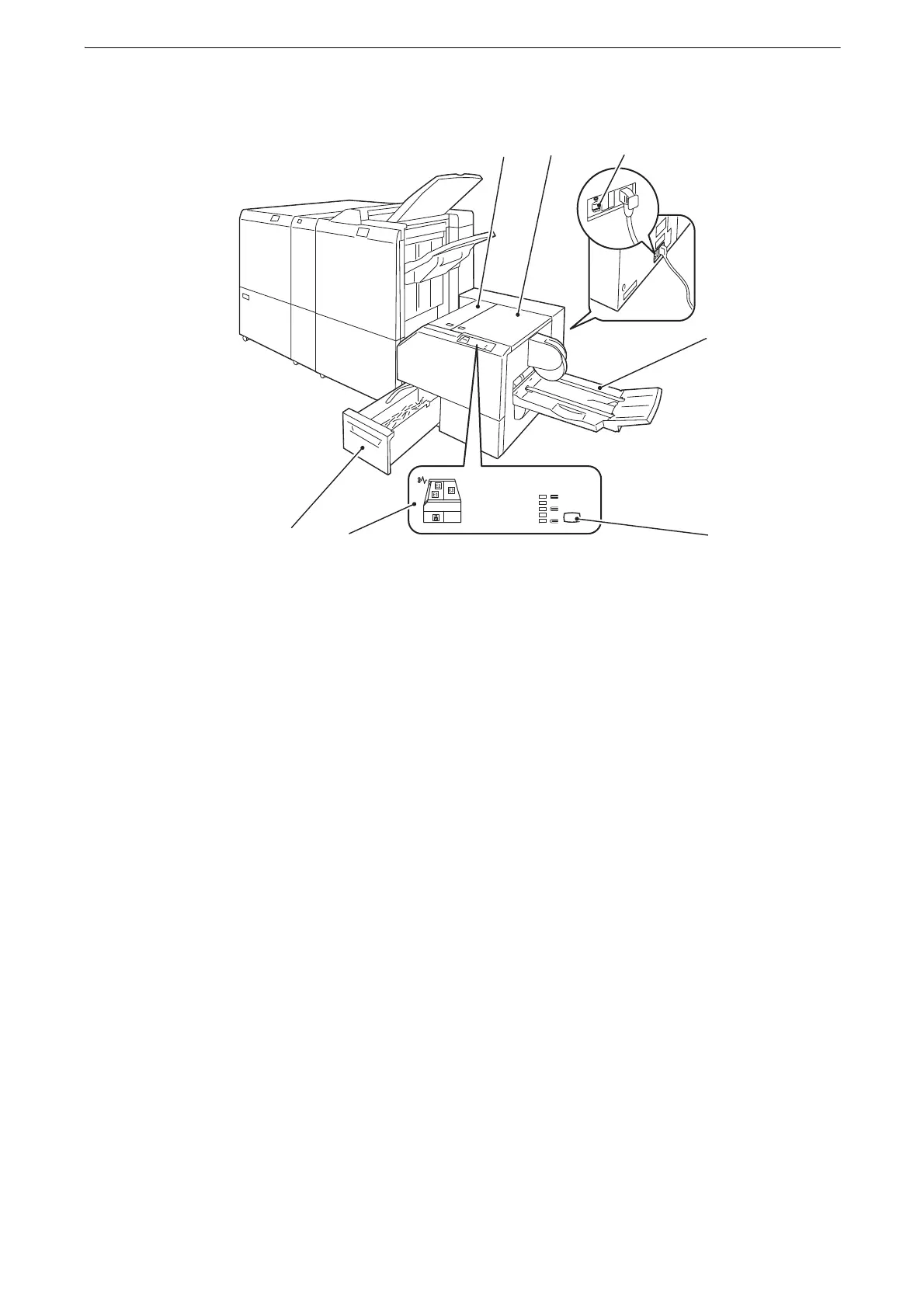
SquareFold Trimmer D1 (optional)
1Left cover
Open this cover to clear paper jams.
2 Right cover
Open this cover to clear paper jams.
3 Ground fault interrupter (reverse side)
Automatically shuts off power when a leakage is detected.
4 Booklet tray
Outputs the paper when [Booklet Creation], [Fold & Staple], [Trimming], or [Book Pressing]
is selected.
5 Squarefold setting button
You can adjust the bulging of the spine of booklets by pressing this button.
6Error lamp
If a paper jam occurs, the lamp of the jammed location lights up.
7 Trimmer waste container
Holds the trimmed scraps.
z
Finisher D6 with Booklet Maker is required to install SquareFold Trimmer D1.



 To Next Page
 Loading...

