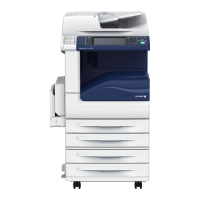
Fuji Xerox C2265/C2263 Security Target
- 37 - Copyright
2016 by Fuji Xerox Co., Ltd
- Operation
Term/phrase Definition
send scanned data Distribute the scanned document data automatically to
user client, FTP server, Mail server, and Fax (public
telephone line).
retrieve Output the document data from Mailbox to the following:
- Print
- Export from CWIS to user client
modify the behavior Modify the behavior of the following:
User Authentication (local, remote), Store Print (storage or
deletion upon authentication failure), Internal Network
Data Protection (authentication/encryption method),
Report Print (only system administrator, users) and Hard
Disk Data Overwrite (number of pass, overwrite procedure).
modify Modify settings of TOE setting data and security attributes
(user identifier, user identifier for each function)
- Security attributes
Term/phrase Definition
General User role Indicates the authority required for general user to use the
TOE.
SA role Indicates the authority required for SA to use the TOE.
Key Operator role Indicates the authority required for key operator to use the
TOE.
User identifier This term covers General User identifier, SA identifier, and
Key Operator identifier.
General User identifier User ID used to authenticate and identify general user
(U.NORMAL).
SA identifier User ID used to authenticate and identify SA.
Key Operator identifier User ID used to authenticate and identify Key Operator.
User identifier for each
function
Data on authorized users for copy, print, scan, and fax
functions and on usage restrictions.
Owner identifier of D.DOC Data on authorized users for the document data inside
Mailbox and Private Print.
Owner identifier of
D.FUNC
Data on authorized users for the Mailbox.
- Entity outside the TOE
Term/phrase Definition
Key Operator An authorized user who manages MFD maintenance and



 To Next Page
 Loading...