Making a 2-sided fax transmission
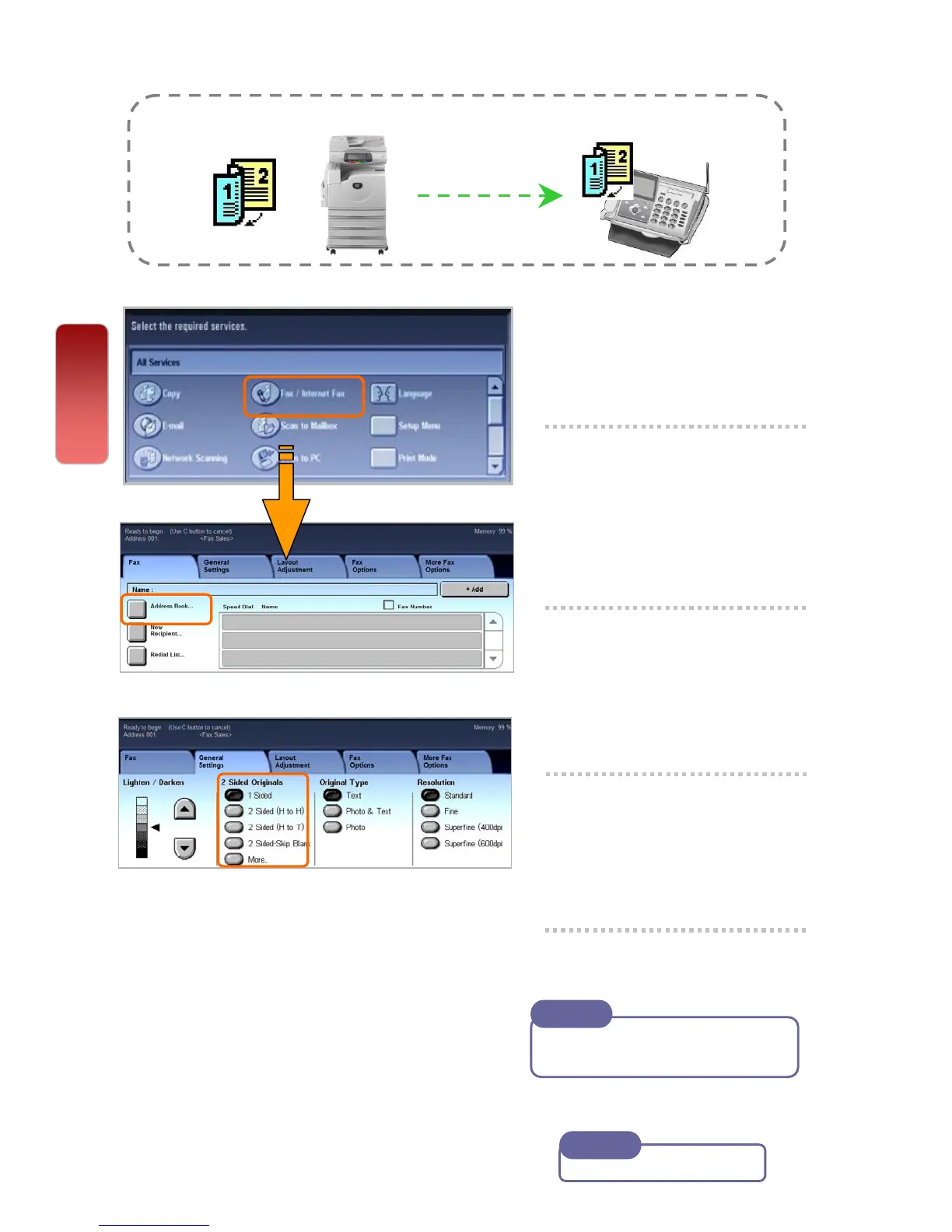
You can scan a 2 sided document and send in a single operation.
1 Select [Fax]
2 Select [Address Book]
button to select recipients
or enter Fax number using
Numeric Keypad
3 Or select recipients’ fax
number from the One
Touch Dial (001 – 070).
4 Select 2 Sided Originals
- 2 Sided (Head to Head) or
- 2 Sided (Head to Toe)
5 Press the <Start> button.
Recipients’ fax number will be
displayed on the Address list
Note
Fax
User Guide P.126
Note
17
17


 To Next Page
 Loading...