Cleaning the Machine
81
Maintenance
3
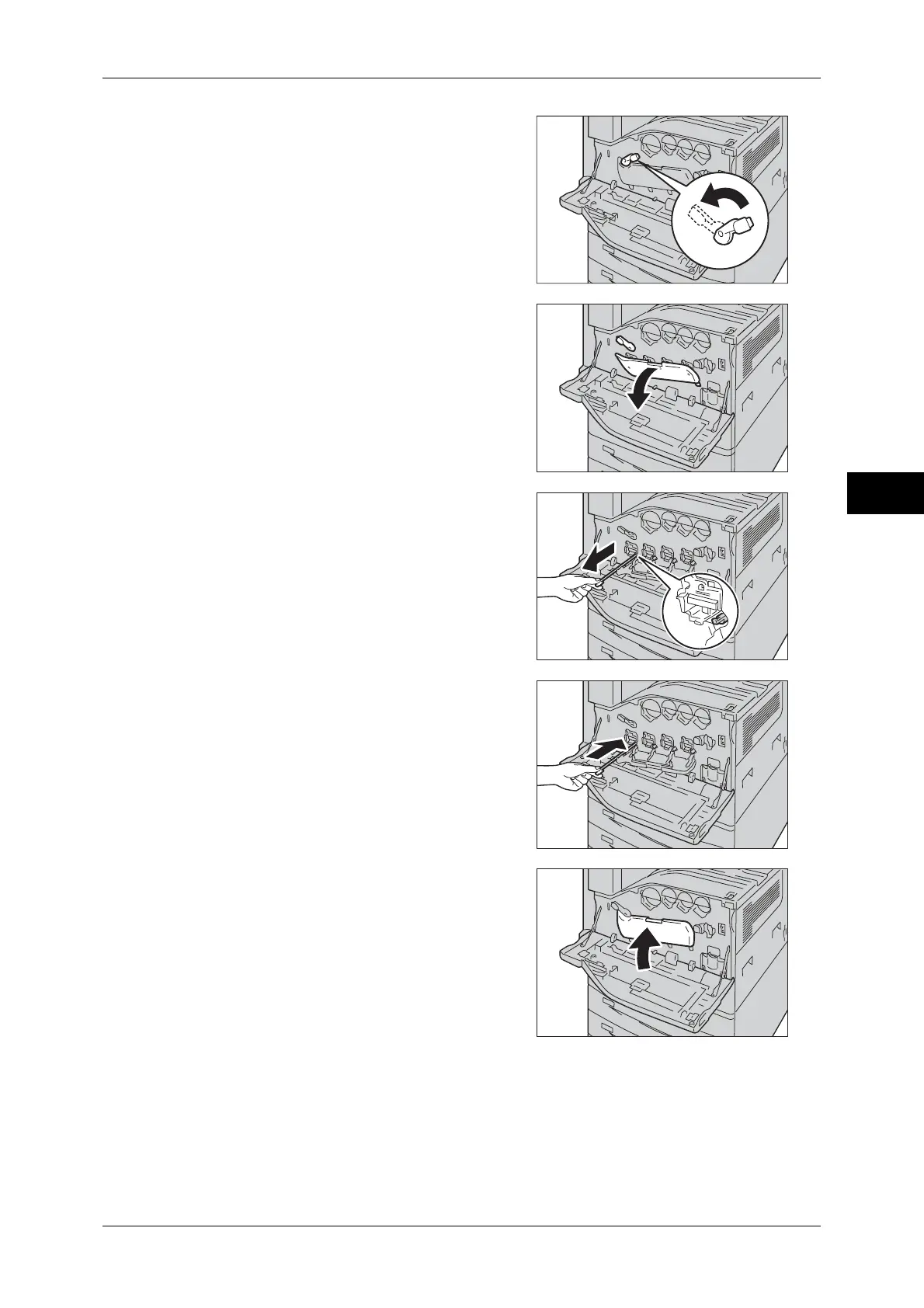
2 Rotate the release lever of the drum car-
tridge cover counterclockwise.
3 Lower the cover.
Note • You can now see the drum cartridge.
4 Slowly slide out the cleaning bars housed
within the LED printhead until it stops. The
cleaning bars are located in the cleaning
connection just under the drum cartridges
(R1, R2, R3, or R4).
Note • Slide out the cleaning bars until you see
"zzz".
Important • Do not remove the cleaning bars from the
housing.
5 Slowly slide the cleaning bars back into
place.
Note • Clean the four LED printheads (R1 to R4)
by sliding the cleaning bars back and
fourth for two or three times, respectively.
6 Return the cover to the original position.
Note • Push the cover until it clicks into place.


 To Next Page
 Loading...

