102 6 Troubleshooting
Paper Jams in the Tray 1
Use the following procedure to clear an error displayed on the control panel.
The error will not clear unless you open and close the front cover.
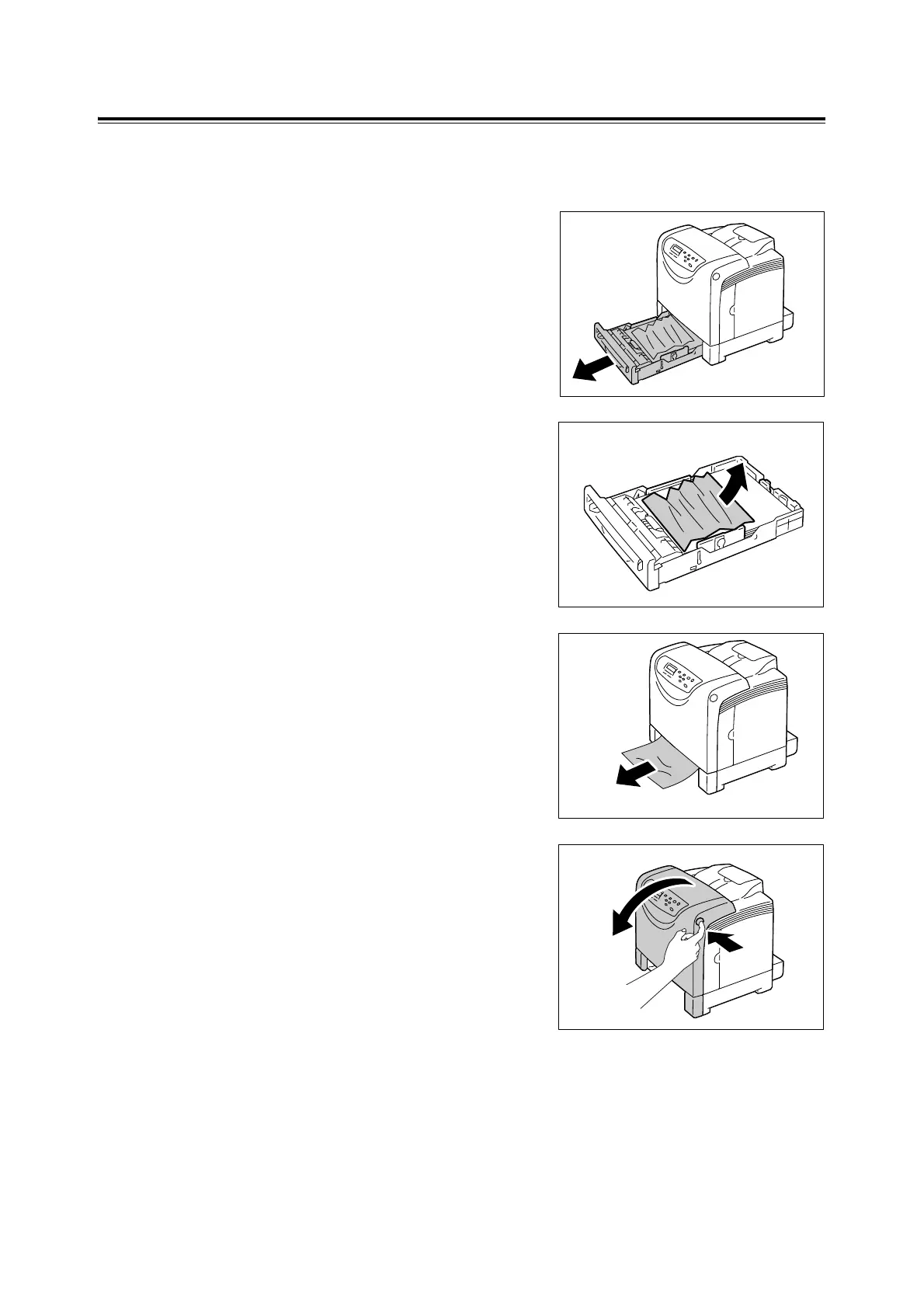
1. Gently pull the tray 1 out of the printer.
2. Remove the jammed paper and any paper
that is wrinkled.
3. If paper is jammed in the printer, gently
remove the paper carefully without tearing.
If it is still hard to remove the paper, go on
to the next step.
4. Push the side button (right side) and open
the front cover.
Important
• To protect the drum cartridge from exposure to bright
light, close the front cover within 3 minutes. If the front
cover remains open for more than 3 minutes, print
quality may deteriorate.



 To Next Page
 Loading...