104 6 Troubleshooting
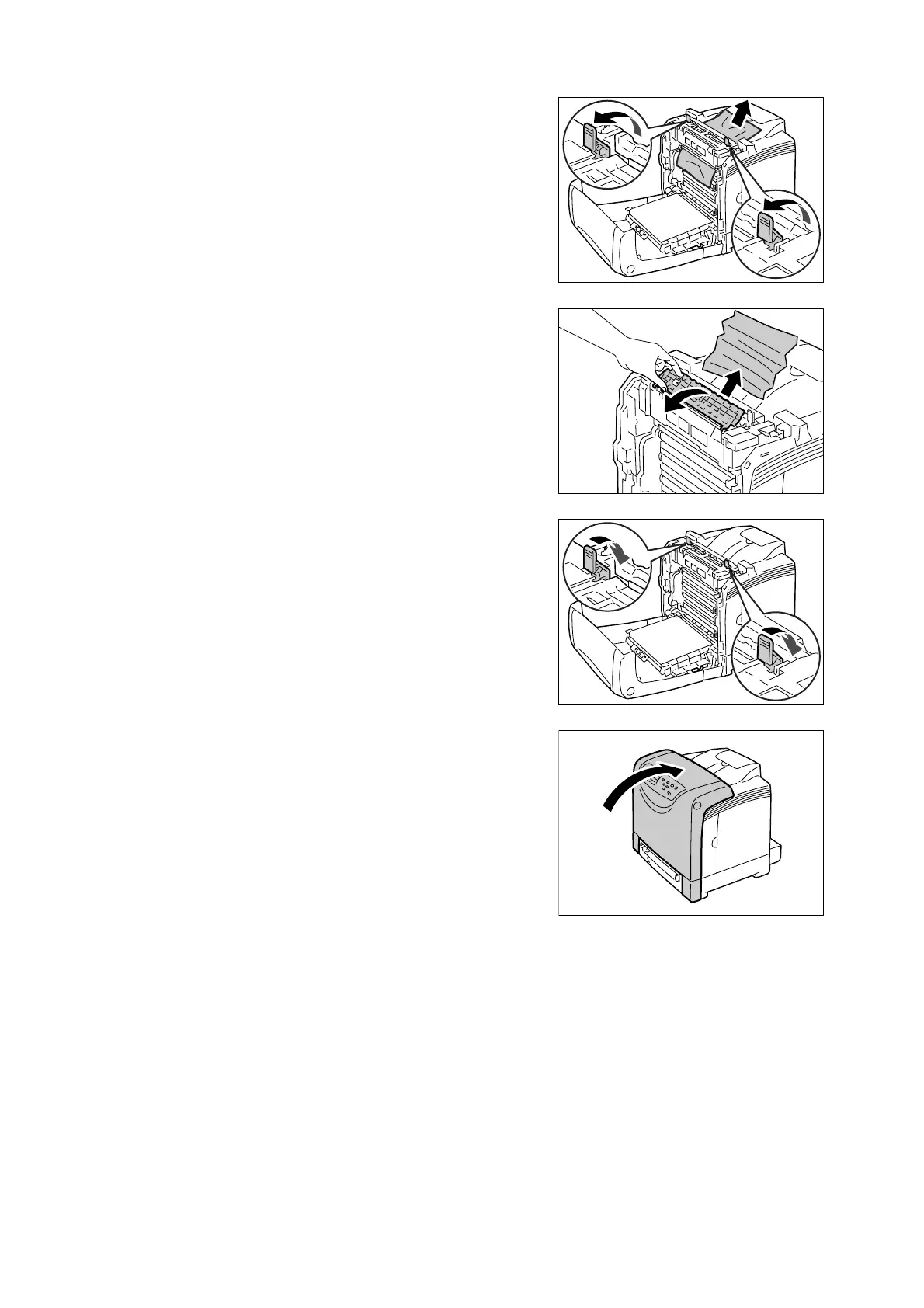
2. Lift up the green levers on both sides of the
fuser unit and remove the jammed paper.
If any jammed paper cannot be found, go
on to the next step.
3. Hold the fuser cover as shown in the figure
and open the cover. Then, remove the
jammed paper.
4. Place the green levers on both sides of the
fuser unit to their original positions.
5. Close the front cover.
Important
• When closing the front cover, be careful not to get your
fingers caught between (the left, right, top, or bottom
edge of) the cover and the printer.



 To Next Page
 Loading...