44 3 Print
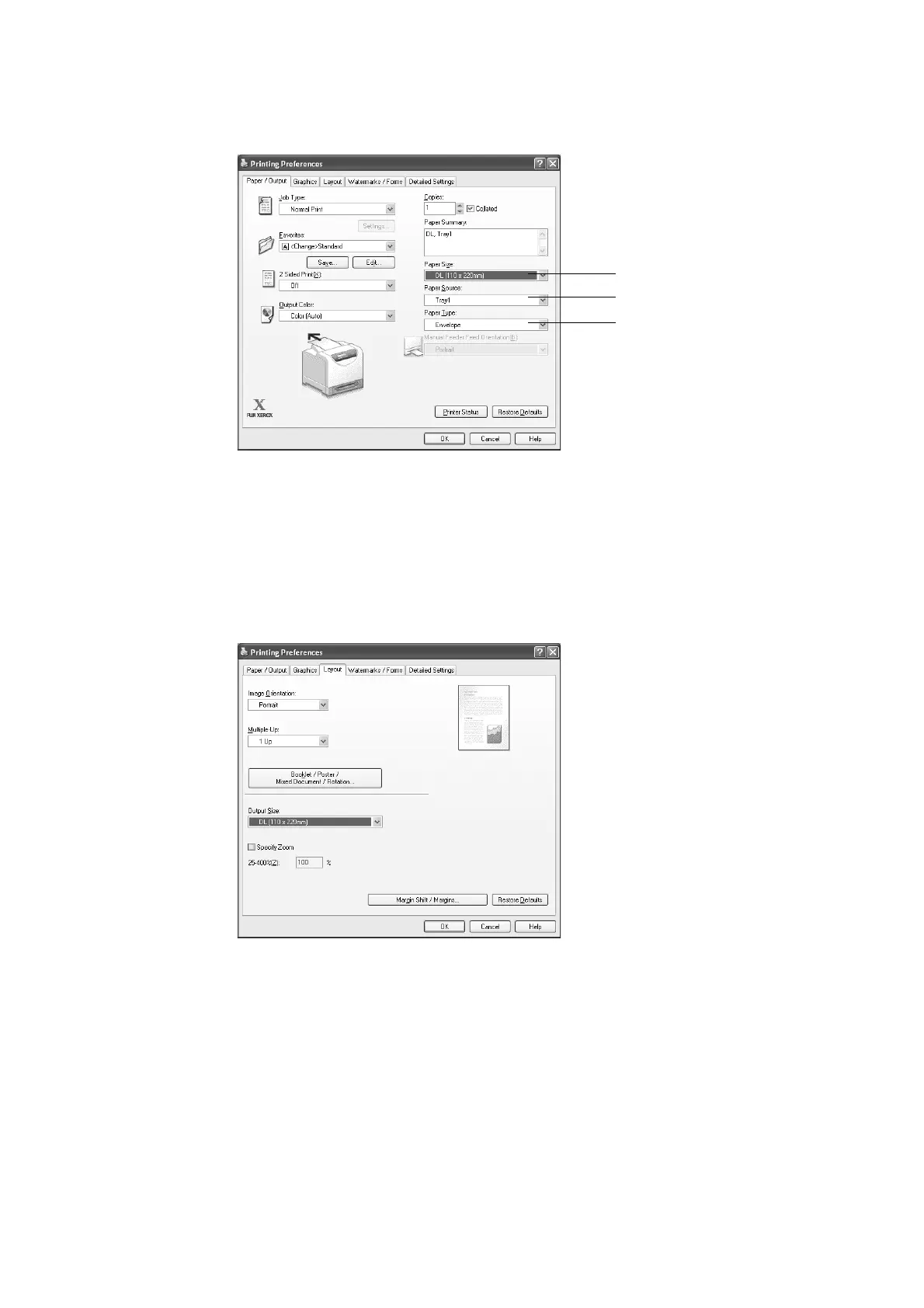
3. The [Paper/Output] tab appears.
From [Paper Source], select the tray where you loaded the envelope(s).
4. From [Paper Type], select [Envelope].
Note
• When [Manual Feeder] is selected, select the paper type from [Paper Type for Manual Feeder].
5. From [Paper Size], select the size of the envelope to be printed.
6. Click the [Layout] tab, and then select the output paper size from [Output Size].
4
3
5



 To Next Page
 Loading...