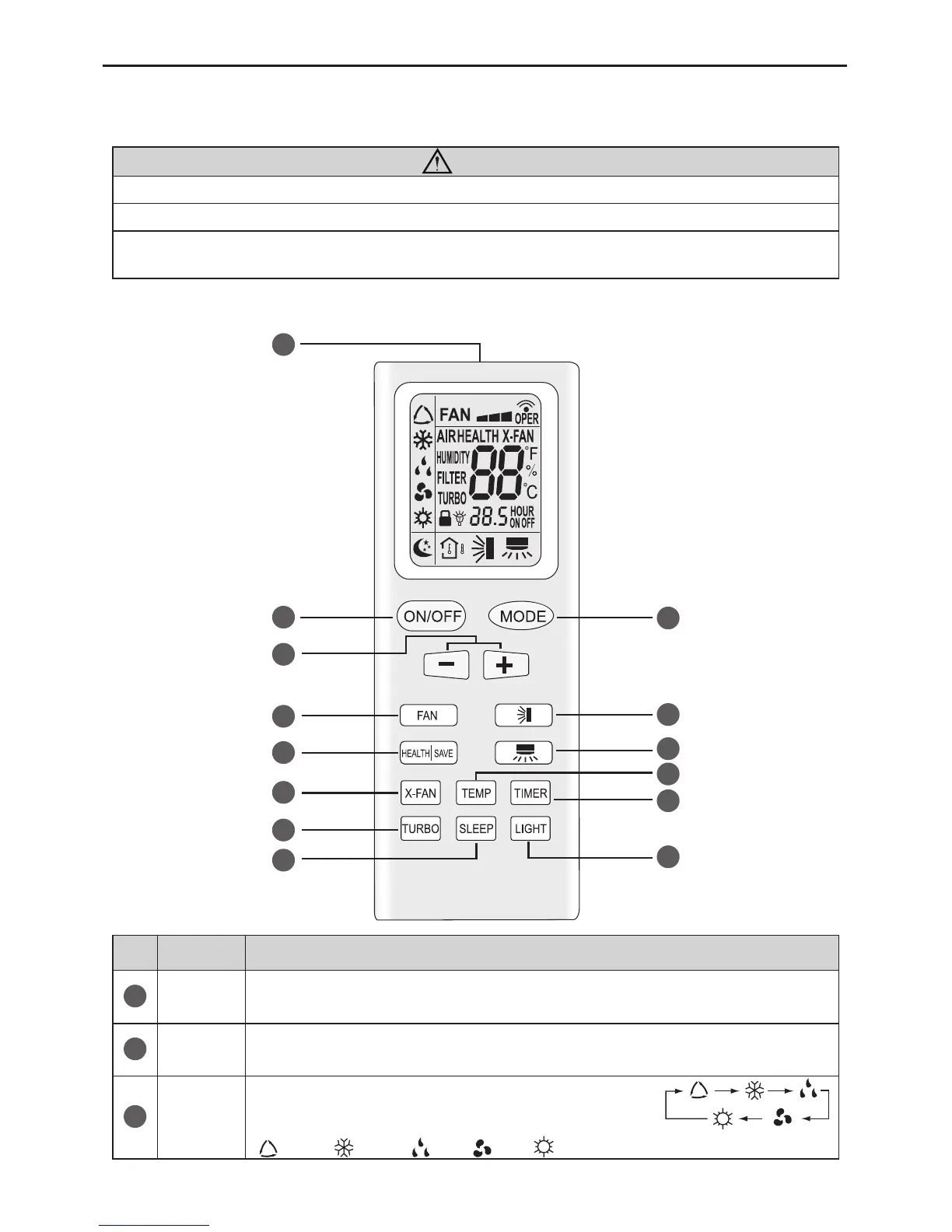
Wireless Remote Controller YB1F2
1
1 User notice
CAUTION !
①
Be sure that there are no obstructions between receiver and wireless remote controller.
②
Don't drop or throw the wireless remote controller.
③
Don't let any liquid in the wireless remote controller and put the wireless remote controller
directly under the sunlight or any place where is very hot.
2 Control panel of the wireless remote controller
1
4
2
5
7
9
3
8
6
10
14
13
12
11
No.
Name Function Description
1
Signal
transmitter
● Signal transmitter
2
ON/OFF
button
● Press this button, the unit will be started or stopped, which can clear the timer
or sleeping function of last time.
3
MODE
button
● Press this button, the running mode will change as below:
AUTO ; COOL; DRY; FAN; HEAT (only for cooling and heating unit)



 To Next Page