7
CR Console Operation Manual
010-204-00 Fuji Photo Film Co., Ltd.
2002. 12
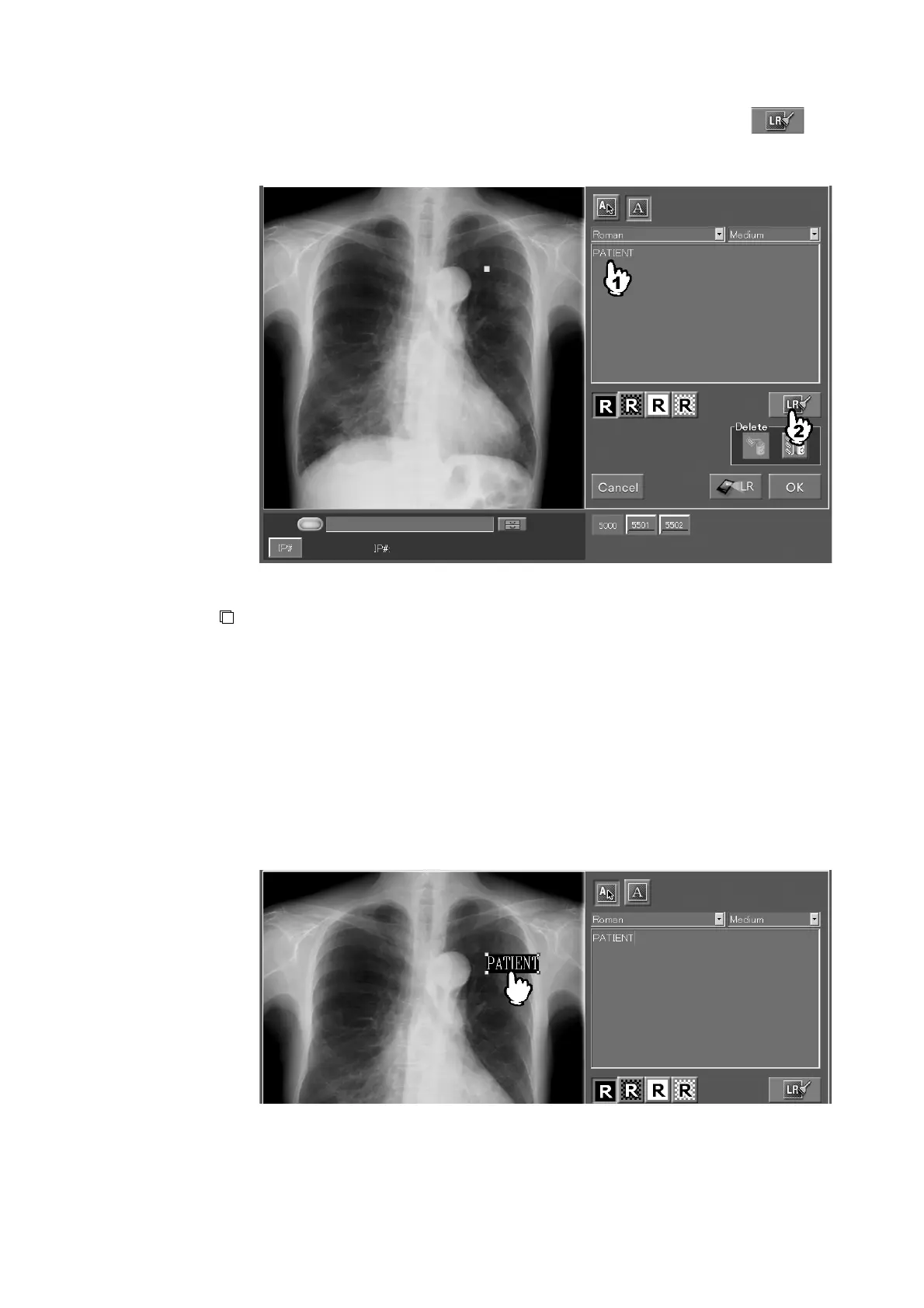
Select a character font and size. Input characters in the input field, then select .
Characters thus input will be determined. A maximum of 32 annotations can be input for each
image by inputting characters and then pasting them repeatedly.
NOTE
• Do not input external characters because they may be displayed converted to asterisks.
An annotation immediately after it has been input is in selected state, as shown below.
Whether an input annotation is selected or unselected can be changed alternately every time it
is selected.
To change the annotation position, move the annotation while it is in selected state. (It is not
allowed to place the start point of an annotation outside the image area. For an image after it
has been subjected to trimming processing, the portion of the annotation outside the trimming
frame cannot be output.)



 To Next Page