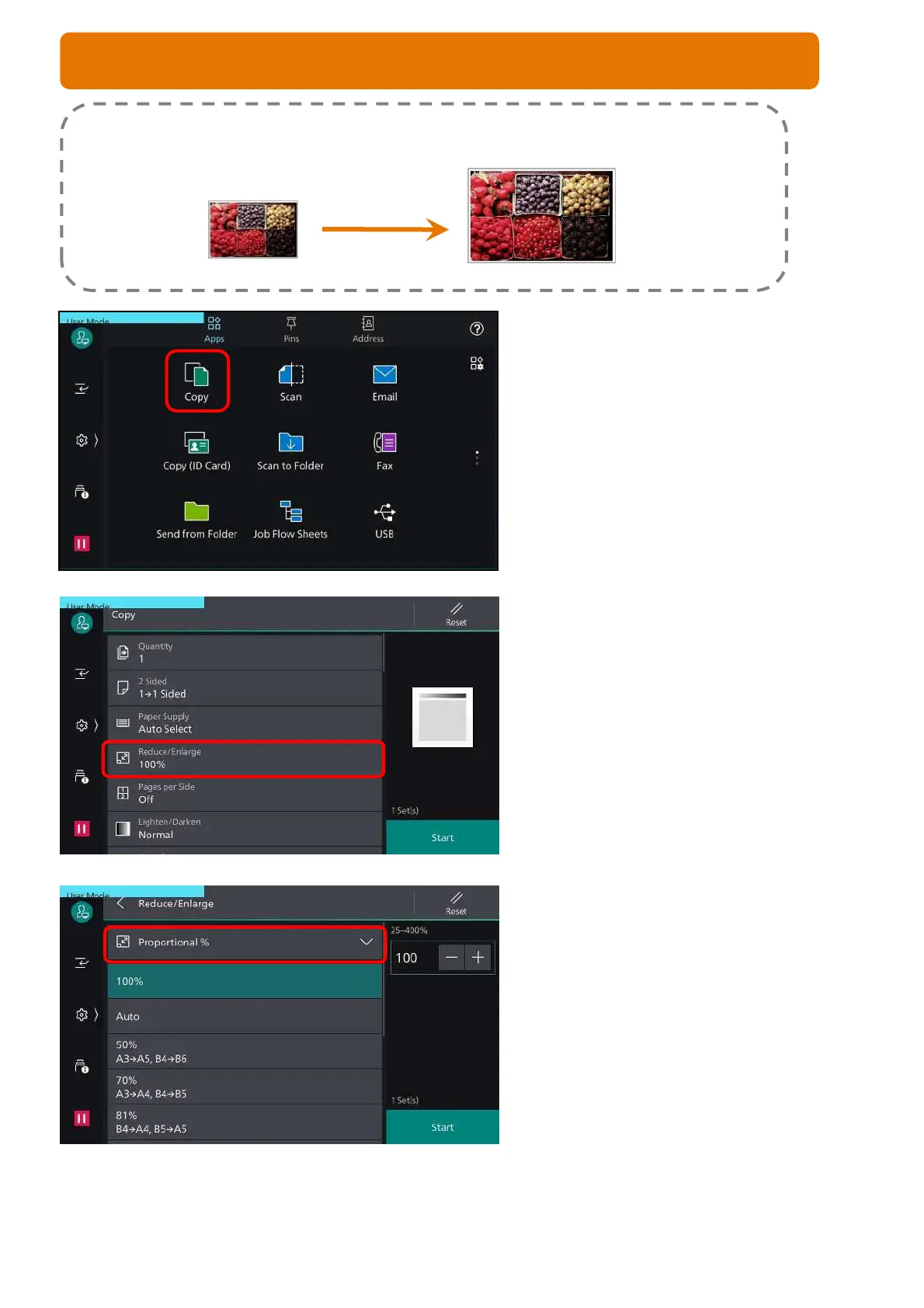
1. From the home screen, Select [Copy]
2. Scroll down to [Reduce/Enlarge] feature
3. Tap on [Proportional %] for more options.
Alternatively, select and adjust your
preference for the %
Press <Start> button
Reduce or enlarge copies from the original document by selecting desired copy size ratio.
Original A4
Output A3
6
COPY FEATURE: REDUCE/ENLARGE



 To Next Page