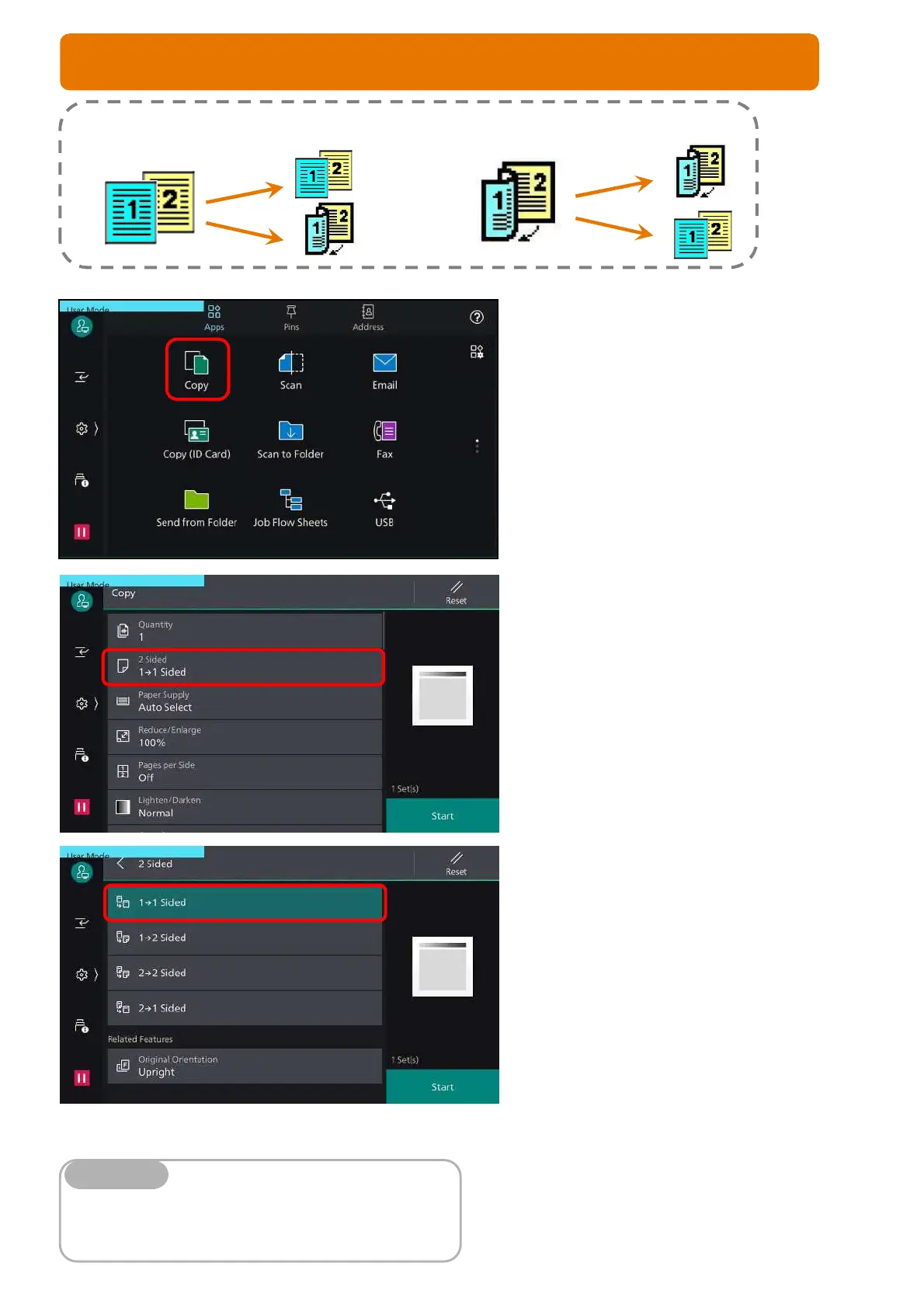
You can make copies and output as single/ double-sided.
1. From the home screen, select [Copy]
2. Select [2-Sided Copying]
3. Select an option:
1 1 Sided copy 1-sided document
onto 1 side of paper
1 2 Sided copy 1-sided document
onto 2 sides of paper
2 2 Sided copy 2-sided document
onto 2 sides of paper
2 1 Sided copy 2-sided document on
1 side of the paper
Press <Start> button
Head to Head – both sides of the paper are at the same
orientation.
Head to Toe – one side of the paper are at rotated orientation
Note
7
COPY FEATURE: 2-SIDED COPYING



 To Next Page