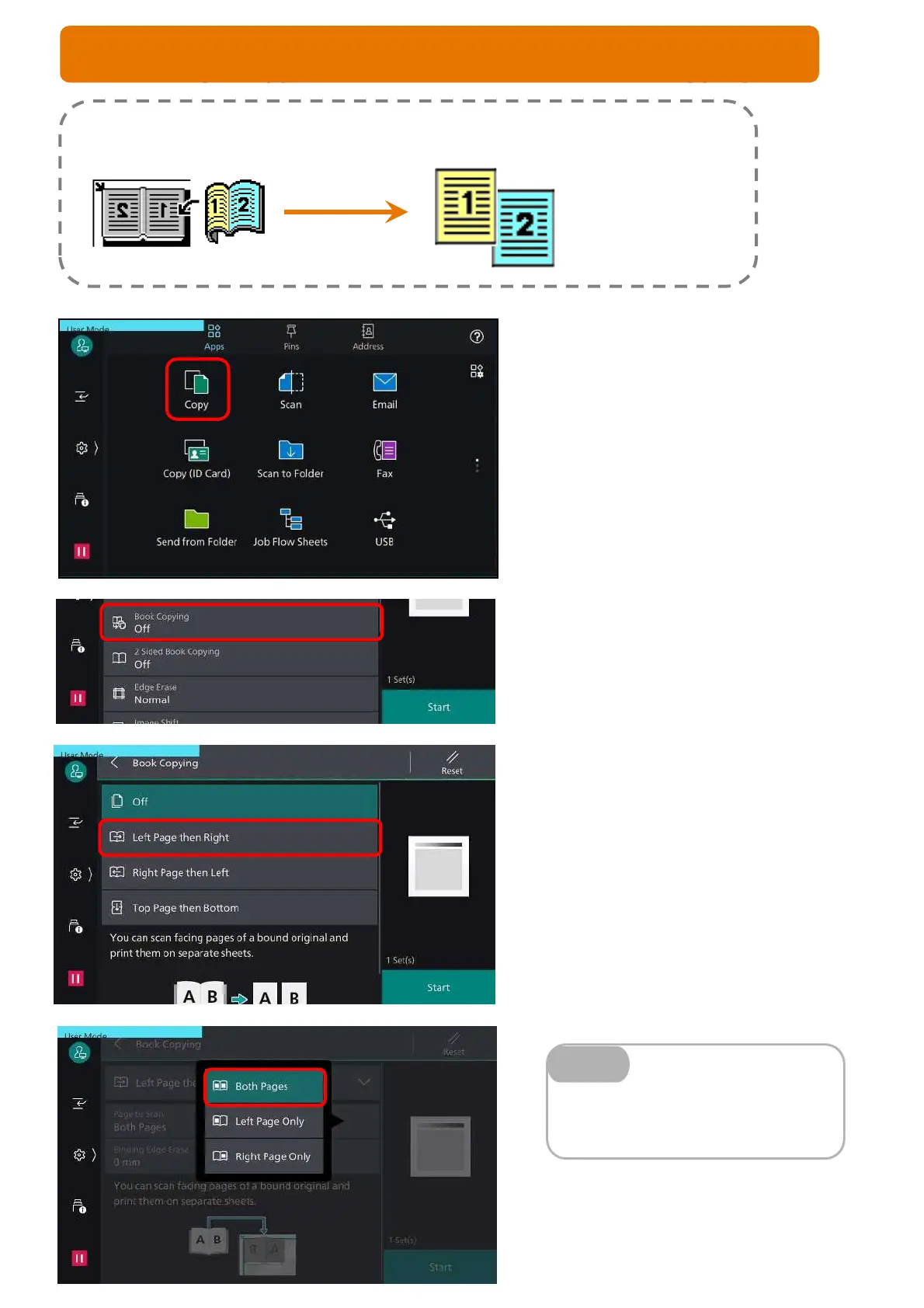
You can make copies from bound document into separate sheets of paper using
platen glass.
Both Pages – to copy both pages of the
book
Left Page Only/Right Only – copy selected
side of the book
Note
Making a copy from a bound document (Book Copying)
1. From the home screen, select [Copy]
2. Scroll down and Select [Book Copying]
3. Select an Option
(refers to book reading sequence)
Left Page then Right
Right Page then Left
Top Page then Bottom
Select an option:
Both Pages
Left Page Only
Right Page Only
Press <Start> button
8
COPY FEATURE: BOOK COPYING



 To Next Page