EasyManua.ls Logo

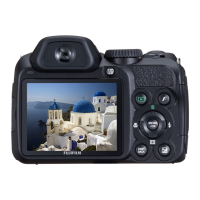
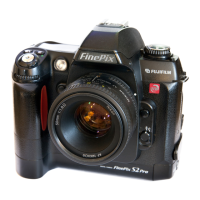
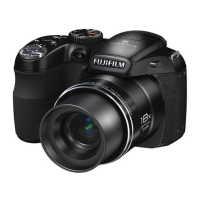
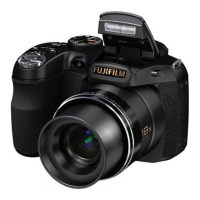
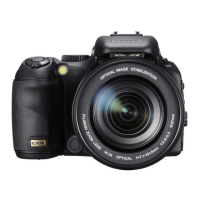
FujiFilm FinePix S200EXR - User Manual

FujiFilm FinePix S200EXR
144 pages
Print Icon
To Next Page IconTo Next Page
Loading...
Before You Begin
First Steps
Basic Photography and Playback
More on Photography
More on Playback
Movies
Connections
Menus
Technical Notes
Troubleshooting
Appendix
For information on related products, visit our website at
http://www.fujifilm.com/products/index.html
Owners Manual
Thank you for your purchase of this prod-
uct. This manual describes how to use
your FUJIFILM FinePix S200EXR digital
camera and the supplied software. Be
sure that you have read and understood
its contents before using the camera.
BL00886 -200
EN

Table of Contents

Other manuals for FujiFilm FinePix S200EXR

Questions and Answers

  • P
    Paul JacksonAug 18, 2025
    How to fix a FujiFilm Digital Camera that won't turn on?
    • J
      Jaime MartinAug 18, 2025
      If your FujiFilm Digital Camera doesn't turn on, there might be a few reasons: * The battery could be exhausted. Insert a fresh or fully-charged spare battery. * The battery might not be correctly oriented. Re-insert the battery in the correct orientation. * The battery-chamber cover might not be latched. Latch the battery-chamber cover. * The AC adapter and DC coupler might not be properly connected. Ensure they are properly connected.
  • C
    Carrie NicholsAug 20, 2025
    What to do if my FujiFilm FinePix S200EXR won't take pictures?
    • R
      Ricardo MoralesAug 21, 2025
      If your FujiFilm Digital Camera isn't taking pictures when you press the shutter button, here's what could be happening: * The memory might be full. Insert a new memory card or delete pictures. * The memory might not be formatted. Format the memory card or internal memory. * There could be dirt on the memory card contacts. Clean the contacts with a soft, dry cloth. * The memory card might be damaged. Insert a new memory card. * The battery could be exhausted. Insert a fresh or fully-charged spare battery. * The camera might have turned off automatically. Turn the camera on.
  • C
    Christopher PenaAug 23, 2025
    Why does my FujiFilm FinePix S200EXR Digital Camera battery drain so fast?
    • C
      Charles EatonAug 23, 2025
      If the battery of your FujiFilm Digital Camera drains quickly, consider these possibilities: * The battery might be cold. Warm it by placing it in a pocket or warm place, then re-insert it right before taking a picture. * There might be dirt on the battery terminals. Clean them with a soft, dry cloth. * The camera could be in R mode. Select another shooting mode. * The battery might have reached the end of its charging life. Purchase a new battery. * AF-C might be selected for focus mode. Select a different focus mode.
  • M
    marcus77Aug 26, 2025
    Why are my FujiFilm FinePix S200EXR Digital Camera photos blurry?
    • S
      sarahcrosbyAug 26, 2025
      If the images from your FujiFilm Digital Camera are blurred, check the following: * The lens might be dirty. Clean the lens. * The lens could be blocked. Keep objects away from the lens. * 's' might be displayed during shooting, and the focus frame is red. Check focus before shooting. * 'k' might be displayed during shooting. Use the flash or a tripod.
  • G
    Gloria TerryAug 28, 2025
    How to troubleshoot focus issues on FujiFilm Digital Camera?
    • C
      Cynthia HowellAug 28, 2025
      If your FujiFilm Digital Camera is not focusing, consider these solutions: * If the subject is too close, select macro mode. * If the subject is too far away, cancel macro mode. * If the subject is not suited to autofocus, use focus lock.
  • J
    James BarberAug 30, 2025
    What to do if my FujiFilm FinePix S200EXR Digital Camera turns off suddenly?
    • L
      Larry HermanAug 30, 2025
      If your FujiFilm Digital Camera suddenly turns off, it could be due to these reasons: * The battery is exhausted. Insert a fresh or fully-charged spare battery. * The AC adapter or DC coupler has been disconnected. Make sure that the AC adapter and DC coupler are properly connected.
  • T
    Tammy BergSep 2, 2025
    Why is my FujiFilm FinePix S200EXR Digital Camera not charging?
    • K
      Kristen KelleySep 2, 2025
      If charging doesn't start on your FujiFilm Digital Camera, check if: * The battery is not correctly inserted. Re-insert the battery in the charger. * The battery is not in the correct orientation. Re-insert the battery in the correct orientation.
  • E
    Erika CohenSep 4, 2025
    What to do if FujiFilm Digital Camera charging lamp is on, but battery isn't charging?
    • S
      Scott FrostSep 4, 2025
      If the charging lamp lights up but the battery of your FujiFilm Digital Camera isn't charging, it could be because: * There is dirt on the battery terminals. Clean the terminals with a soft, dry cloth. * The battery has been charged many times and has reached the end of its charging life. Purchase a new battery. If it still fails, contact your FUJIFILM dealer.
  • D
    Dean ValdezSep 7, 2025
    Why is there no sound during playback on my FujiFilm FinePix S200EXR?
    • B
      Brandon FowlerSep 7, 2025
      If there is no sound during voice memo or movie playback on your FujiFilm Digital Camera, check the following: * The camera might be in silent mode. Turn silent mode off. * The playback volume might be too low. Adjust playback volume. * The microphone might have been obstructed during recording. Hold the camera correctly during recording. * The speaker might be obstructed during playback. Hold the camera correctly during playback.
  • I
    ian80Sep 9, 2025
    Why is my FujiFilm FinePix S200EXR Digital Camera charging so slow?
    • S
      Sean SmithSep 10, 2025
      If your FujiFilm Digital Camera is charging slowly, it might be because the temperature is low. Charge the battery at room temperature.

Summary

Before You Begin

Introduction

Provides an overview of the manual's purpose and content structure.

Supplied Accessories

Lists all items included with the camera package for user reference.

Camera Overview

Parts of the Camera

Identifies and explains the function of each physical component of the camera.

The Mode Dial

Explains how to select different shooting modes using the camera's mode dial.

First Steps

The Strap and Lens Cap

Guides on attaching the camera strap and handling the lens cap.

Charging the Battery

Details the procedure for charging the camera's rechargeable battery before initial use.

Inserting the Battery

Guides users on how to correctly insert the battery into the camera.

Inserting a Memory Card

Explains the process of inserting and handling SD memory cards for image storage.

Turning the Camera on and Off

Describes the steps to power the camera on and off properly.

Basic Setup

Covers initial camera setup steps like language selection and date/time setting.

Taking Pictures

Taking Pictures in Auto Mode

Provides instructions for capturing photos using the camera's automatic shooting mode.

Focus

Explains how to achieve proper focus on the subject before taking a picture.

Photography Techniques

Intelligent Face Detection

Describes how to use the camera's feature to automatically detect and focus on human faces.

Focus Lock

Details the method for locking focus on a subject for recomposition before shooting.

AE Lock

Explains how to lock the exposure setting for a subject not in the focus frame.

Macro Mode

Guides on using the camera for close-up photography of small subjects.

Using the Flash

Details how to use the built-in flash and its various modes for optimal lighting.

Continuous Shooting

Explains how to capture a rapid sequence of images or bracket settings.

Exposure Compensation

Explains how to adjust exposure levels for bright or dark scenes to achieve correct image brightness.

White Balance

Guides users on adjusting color balance to match different lighting conditions for natural colors.

Shooting Modes

AUTO Mode

Recommends the simple point-and-shoot mode for beginners and general use.

EXR Mode

Explains how to optimize settings for clarity, noise reduction, or dynamic range.

SCENE POSITION

Guides on selecting pre-set scene modes for specific shooting conditions.

PROGRAM AE

Covers automatic exposure control with options for adjusting shutter and aperture combinations.

SHUTTER-PRIORITY AE

Explains how to choose shutter speed while the camera sets aperture for optimal exposure.

APERTURE-PRIORITY AE

Guides on choosing aperture while the camera sets shutter speed for optimal exposure.

MANUAL Mode

Details how to manually control both shutter speed and aperture for creative exposure settings.

Playback and Viewing

Playback Options

Outlines various ways to view images, including single-frame and multi-frame displays.

Playback Zoom

Explains how to zoom in and out on images during playback to inspect details.

Viewing Photo Information

Details how to display metadata like exposure, ISO, and dynamic range for captured images.

Deleting Pictures

Guides users on how to permanently remove unwanted still pictures and movies from the camera.

Movies

Recording Movies

Explains how to capture short video clips with sound using the camera's movie mode.

Viewing Movies

Describes how to play back recorded movie clips on the camera's monitor.

Connections and Software

Viewing Pictures on TV

Guides on connecting the camera to a television to display images and movies.

Printing Pictures via USB

Guides users on connecting the camera to a printer using a USB cable for direct printing.

Viewing Pictures on a Computer

Explains how to install software and transfer images from the camera to a computer.

Menus

Using the Shooting Menu

Details how to navigate and adjust settings within the camera's shooting menu.

Using the Playback Menu

Explains how to access and utilize options available in the camera's playback menu.

Setup Menu

Using the Setup Menu

Describes how to access and modify the camera's fundamental settings.

Setup Menu Options

Lists and explains the various adjustable settings available in the setup menu.

Troubleshooting

Power and Battery Issues

Provides solutions for common problems related to the camera's power supply and battery.

Focus and Flash Problems

Addresses issues encountered with the camera's autofocus system and flash functionality.

Playback and Connection Issues

Offers solutions for problems related to image playback and connecting the camera to other devices.

Specifications

Camera Specifications

Presents detailed technical data and features of the FUJIFILM FinePix S200EXR camera.

FUJIFILM Service Network

FujiFilm FinePix S200EXR Specifications

General IconGeneral
Aperturef/2.8 (wide) - f/5.3 (tele)
Image ProcessorEXR Processor
ViewfinderElectronic viewfinder
Storage MediaSD / SDHC card
Megapixels12.0 MP
LensFujinon 14.3x optical zoom lens
Display2.7-inch LCD
Video Recording640 x 480 (30 fps)
Battery LifeApprox. 300 shots
BatteryNP-140
Dimensions133 mm
ISO Range100 - 12800
Shutter Speed1/4000 to 30 sec

Related product manuals