73
5
Taking Photographs
Manual Focus
Adjust focus manually.
1
Select MANUAL FOCUS for F AF/MF
SETTING> FOCUS MODE.
j will appear in the display.
01 0.5 1.0 1.5 2.0 3.0 5.0 10
M
5.6
400
2000
5
4
3
2
1
0
-1
-2
-3
-4
-5
1.0
2
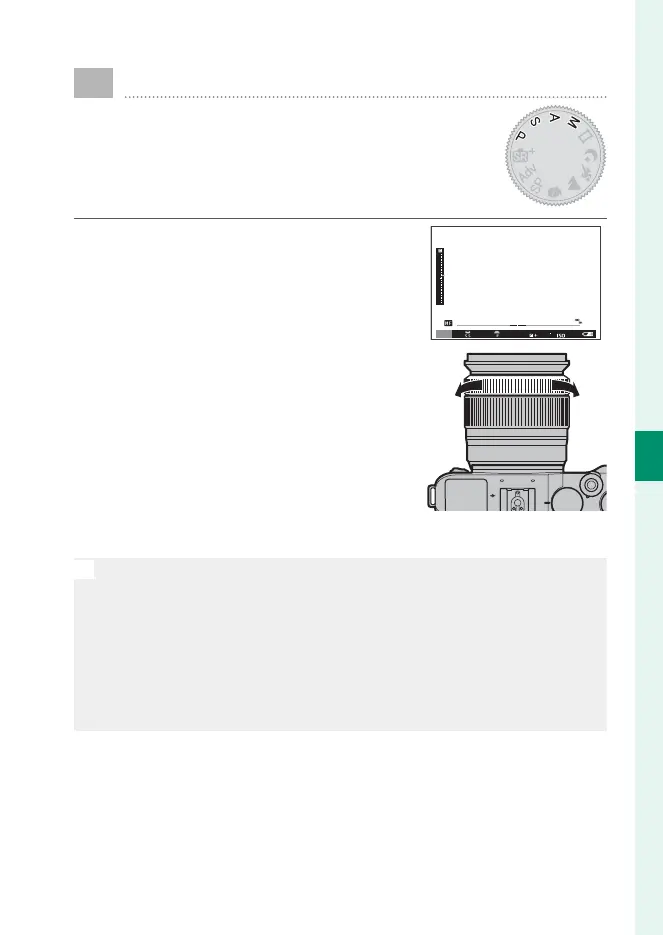
Focus manually using the lens focus
ring. Rotate the ring left to reduce
the focus distance, right to increase.
3
Take pictures.
N
Use the I FOCUS RING option in the setup menu to reverse the di-
rection of rotation of the focus ring.
Regardless of the option selected, manual focus will be used when the
lens is in manual focus mode.
INSTANT AF can be assigned to the Fn button, allowing the button
to be used to quickly focus on the subject in the selected focus frame
when the camera is in manual focus mode.



 To Next Page