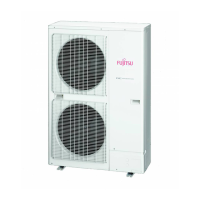
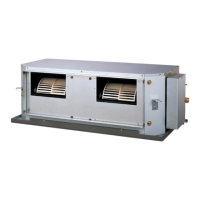
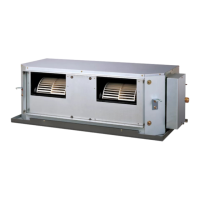
This document is an operating manual for a Fujitsu duct-type air conditioner, covering indoor units ART60RU, ART45RU, ART36RU, and outdoor units AOT60RP, AOT45RP, AOT36RP. It provides comprehensive instructions for safe operation, maintenance, and troubleshooting.
Function Description
The Fujitsu duct-type air conditioner is designed to provide cooling and heating (for "HEAT & COOL MODEL" or reverse cycle units) for indoor spaces. It operates on the heat-pump principle, absorbing heat from outdoor air and transferring it indoors for heating, or vice versa for cooling. The system is controlled via a remote controller, allowing users to set various operating parameters.
Operation Modes:
- AUTO: The air conditioner automatically selects the appropriate operation mode (Cooling or Heating) based on the room's present temperature. In cooling mode, it switches between Cooling and Drying if the room temperature is 2 °C higher than the set temperature. In heating mode, it adjusts to the set temperature. The fan may temporarily stop during mode determination or when the room temperature is near the thermostat setting.
- COOL: Provides cooling to the room.
- DRY: Reduces humidity in the room. When selected, the fan speed is automatically set to AUTO.
- FAN: Circulates air without cooling or heating.
- HEAT: Provides heating to the room (for "HEAT & COOL MODEL" only).
Timer Functions:
- OFF Timer: Stops air conditioner operation after a set time (1 to 24 hours).
- ON Timer: Starts air conditioner operation after a set time (1 to 24 hours).
- WEEKLY Timer: Allows users to set specific operating times for each day of the week. Up to two ON and OFF times can be set per day. The "DAY OFF" setting can be used to switch off timed operation for a selected day.
- TEMPERATURE SET BACK Timer: Changes the set temperature during specific operating times for each day of the week. This function can be used in conjunction with other timer settings. It can be set to operate up to two times per day, but only one temperature setting can be used. During COOL/DRY mode, the air conditioner will operate at a minimum of 18 °C even if the SET BACK temperature is set to 16 °C.
Special Features:
- Energy Save Mode: This mode economically controls unit operation by slightly raising the set temperature in cooling mode (1 °C every 60 minutes, up to 2 °C total) and lowering it in heating mode (1 °C every 30 minutes, up to 4 °C total).
- Room Temperature Sensor Selection: Allows the user to choose whether the room temperature is detected at the indoor unit (remote sensor) or the remote controller. This function may be locked at the factory and require authorized service personnel to unlock.
- Child Lock Function: Locks all buttons on the remote controller to prevent unintended operation. Activated by pressing the DAY (DAY OFF) and DELETE buttons simultaneously for 2 seconds or more.
- AUTO Restart: If power supply is interrupted, the air conditioner automatically restarts in the previously selected mode once power is restored.
- Hot Start (for heating): Prevents cold drafts at the beginning of heating operation by delaying the indoor unit fan until the heat exchanger reaches the set temperature.
- Defrosting (for heating): Automatically initiates a defrost cycle when frost collects on the outdoor unit, reducing heater efficiency. During defrosting, the indoor fan shuts down, and the defrost symbol is displayed on the remote controller. This cycle can take 4 to 15 minutes.
- Group Control: One remote controller can manage up to 16 air conditioners, all operating with the same settings.
- Dual Remote Controllers (optional): Allows up to two remote controllers to control the air conditioner. Timer functions are not available on the slave unit.
Important Technical Specifications
Temperature Setting Range:
- AUTO: 18 to 30 °C
- COOL/DRY: 18 to 30 °C
- HEAT: 16 to 30 °C
Fan Speed Settings: AUTO, HIGH, MED, LOW.
Permissible Temperature and Humidity Range for Operation:
- Cooling:
- Outdoor temperature: About 0 to 43 °C
- Indoor temperature: About 18 °C to 32 °C
- Indoor humidity: Below approximately 80%. Continuous use in high humidity may cause condensation and dripping.
- Heating:
- Outdoor temperature: About -8 to 24 °C
- Indoor temperature: About below 30 °C
Operating outside these ranges may trigger the automatic protection circuit, causing operation interruption, heat exchanger freezing, water leakage, or other malfunctions.
Usage Features
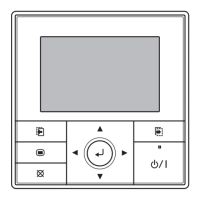
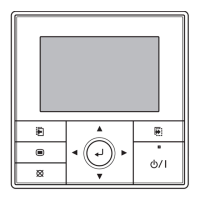
The remote controller features a clear display and intuitive buttons for setting:
- Start/Stop: Power on/off.
- Set Temperature: Adjusts room temperature.
- Master Control: Selects operation mode.
- Fan Control: Adjusts fan speed.
- THERMO SENSOR: Selects temperature detection location.
- ENERGY SAVE: Activates/deactivates energy-saving mode.
- Timer Mode (CLOCK ADJUST): Sets current day and time, and accesses timer functions.
- DAY (DAY OFF): Selects day for weekly timer or day off.
- SET BACK: Accesses temperature set back timer.
- Set Time: Adjusts time for timers.
- DELETE: Cancels timer settings.
- SET: Confirms settings.
The display shows: Operation Lamp, Timer and Clock, Operation Mode, Fan Speed, Temperature, Operation Lock, Function, Defrost, Thermo Sensor, and Energy Save indicators.
Maintenance Features
Cleaning the Air Filter:
- Regular cleaning is essential to prevent reduced airflow, decreased performance, and increased operation noise.
- Filters can be cleaned using a vacuum cleaner to remove dust or washed with a synthetic detergent.
- After washing, filters should be dried in a shaded place before reinstallation.
General Cleaning:
- Before cleaning, always stop the unit and turn off the electrical breaker.
- Do not use water hotter than 40 °C, harsh abrasive cleansers, or volatile agents like benzene or thinner on the unit's body.
- Avoid exposing the unit body to liquid insecticides or hairspray.
- If the unit will not be used for a month or more, operate it in fan mode for half a day beforehand to thoroughly dry internal parts.
Regular Inspection:
- For extended use, internal dirt accumulation can reduce performance. Regular inspections by authorized service personnel are recommended in addition to user cleaning.
Self-Diagnosis:
- If an "E:EE" error indication is displayed, it signifies a system malfunction requiring inspection by authorized service personnel.
- To initiate self-diagnosis, stop the air conditioner and simultaneously press the set temperature buttons (up/down) for 5 seconds or more. The display will show the unit number and error code (e.g., "0:01 E").
- To stop self-diagnosis, press the set temperature buttons simultaneously for 5 seconds or more.
Troubleshooting:
The manual provides a troubleshooting guide for common issues such as:
- Unit not operating immediately (compressor delay, protection circuit delay).
- Noises (water flow, coolant flow, sizzling during defrost).
- Smells (room smells absorbed by the unit).
- Mist or steam emission (condensation during cooling, steam during heating defrost).
- Airflow stopping (during heating warm-up, when room temperature exceeds thermostat setting, during automatic defrost).
- Water production from the outdoor unit (during heating defrost).
- Poor cooling/heating performance (dirty air filter, blocked intake/outlet, incorrect temperature settings, open windows/doors, heat sources in the room).
For persistent problems or burning smells, users are instructed to immediately stop operation, turn off the electrical breaker, and consult authorized service personnel.



 To Next Page
 General