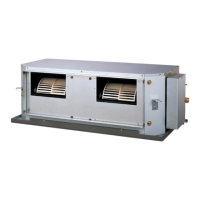
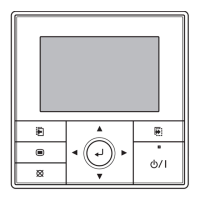
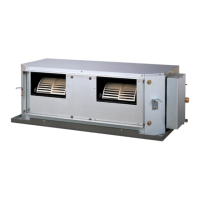
This document outlines the operation and maintenance of a Fujitsu duct-type air conditioner, designed for both cooling and heating (reverse cycle) functionalities. It provides comprehensive instructions for users to effectively manage their indoor climate, covering everything from basic operation to advanced timer settings and troubleshooting.
Function Description
The Fujitsu duct-type air conditioner serves as a versatile climate control system, capable of providing both cooling and heating to an indoor space. It operates by circulating air through a system of ducts, delivering conditioned air discreetly into various zones. The unit utilizes a heat pump for heating, absorbing heat from outside air and transferring it indoors. In cooling mode, it removes heat from the indoor environment. The system is designed for centralized control, allowing a single remote controller to manage up to 16 indoor units simultaneously, ensuring consistent climate across multiple areas.
Usage Features
The air conditioner offers a range of features designed for user convenience and energy efficiency:
Basic Operation:
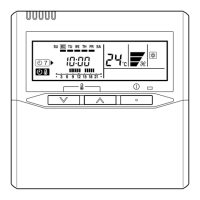
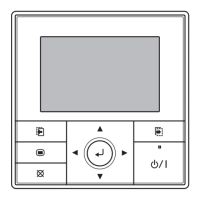
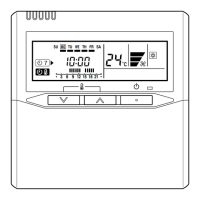
- Start/Stop: The unit can be easily turned on and off using the START/STOP button on the remote controller. An operation lamp (green) indicates when the unit is active.
- Mode Selection: Users can select from various operating modes, including AUTO, HEAT (for reverse cycle models), COOL, and FAN, using the MASTER CONTROL button.
- Thermostat Setting: The desired room temperature can be adjusted using the TEMP./DAY button. The thermostat setting range is typically 18 to 30 °C for AUTO and COOL modes, and 16 to 30 °C for Heating. During FAN mode, the thermostat cannot be used to set room temperature.
- Fan Speed Control: The FAN CONTROL button allows users to cycle through different fan speeds: AUTO, HIGH, MED, and LOW. In AUTO mode, the fan speed adjusts automatically based on room conditions.
Advanced Operation Modes:
- AUTO Mode (Cooling Model): This mode automatically switches between Cooling and Drying based on room temperature. If the room temperature is 2 °C higher than the set temperature, it cools. During Drying, the fan may temporarily stop.
- AUTO CHANGEOVER Mode (Heat & Cool Model): The air conditioner automatically selects between Cooling and Heating based on the room's present temperature. Upon initial selection, the fan operates at a very low speed for about one minute to assess room conditions. Once the room temperature is near the thermostat setting, it enters a monitor operation mode with low fan speed.
- Heating Mode: When heating, the temperature should be set higher than the current room temperature. The fan operates very slowly for 3 to 5 minutes after starting to allow the indoor unit's heat exchanger to warm up before emitting warm air. During defrosting (a microcomputer-controlled process to remove frost from the outdoor unit), heating may be temporarily interrupted, and "DEFROST" will be displayed.
- Cooling Mode: The temperature should be set lower than the current room temperature. If set higher, only the fan will operate.
- Fan Mode: In this mode, the room temperature cannot be adjusted, and it is not displayed on the remote controller.
Timer Operations:
The air conditioner features comprehensive timer functionalities for automated operation:
- OFF Timer/ON Timer: Users can set a specific time for the unit to turn off (OFF Timer) or turn on (ON Timer). The timer can be set to a resolution of 1 minute.
- Weekly Timer: This advanced feature allows users to program different operating times for each day of the week. Up to two ON and two OFF times can be set per day, with a resolution of 5 minutes. OFF times can carry over to the subsequent day.
- DAY OFF Setting: A temporary, one-time "DAY OFF" setting can be used to cancel scheduled weekly operations for a specific day without deleting the programmed settings. This setting is automatically cleared once the specified day passes.
Energy Save Operation:
- ENERGY SAVE Mode: Activated by pressing the ENERGY SAVE button, this mode optimizes energy consumption. In cooling mode, it slightly raises the set temperature, and in heating mode, it lowers it, using a computer program for economic control. The ENERGY SAVE lamp (green) illuminates when active.
- Temperature Adjustment in ENERGY SAVE: When heating, the set temperature is lowered by about 1 °C every 30 minutes, up to a total of 2 °C. When cooling, the set temperature is raised by about 0.5 °C every 30 minutes, up to a total of 1 °C.
System Operation:
- Zone Control: For installations with multiple indoor units, the ZONE control button allows users to stop only a subset of preset air conditioners, indicated by the ZONE lamp (green). Pressing it again restarts those units.
- AUTO Restart: In the event of a power interruption, the air conditioner will automatically restart in its previously selected mode once power is restored.
Maintenance Features
Proper maintenance is crucial for the air conditioner's performance and longevity. The manual provides guidelines for user-level maintenance:
- Safety Precautions: Before any cleaning or maintenance, it is imperative to stop the unit, turn off the electrical breaker, and disconnect the power supply to prevent personal injury due to the high-speed fan.
- Air Filter Installation: Users are reminded to ensure the air filter is always installed in the inlet air grille of the indoor unit. Replacement filters can be purchased from local dealers.
- Air Filter Cleaning: Regular cleaning of the air filter is recommended to prevent dirt accumulation, which can reduce airflow, performance, and increase operation noise. Filters can be cleaned using a vacuum cleaner to remove dust or washed with a synthetic detergent and dried in a shaded place before reinstallation.
- Unit Body Cleaning: The unit's body should be cleaned with water no hotter than 40 °C. Harsh abrasive cleansers, volatile agents like benzene or thinner, liquid insecticides, or hairsprays should not be used.
- Extended Disuse: If the unit will not be operated for a month or more, it is advised to allow the inner parts to dry thoroughly by operating the unit in fan mode for half a day in advance.
- Professional Inspection: For extended periods of use, the unit may accumulate internal dirt, leading to reduced performance. Regular inspections by authorized service personnel are recommended in addition to user cleaning.
Troubleshooting and Self-Diagnosis
The manual includes a section for troubleshooting common issues and understanding self-diagnosis codes:
- Error Codes: In case of a malfunction, the air conditioner will stop, and "EE: EE" will be displayed instead of the clock. Users can initiate a self-diagnosis check by pressing the SET TIME (▼) and TEMP./DAY (▼) buttons simultaneously for more than three seconds. This will display an error code in the clock area, indicating the specific problem (e.g., room temperature sensor short-circuited, communication error, indoor fan abnormal).
- Common Symptoms and Solutions: A table lists various symptoms (e.g., "Doesn't operate immediately," "Noise is heard," "Smells," "Mist or steam emitted," "Air flow stops," "Water produced from outdoor unit," "Poor Cooling/Heating performance") along with potential problems and recommended checks (e.g., power failure, blown fuse, timer operation, dirty air filter, blocked grilles, incorrect thermostat settings, open windows/doors).
- Professional Assistance: If problems persist after performing the recommended checks, or if burning smells are detected, users are instructed to immediately stop operation, turn off the electrical breaker, and consult authorized service personnel.



 To Next Page
 General