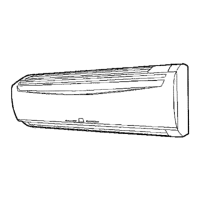
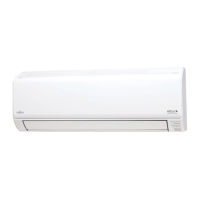
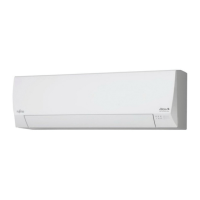
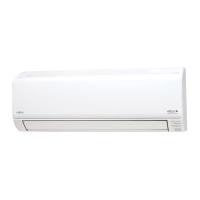
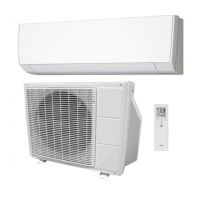
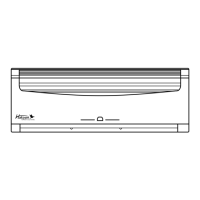
This document is an operating manual for a Fujitsu Heat & Cool Model (Reverse Cycle) Room Air Conditioner, specifically a Multi Split Type designed for two rooms.
Function Description
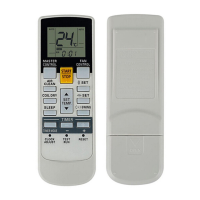
The Fujitsu Multi Split Type Room Air Conditioner is designed for both heating and cooling, operating on a reverse cycle. It offers various modes of operation including Automatic, Heating, Cooling, Dry, and Fan, allowing users to select the most suitable mode based on room temperature and desired comfort. The unit is controlled via a wireless remote control unit, which provides convenient access to all functions.
Automatic Operation:
By simply pressing the START/STOP button, the unit automatically begins operation in either Heating, Cooling, Dry, or Monitor modes, adjusting according to the thermostat setting and the actual room temperature. The system intelligently selects the operating mode and standard thermostat settings when operation begins. For instance, if the room temperature is 88°F or above, it will cool to 82°F; if it's below 74°F, it will dry to 68°F. The fan runs at a very low speed for about one minute at the start to detect and select the proper operating mode. Once set, the mode will not change even if the room temperature fluctuates. If the unit is restarted within two hours of stopping, it will resume operation in the same mode as before.
Cooling Mode:
This mode is used to cool the room. The thermostat should be set lower than the current room temperature for the cooling function to operate. If set higher, only the fan will operate.
Dry Mode:
Designed for gentle cooling while dehumidifying the room. Heating is not available in this mode. The unit operates at a low fan speed, and the fan may stop intermittently to adjust room humidity. The fan speed cannot be manually changed in Dry mode.
Fan Mode:
Used to circulate warm air from the ceiling area throughout the room, especially when using space heaters. The fan operates when the room temperature rises above the set thermostat temperature and stops when it drops. If the emitted air feels too cool, the thermostat setting can be raised.
Timer Operation:
The unit features ON, OFF, and Program timers.
- ON/OFF Timer: Allows users to set a specific time for the unit to turn on or off. The time can be adjusted in one-minute increments, or quickly in ten-minute steps by holding the buttons.
- Program Timer: Integrates both OFF and ON timer operations in a single sequence within a 24-hour period. The first timer function to operate will be the one set nearest to the current time, indicated by an arrow on the remote control unit's display. An example use is to automatically stop the unit after going to sleep (OFF timer) and then start it in the morning before waking up (ON timer).
Sleep Timer Operation:
This function prevents excessive warming or cooling during sleep by automatically modifying the thermostat setting.
- During Heating: The thermostat setting is lowered by 2°F every thirty minutes, up to a total of 8°F. This setting is maintained until the set time elapses, then the unit turns off.
- During Cooling/Dry: The thermostat setting is raised by 2°F every sixty minutes, up to a total of 4°F. This setting is maintained until the set time elapses, then the unit turns off.
Swing Operation:
The Air Flow Direction Louvers automatically swing up and down to distribute air evenly throughout the room. This operation can be temporarily paused if the fan is not running or operating at very low speeds. The airflow direction cannot be adjusted manually during swing operation.
Manual Auto Operation:
In cases where the remote control unit is lost or unavailable, the unit can be operated using the MANUAL AUTO button on the main unit control panel. In this mode, the unit operates under the same AUTO mode settings as the remote control unit, with the fan speed set to "AUTO" and the thermostat at 76°F.
Important Technical Specifications
Indoor Unit Models:
Outdoor Unit Models:
Thermostat Setting Range:
- Heating: 60 to 88°F
- Cooling/Drying: 64 to 88°F
- AUTO: 64 to 88°F
Operating Temperature and Humidity Range:
- Cooling and Dry Mode:
- Indoor Temperature: Maximum 95°F DB / 71°F WB, Minimum 64°F DB / 55°F WB
- Outdoor Temperature: Maximum 115°F DB, Minimum 32°F DB
- Indoor Humidity: About 80% or less (if 68°F or above); About 50% or less (if below 68°F)
- Heating Mode:
- Indoor Temperature: Maximum 88°F DB, Minimum 35°F WB
- Outdoor Temperature: Maximum 75°F DB / 65°F WB, Minimum 17°F DB / 15°F WB
Remote Control Unit:
- Operating range: About 7 meters.
- Uses AAA x 2 batteries. Batteries should be removed if the unit is not used for extended periods to prevent leakage.
Microcomputer-controlled Automatic Defrosting:
During heating in low outdoor temperatures and high humidity, frost can form on the outdoor unit, reducing performance. The unit is equipped with an automatic defrosting function that temporarily stops operation for 7 to 15 minutes to clear frost. During this time, the OPERATION Indicator Lamp (red) will flash.
Usage Features
- Wireless Remote Control Unit: Provides convenient control of all air conditioner operations.
- Adjusting Airflow Direction:
- Vertical (Up-Down): Adjusted using the AIR FLOW DIRECTION button on the remote control. The louvers automatically adjust based on the selected operation mode (e.g., horizontal flow for Cooling/Dry, downward flow for Heating). Manual adjustment is not recommended as it can lead to improper operation.
- Horizontal (Right-Left): Adjusted manually by moving the Right-Left louvers. It is recommended to start air conditioner operation and ensure vertical louvers are stopped before making horizontal adjustments.
- Power Diffuser: When the Air Flow Direction Louvers are moved for downward blowing, the Power Diffuser opens to generate a powerful airflow, quickly and efficiently warming the feet.
- Super Quiet Operation: When "QUIET" is selected via the FAN CONTROL button, the indoor unit's airflow is reduced for quieter operation. This mode is not available during Dry mode and may slightly reduce heating and cooling performance.
Maintenance Features
- Removable Intake Grille: The indoor unit's intake grille can be easily removed for cleaning and maintenance.
- Open the Intake Grille by lifting it forward until it becomes horizontal.
- Unlock the Intake Grille by pulling the knobs on both sides.
- Clean the grille with water, removing dust with a vacuum cleaner or by wiping with warm water, then drying with a soft cloth.
- Reattach the grille by setting the mounting shafts into the bearings at the top of the panel and locking the knobs.
- Close the Intake Grille by pushing its lower edge.
- Caution: Do not operate the unit with an open intake grille.
- Mildew-Resistant Filter: The air filter is treated to resist mildew growth, promoting cleaner use and easier care.
- Cleaning the Air Filter:
- Open the Intake Grille and remove the air filter by lifting its handle and disconnecting the lower tabs.
- Clean dust from the filter using a vacuum cleaner or by washing it in a solution of mild detergent and warm water. If washed, ensure it is thoroughly dried in a shady place before reinstalling.
- Replace the air filter by aligning its sides with the panel and pushing it in, ensuring the lower tabs are properly returned to their holes.
- Recommendation: Clean air filters every two weeks during normal use.
- Cleaning the Indoor Unit: Wipe the indoor unit with a cloth dipped in cool or warm water, then dry with a soft, clean, dry cloth. Avoid water hotter than 100°F to prevent warping or discoloration. Do not use gasoline, benzine, thinners, insecticides, or other chemical agents.
- Extended Periods of Non-Use: If not using the unit for a month or more, operate it in fan mode for about half a day on a clear day to dry internal parts. Disconnect power for safety.
- Regular Professional Maintenance: Internal parts may accumulate dirt after two or three seasons, affecting performance. Regular professional maintenance is recommended.

 Need help?
 General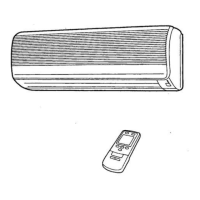

 To Next Page