
 Need help?
Do you have a question about the Fujitsu CELVIN NAS QE705 and is the answer not in the manual?
Explains symbols and text formatting conventions used in the manual.
Provides critical safety precautions for operating the NAS device.
Details the compliance and certification marks for the product.
Outlines the device's compliance with FCC Class B digital apparatus standards.
Specifies compliance with FCC limits for radio frequency exposure.
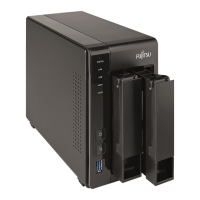
Overview of the front and rear panel components and ports for the QE705 model.
Overview of the front and rear panel components and ports for the QE805 model.
Guidance on compatible hard drives and ensuring adequate system airflow.
Interpreting LED indicators and alarm buzzers for system status.
Steps for initial software setup, including Fujitsu Finder and Quick Setup Wizard.
Details various RAID configurations (Single, JBOD, RAID 0, 1, 5, 6, 10) for NAS setup.
Accessing shared folders via network neighborhood or run commands.
Accessing the NAS administration interface through a web browser.
Connecting and accessing the NAS using NFS on Linux systems.
Using the front USB port's one-touch copy feature for data transfer.
Managing MySQL databases using the phpMyAdmin plugin.
Using SQLiteManager for managing SQLite databases.
Introduction, user account creation, and installation of the Qsync utility.
Procedures for logging onto the NAS and starting the Qsync application.
Covers synchronization, offline editing, and file sharing via download links.
Managing sync processes, viewing status, and tracking via web browser.
Guides on installing the NetBak Replicator backup software.
Steps for creating share folders and performing backups with the software.
Details network requirements and information needed for IP camera setup.
Provides steps for configuring the surveillance station with cameras.
Explains how to update the NAS firmware using the Fujitsu Finder utility.
Describes procedures for safely shutting down or restarting the NAS.
Details how to reset the admin password and network configurations using the reset button.
Provides guidance on troubleshooting and reporting hard disk issues.
Explains how to configure EuP mode for energy-saving standby requirements.
Guides on identifying and resolving RAID rebuild failures.
Explains the process of replacing hard drives while the NAS is operational.
Details how to recover RAID volumes after disconnections or drive removals.
 General
| Form Factor | Desktop |
|---|---|
| Drive Bays | 5 |
| Installed Devices / Modules Qty | 0 |
| Max Supported Qty | 5 |
| RAID Levels | 0, 1, 5, 6, 10, JBOD |
| Networking | Gigabit Ethernet |
| Data Link Protocol | Ethernet, Fast Ethernet, Gigabit Ethernet |
| Compliant Standards | IEEE 802.3, IEEE 802.3u, IEEE 802.3ab |
| Weight | 3.5 kg |
| Model | CELVIN NAS QE705 |
| Category | NAS |
| Network Services Protocol | DHCP, FTP, HTTP, HTTPS, SMB |
| RAM | 2 GB |
| Operating System | Linux |
| Supported Protocols | CIFS, NFS, AFP, FTP, iSCSI |
| Interfaces | eSATA |

 To Next Page
