EasyManua.ls Logo

Fujitsu GL9000 - User Manual

Fujitsu GL9000
24 pages
Go to English
Print Icon
To Next Page IconTo Next Page
Loading...
Operating Manual / Betriebsanleitung
Accessories
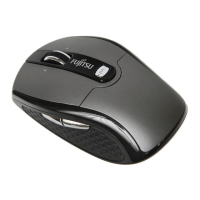
BLUE LED MOUSE GL9000

Questions and Answers

Summary

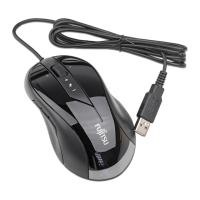
USB Mouse Features and Requirements

System Requirements for USB Mouse

Details the computer hardware and OS requirements for using the USB mouse, including Windows versions and USB port availability.

Important Safety and Usage Notes

Covers essential safety precautions, cleaning instructions, and important compliance information for the mouse.

CE Marking and Compliance

Information regarding the device's compliance with relevant EC Directives for electromagnetic compatibility and low voltage.

Limited Worldwide Warranty Information

Explains the terms and conditions of the Fujitsu limited worldwide warranty for the device and how to claim service.

FCC Class B Compliance Statement

Using the Fujitsu Mouse

Mouse Working Environments

Recommendations for optimal mouse performance, focusing on suitable surface types for accurate tracking.

Installing Mouse Software

Instructions on downloading and installing the software to configure programmable keys and access full mouse functionality.

Mouse Button Functions

Adjusting Scanning Sensitivity

Troubleshooting Mouse Issues

Getting Help for Mouse Problems

Guidance on how to resolve common mouse issues and contact the Fujitsu Service Desk for further assistance.

Mouse Not Detected or Functioning

Steps to diagnose and fix problems where the computer does not recognize or properly operate the mouse.

Technical Specifications

Fujitsu GL9000 Specifications

General IconGeneral
ModelGL9000
CategoryMouse
ConnectivityWireless
Tracking MethodOptical
Scroll WheelYes
ColorBlack
Battery TypeAA

Related product manuals