Contents English
Fujitsu Technology Solutions 9
Contents
English .................................................................................................................................................................................................. 11
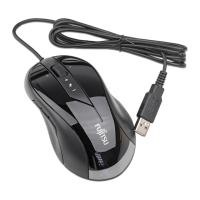
USB Mouse ............................................................................................................................................................................................ 11
Systemrequirements ...................................................................................................................................................................... 11
Important notes .............................................................................................................................................................................. 11
Safety notes ........................................................................................................................................................................... 11
Cleaning ................................................................................................................................................................................. 11
CE marking ............................................................................................................................................................................ 11
Limited worldwide warranty ..................................................................................................................................................... 11
FCC Class B Compliance Statement ...................................................................................................................................... 12
Using the mouse ............................................................................................................................................................................ 13
Working environments.................................................................................................................................................................... 13
Installing the software ..................................................................................................................................................................... 13
The buttons on the mouse .............................................................................................................................................................. 14
Setting the scanning sensitivity ...................................................................................................................................................... 15
Troubleshooting and tips ................................................................................................................................................................ 16
Help if problems occur ............................................................................................................................................................ 16
The mouse is not detected or does not function ..................................................................................................................... 16
Technical data ................................................................................................................................................................................ 17


 To Next Page
 Loading...