EasyManua.ls Logo

Fujitsu Inverter Halcyon AOU9RLS - User Manual

Fujitsu Inverter Halcyon AOU9RLS
20 pages
Print Icon
To Next Page IconTo Next Page
Loading...
Français
MODE D’EMPLOI
MANUAL
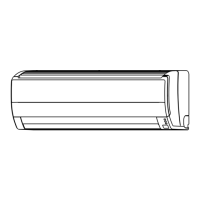
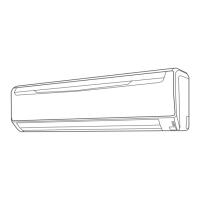
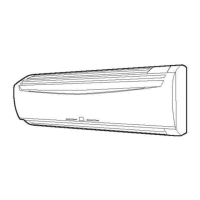
ASU9RLS
ASU12RLS
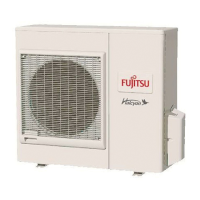
AOU9RLS
AOU12RLS
CONSERVEZ CE MODE D'EMPLOI
POUR RÉFÉRENCE ULTÉRIEUR
9314969034

Questions and Answers

  • P
    Patrick DavisAug 14, 2025
    Why is my Fujitsu Inverter Halcyon AOU9RLS not cooling well?
    • J
      Jennifer ShieldsAug 14, 2025
      Poor cooling performance in your Fujitsu Air Conditioner can stem from several factors: * Check if the air filter is dirty. * Ensure that the air conditioner’s intake grille or outlet port isn't blocked. * Verify that the room temperature settings (thermostat) are correctly adjusted. * Make sure no windows or doors are open. * If cooling, close curtains to block bright sunlight. * Consider if there are too many heat-generating appliances or people in the room. * Check if the unit is set to SUPER QUIET operation.
  • N
    Nancy HopkinsAug 17, 2025
    Why is water produced from the outdoor Fujitsu Inverter Halcyon AOU9RLS unit?
    • C
      Chad BakerAug 17, 2025
      During heating operation, water may be produced from the outdoor unit of your Fujitsu Air Conditioner due to Automatic Defrosting operation.
  • A
    Ashley LambAug 20, 2025
    What to do if my Fujitsu Air Conditioner doesn't operate at all?
    • A
      Angela JeffersonAug 20, 2025
      If your Fujitsu Air Conditioner isn't operating, check the following: 1. Ensure the Power Supply Plug is properly connected to the outlet. 2. Verify there hasn't been a power failure. 3. Check for blown fuses or tripped circuit breakers. 4. Confirm that the timer isn't interfering with operation.
  • E
    Elizabeth MillerAug 27, 2025
    Why is my Fujitsu Inverter Halcyon AOU9RLS not operating immediately after turning it on?
    • M
      Michael CampbellAug 27, 2025
      Your Fujitsu Air Conditioner might not operate immediately for these reasons: * If stopped and restarted quickly, the compressor won't operate for about 3 minutes to prevent fuse issues. * If the Power Supply Plug is disconnected and reconnected, the protection circuit will prevent operation for about 3 minutes.
  • A
    Andrew CooleyAug 30, 2025
    Why does my Fujitsu Inverter Halcyon AOU9RLS Air Conditioner unit operate differently from the Remote Control Unit’s setting?
    • A
      Ashley JonesAug 31, 2025
      If your Fujitsu Air Conditioner isn't responding to the remote control, check if the Remote Control Unit’s batteries are dead or loaded properly.
  • T
    Travis HoffmanSep 3, 2025
    Why does my Fujitsu Inverter Halcyon AOU9RLS smell?
    • D
      Daniel ValentineSep 3, 2025
      A smell emitted from your Fujitsu Air Conditioner's indoor unit may be due to room odors (furniture, tobacco, etc.) that have been drawn into the unit.
  • D
    Devon OconnellSep 6, 2025
    Why is my Fujitsu Air Conditioner emitting mist or steam?
    • M
      Mrs. Lori WelchSep 6, 2025
      Mist or steam emitted from your Fujitsu Air Conditioner can be normal: * During Cooling or Dry operation, a thin mist may appear due to the sudden cooling of room air, causing condensation. * During Heating, the outdoor unit's fan may stop, and steam may rise from the unit during Automatic Defrosting.
  • J
    Julie JacksonSep 9, 2025
    Why is my Fujitsu Inverter Halcyon AOU9RLS Air Conditioner making noise?
    • A
      Amy RamirezSep 9, 2025
      The noise you hear from your Fujitsu Air Conditioner can be attributed to a few things: * During and after operation, the sound of water flowing in the piping may be audible. * A slight squeaking sound during operation can result from minute expansion and contraction of the front cover due to temperature changes. * During heating, a sizzling sound may occur occasionally due to Automatic Defrosting.
  • L
    Laura Gibson DVMNov 23, 2025
    Why does my Fujitsu Inverter Halcyon AOU9RLS airflow become weak or stop?
    • B
      Brandon RobertsNov 23, 2025
      Weak or stopped airflow in your Fujitsu Air Conditioner can occur due to several reasons: * When heating starts, fan speed is temporarily low for internal parts to warm up. * During heating, if the room temperature exceeds the thermostat setting, the outdoor unit stops, and the indoor unit operates at very low fan speed. Adjust the thermostat to a higher setting if you want to increase the room temperature. * The unit will temporarily stop during heating (for 7-15 minutes) for Automatic Defrosting. The DEFROST Indicator Lamp (yellow) will flash during this operation. * The fan may operate at very low speed during Dry operation or when monitoring the room’s temperature. * The fan will operate at very low speed during SUPER QUIET operation. * In monitor AUTO operation, the fan w...

Summary

Safety Precautions

Features and Functions

Inverter Technology

Describes the inverter technology for efficient operation and temperature control.

Coil Dry Operation

Explains the function to dry the indoor unit to prevent mold and bacteria.

Auto Changeover Mode

Details how the unit automatically switches modes to maintain set temperature.

Program Timer Function

Enables integration of ON and OFF timers in a single sequence within 24 hours.

Sleep Timer Function

Gradually adjusts thermostat settings for comfort during sleep and auto shut-off.

Omni-Directional Air Flow

Describes 3D control over air direction using dual swing functions.

Super Quiet Operation

Details the operation that reduces airflow for quieter performance.

Name of Parts

Indoor Unit Components

Lists and identifies parts of the indoor unit, including control panel and airflow louvers.

Outdoor Unit Components

Identifies the parts of the outdoor unit, such as intake and outlet ports.

Remote Control Unit Components

Details the components of the remote control unit, including buttons and display.

Preparation

Load Batteries

Instructions for inserting batteries into the remote control unit.

Set the Current Time

Steps to set the current time on the remote control unit.

Operation

Select Mode Operation

Steps to start the unit and select the operating mode like COOL, HEAT, DRY, FAN.

Set the Thermostat

How to adjust the desired temperature using the SET TEMP. button.

Set the Fan Speed

Instructions on adjusting the fan speed (AUTO, HIGH, MED, LOW, QUIET).

Super Quiet Operation

Details the QUIET fan speed setting for reduced airflow and noise.

Stop Operation

Procedure to stop the air conditioner's operation.

Auto Changeover Operation

Explains the automatic mode selection process based on room conditions.

Mode Operation Details

Details the specific functions and considerations for Heating, Cooling, Dry, and Fan modes.

Timer Operation

Use ON Timer or OFF Timer

Guides users on setting ON or OFF timers for the air conditioner.

Use Program Timer

Explains how to integrate ON and OFF timers in a sequence.

Sleep Timer Operation

Use the Sleep Timer

Details how to set the SLEEP timer for automatic temperature adjustment and shut-off.

About the Sleep Timer

Explains the function of the SLEEP timer in modifying thermostat settings.

Adjusting Air Circulation Direction

Vertical Air Direction Adjustment

How to adjust the vertical airflow direction using the remote control.

Horizontal Air Direction Adjustment

How to adjust the horizontal airflow direction using the remote control.

Swing Operation

Select Swing Operation

Steps to activate up/down or left/right airflow swing.

About Swing Operation

Explains the different types of swing operations available.

Coil Dry Operation

Select Coil Dry Operation

How to initiate the COIL DRY operation to dry the indoor unit.

About Coil Dry Operation

Provides information on the COIL DRY function's purpose and limitations.

Minimum Heat Operation

Use Minimum Heat Operation

How to activate MIN. HEAT to maintain a minimum room temperature.

About Minimum Heat Operation

Explains the conditions under which MIN. HEAT operates.

Manual Auto Operation

Use Main Unit Controls

Guide on operating the unit using the main unit controls when the remote is unavailable.

Cleaning and Care

Cleaning the Open Panel

Steps for removing and cleaning the indoor unit's open panel.

Cleaning the Air Filter

Instructions for cleaning the air filters of the indoor unit.

Replace Air Filter and Close Panel

Steps for reinstalling the air filter and closing the panel.

Troubleshooting

Doesnt Operate Immediately

Explains delay in operation after stopping/starting or power connection.

Noise is Heard

Describes common noises like coolant flow or expansion/contraction sounds.

Mist or Steam Emitted

Explains mist formation during cooling/dry operations.

Airflow is Weak or Stops

Discusses causes for weak or stopped airflow, especially during heating.

Doesnt Operate At All

Checks for power supply issues, blown fuses, or tripped breakers.

Poor Cooling Performance

Addresses factors affecting cooling efficiency like dirty filters or blocked ports.

Unit Operates Differently from Remote Setting

Checks for issues like dead batteries or incorrect remote usage.

Operating Tips

Heating Performance

Explains heat-pump operation and reduced performance in cold weather.

Automatic Defrosting

Details the automatic defrosting function during low temperatures and high humidity.

Auto Restart Function

Describes how the unit restarts automatically after a power interruption.

Fujitsu Inverter Halcyon AOU9RLS Specifications

General IconGeneral
Cooling Capacity (BTU/h)9000
Cooling Capacity (kW)2.64
Heating Capacity (kW)3.52
Voltage (V)208/230
RefrigerantR410A
Heating Capacity (BTU/h)12000
Power Supply1 Phase, 60Hz
Noise Level (Indoor Unit)46 dB(A)
Noise Level (Outdoor Unit)46 dB(A)

Related product manuals