EasyManua.ls Logo

Fujitsu Inverter Halcyon - User Manual

Fujitsu Inverter Halcyon
20 pages
Print Icon
To Next Page IconTo Next Page
Loading...
PART NO.9315345295-03
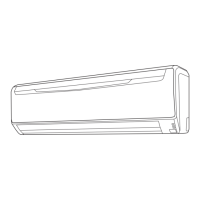
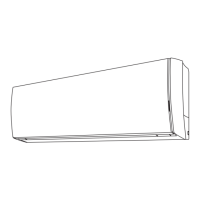
Wall Mounted Type
9315345295-03_OM_Cover.indd 19315345295-03_OM_Cover.indd 1 2010-9-3 15:09:072010-9-3 15:09:07

Questions and Answers

Summary

Safety Precautions

Key Features and Functions

INVERTER Technology

Efficient operation by automatically adjusting power to maintain desired temperature.

Remote Control & Operation Modes

Wireless Remote, Economy, Auto Changeover, Minimum Heat, Timers, Super Quiet operation modes for versatile control.

Airflow Direction Control

Adjustable horizontal and omni-directional airflow for optimal room comfort and distribution.

Air Filtration & Maintenance

Features Removable Intake Grille and various filters for clean air and unit upkeep.

Name of Parts

Indoor Unit Components

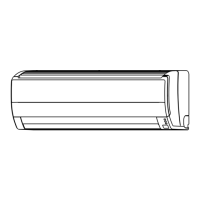
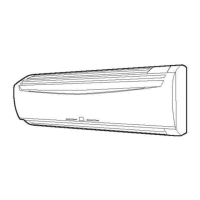
Identification of main parts of the indoor unit, including control panel, grilles, and filters.

Remote Controller Overview

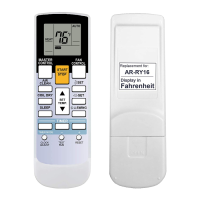
Detailed labeling of buttons and display elements on the remote controller.

Preparation and Setup

Initial Setup Procedures

Steps for powering on the unit, loading batteries, and setting the current time.

Remote Controller Usage and Mounting

Guidelines for operating the remote controller and installing its holder.

Operating the Air Conditioner

Selecting Operation Mode

Guide to choosing between COOL, DRY, FAN, and AUTO modes.

Setting the Thermostat

Adjusting the desired temperature for heating or cooling.

Adjusting Fan Speed

Selecting fan speed from AUTO, LOW, MED, HIGH, or QUIET.

Super Quiet Operation

Activating and understanding the reduced airflow mode for quieter operation.

Advanced Operation Functions

Stopping Operation

Procedure to turn off the air conditioner using the START/STOP button.

Auto Changeover Functionality

Details on how the auto mode selects and maintains room temperature.

Mode-Specific Operations

Guidance on using Heating, Cooling, Dry, and Fan modes effectively.

Timer Operations

ON;OFF Timer Usage

Setting a single timer for automatic start or stop of the unit.

Program Timer Functionality

Creating a sequence of ON and OFF timer operations for automated scheduling.

Sleep Timer Function

Using the Sleep Timer

Setting the sleep timer to automatically stop the unit after a specified duration.

Sleep Timer Settings and Effects

Adjusting sleep timer duration and understanding its temperature modification for comfort.

Air Circulation Direction

Vertical Airflow Adjustment

Controlling the up and down movement of the louvers for optimal air distribution.

Horizontal Airflow Adjustment

Controlling the left and right movement of the louvers for directional airflow.

Swing Operation

Selecting Swing Operation

Activating the automatic swinging motion of the louvers for wider air distribution.

Stopping Swing Operation

Disabling the louver swing function to maintain a fixed airflow direction.

Swing Operation Details

Explanation of up/down, left/right, and combined swing modes.

Economy Operation

Activating Economy Operation

Engaging the energy-saving economy mode for reduced power consumption.

Stopping Economy Operation

Deactivating the economy mode to return to normal operation.

About Economy Operation

Explanation of the economy mode's energy-saving benefits and performance.

Specialized Operation Modes

Minimum Heat Operation

Maintains room temperature at 50°F to prevent excessive cooling.

Manual Auto Operation

Using unit controls when the remote controller is unavailable.

Cleaning and Care

Cleaning the Intake Grille

Instructions for removing and cleaning the front intake grille.

Cleaning the Air Filter

Procedure for removing, cleaning, and replacing the air filters.

Air Cleaning Filter Maintenance

Air Cleaning Filter Installation

Guide to installing disposable air cleaning filters like Catechin and Deodorizing types.

Replacing Dirty Air Cleaning Filters

Information on when and how to replace disposable air filters.

Deodorizing Filter Maintenance

Steps for cleaning and maintaining the deodorizing filter for sustained effect.

Filter Indicator Reset

Troubleshooting Common Issues

Normal Operation Symptoms

Checks for immediate operation, noise, smells, mist, and airflow issues.

Water Production from Outdoor Unit

Explanation for water generation during heating and defrosting operations.

Troubleshooting and Checks

Unit Not Operating or Poor Performance

Checks for circuit breakers, fuses, timers, filter blockage, and temperature settings.

Remote Controller Issues

Troubleshooting steps for unit operating differently from remote settings or dead batteries.

Operating Tips and Performance

Heating Performance Characteristics

Understanding heat-pump operation and its reduction in performance at low outdoor temperatures.

Microcomputer-controlled Defrosting

Explanation of the automatic defrosting function during heating in cold conditions.

Operating Tips: Special Scenarios

Auto Restart Functionality

How the unit restarts automatically after a power interruption.

Multi-type Air Conditioner Usage

Guidelines for operating multiple indoor units simultaneously or independently.

Summary

Safety Precautions

Key Features and Functions

INVERTER Technology

Efficient operation by automatically adjusting power to maintain desired temperature.

Remote Control & Operation Modes

Wireless Remote, Economy, Auto Changeover, Minimum Heat, Timers, Super Quiet operation modes for versatile control.

Airflow Direction Control

Adjustable horizontal and omni-directional airflow for optimal room comfort and distribution.

Air Filtration & Maintenance

Features Removable Intake Grille and various filters for clean air and unit upkeep.

Name of Parts

Indoor Unit Components

Identification of main parts of the indoor unit, including control panel, grilles, and filters.

Remote Controller Overview

Detailed labeling of buttons and display elements on the remote controller.

Preparation and Setup

Initial Setup Procedures

Steps for powering on the unit, loading batteries, and setting the current time.

Remote Controller Usage and Mounting

Guidelines for operating the remote controller and installing its holder.

Operating the Air Conditioner

Selecting Operation Mode

Guide to choosing between COOL, DRY, FAN, and AUTO modes.

Setting the Thermostat

Adjusting the desired temperature for heating or cooling.

Adjusting Fan Speed

Selecting fan speed from AUTO, LOW, MED, HIGH, or QUIET.

Super Quiet Operation

Activating and understanding the reduced airflow mode for quieter operation.

Advanced Operation Functions

Stopping Operation

Procedure to turn off the air conditioner using the START/STOP button.

Auto Changeover Functionality

Details on how the auto mode selects and maintains room temperature.

Mode-Specific Operations

Guidance on using Heating, Cooling, Dry, and Fan modes effectively.

Timer Operations

ON;OFF Timer Usage

Setting a single timer for automatic start or stop of the unit.

Program Timer Functionality

Creating a sequence of ON and OFF timer operations for automated scheduling.

Sleep Timer Function

Using the Sleep Timer

Setting the sleep timer to automatically stop the unit after a specified duration.

Sleep Timer Settings and Effects

Adjusting sleep timer duration and understanding its temperature modification for comfort.

Air Circulation Direction

Vertical Airflow Adjustment

Controlling the up and down movement of the louvers for optimal air distribution.

Horizontal Airflow Adjustment

Controlling the left and right movement of the louvers for directional airflow.

Swing Operation

Selecting Swing Operation

Activating the automatic swinging motion of the louvers for wider air distribution.

Stopping Swing Operation

Disabling the louver swing function to maintain a fixed airflow direction.

Swing Operation Details

Explanation of up/down, left/right, and combined swing modes.

Economy Operation

Activating Economy Operation

Engaging the energy-saving economy mode for reduced power consumption.

Stopping Economy Operation

Deactivating the economy mode to return to normal operation.

About Economy Operation

Explanation of the economy mode's energy-saving benefits and performance.

Specialized Operation Modes

Minimum Heat Operation

Maintains room temperature at 50°F to prevent excessive cooling.

Manual Auto Operation

Using unit controls when the remote controller is unavailable.

Cleaning and Care

Cleaning the Intake Grille

Instructions for removing and cleaning the front intake grille.

Cleaning the Air Filter

Procedure for removing, cleaning, and replacing the air filters.

Air Cleaning Filter Maintenance

Air Cleaning Filter Installation

Guide to installing disposable air cleaning filters like Catechin and Deodorizing types.

Replacing Dirty Air Cleaning Filters

Information on when and how to replace disposable air filters.

Deodorizing Filter Maintenance

Steps for cleaning and maintaining the deodorizing filter for sustained effect.

Filter Indicator Reset

Troubleshooting Common Issues

Normal Operation Symptoms

Checks for immediate operation, noise, smells, mist, and airflow issues.

Water Production from Outdoor Unit

Explanation for water generation during heating and defrosting operations.

Troubleshooting and Checks

Unit Not Operating or Poor Performance

Checks for circuit breakers, fuses, timers, filter blockage, and temperature settings.

Remote Controller Issues

Troubleshooting steps for unit operating differently from remote settings or dead batteries.

Operating Tips and Performance

Heating Performance Characteristics

Understanding heat-pump operation and its reduction in performance at low outdoor temperatures.

Microcomputer-controlled Defrosting

Explanation of the automatic defrosting function during heating in cold conditions.

Operating Tips: Special Scenarios

Auto Restart Functionality

How the unit restarts automatically after a power interruption.

Multi-type Air Conditioner Usage

Guidelines for operating multiple indoor units simultaneously or independently.

Overview

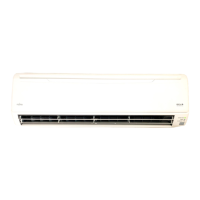
This document describes a Fujitsu Halcyon Inverter Air Conditioner, a wall-mounted unit designed to provide comfortable indoor environments through various operating modes and features.

Function Description

The core function of this air conditioner is to regulate room temperature and air quality. It utilizes inverter technology, which allows it to quickly reach the desired temperature at the start of operation, then automatically switch to a lower power setting for economic and comfortable performance. This intelligent control helps maintain a consistent temperature while optimizing energy consumption.

The unit offers several operating modes to suit different needs:

  • AUTO CHANGEOVER: This mode automatically switches between cooling, dry, and heating operations to maintain a constant set temperature.
  • COOLING: Used to cool the room.
  • DRY: Designed for gentle cooling while dehumidifying the room. In this mode, the fan operates at a low speed, and may stop intermittently to adjust room humidity. Heating is not available in Dry mode.
  • HEATING: Used to warm the room. When selected, the unit operates at a very low fan speed for a few minutes to allow internal components to warm up before full operation. If the room temperature is very low, the unit may enter a defrost cycle to remove frost from the outdoor unit, temporarily interrupting heat operation.
  • FAN: Circulates air throughout the room without heating or cooling.
  • MINIMUM HEAT OPERATION: This specialized mode maintains the room temperature at 50°F (10°C) to prevent it from falling too low, useful for unoccupied spaces during cold weather.
  • SUPER QUIET OPERATION: Reduces the indoor unit's airflow for quieter operation, though heating and cooling performance may be slightly reduced. This mode is not available during Dry mode.

The air conditioner also includes various timer functions for automated operation:

  • ON Timer: Starts the unit at a preset time.
  • OFF Timer: Stops the unit at a preset time.
  • PROGRAM TIMER: Integrates ON and OFF timer operations in a single 24-hour sequence, allowing for one transition from OFF to ON or ON to OFF.
  • SLEEP TIMER: Automatically adjusts the thermostat setting during sleep to prevent excessive warming or cooling. In Heating mode, the thermostat setting is gradually lowered; in Cooling/Dry mode, it is gradually raised. The unit automatically turns off when the set time elapses.

Airflow direction can be precisely controlled:

  • Vertical Air Direction Adjustment: Allows adjustment of the up/down airflow louvers. The unit automatically sets the vertical airflow direction based on the operating mode (horizontal for cooling/dry, downward for heating). Manual adjustment is possible using the remote controller.
  • Horizontal Air Direction Adjustment: Allows adjustment of the right/left airflow louvers.
  • OMNI-DIRECTIONAL AIRFLOW (SWING OPERATION): Provides 3-dimensional control over air direction swing, combining both up/down and right/left movements. This feature can be stopped at any time.

Usage Features

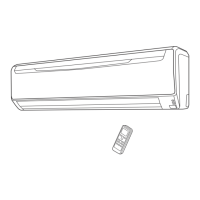
The air conditioner is primarily controlled via a Wireless Remote Controller, which allows convenient adjustment of all operating parameters from a distance of up to 23 feet (7 meters). The remote controller features:

  • MODE button: To select the desired operating mode (AUTO, COOL, DRY, HEAT, FAN).
  • SET TEMP. buttons (▲/▼): To adjust the thermostat setting within a range of 64-88°F (18-31°C) for AUTO, COOLING, and DRY modes, and 60-88°F (16-31°C) for HEATING mode.
  • FAN button: To select fan speed (AUTO, HIGH, MED, LOW, QUIET).
  • START/STOP button: To turn the unit on or off.
  • MIN.HEAT button: To activate the minimum heat operation.
  • ECONOMY button: To engage economy operation, which slightly adjusts the set temperature to save energy.
  • SLEEP button: To activate the sleep timer.
  • SWING button: To initiate or stop the airflow swing operation.
  • TIMER MODE button: To set and cancel ON, OFF, and PROGRAM timers.
  • TIMER SET buttons (✉ / ): To adjust timer settings.
  • CLOCK ADJUST button: To set the current time on the remote controller.
  • SET buttons (Vertical/Horizontal): To adjust the vertical and horizontal airflow direction louvers.

In case the remote controller is unavailable, a MANUAL AUTO button on the indoor unit's operating control panel allows for basic AUTO mode operation.

The unit provides visual feedback through indicator lamps on the indoor unit:

  • OPERATION Indicator Lamp (green): Lights up during operation, flashes during automatic defrosting, or indicates certain malfunctions.
  • TIMER Indicator Lamp (orange): Lights up when a timer is active, flashes if a timer fault occurs.
  • ECONOMY Indicator Lamp (green): Lights up when ECONOMY or MINIMUM HEAT operation is active.

Maintenance Features

Regular cleaning and care are essential for maintaining the air conditioner's performance and air quality.

  • Removable Intake Grille: The indoor unit's intake grille can be easily removed for cleaning. It should be cleaned with a vacuum cleaner or wiped with warm water and a soft cloth.
  • Air Filter: The air filter should be cleaned every 2 weeks. It can be cleaned with a vacuum cleaner or by washing it in a solution of mild detergent and warm water, then thoroughly dried in a shaded place. Dirty filters reduce airflow, lower operating efficiency, and increase noise.
  • Mildew-Resistant Filter: The air filter is treated to resist mildew growth, promoting cleaner use and easier care.
  • Polyphenol Catechin Air Cleaning Filter (UTR-FA13-1): These disposable filters use static electricity to capture fine particles and dust, and contain catechin to suppress bacteria growth. They should be exchanged approximately every 3 months.
  • Negative Air Ions Deodorizing Filter (UTR-FA13-2): Composed of pottery super micro particles, these filters produce negative air ions for deodorizing effects and absorb peculiar household smells. They should be exchanged approximately every 3 years. To maintain their deodorizing effect, they should be cleaned every 3 months by flushing with high-pressure hot water and diluent neutral detergent, then rinsed and dried in the shade.
  • Filter Indicator Reset: If correctly set during installation, an indicator lamp will light up when it's time to clean the air filters. After cleaning, the indicator can be reset by pressing the MANUAL AUTO button on the indoor unit.

For extended periods of non-use (1 month or more), it is recommended to operate the unit in fan mode continuously for half a day to dry internal parts thoroughly before shutting down the power supply. For any internal dirt accumulation or reduced performance over time, authorized service personnel should be consulted for inspection.

Fujitsu Inverter Halcyon Specifications

General IconGeneral
BrandFujitsu
SeriesHalcyon
TypeSplit System Air Conditioner
Cooling CapacityVaries by model (e.g., 9, 000 - 36, 000 BTU/h)
RefrigerantR-410A
FeaturesInverter Technology, Quiet Operation
Energy Efficiency Ratio (EER)Varies by model (e.g., Up to 14.0)
Noise LevelIndoor: 19 dB
Indoor Unit WeightVaries by model (e.g., 20 lbs)
Operating Temperature (Cooling)14°F to 115°F

Related product manuals