FI‐7600/FI‐7700
C
ONSUMABLE
R
EPLACEMENTAND
C
LEANING
I
NSTRUCTIONS
CG00002‐296501
ReplacingthePickRoller
ReplacethePickRollerinthefollowing
procedure.
1.
Turnoffthescannerandwaitforat
least15minutes.
2.
Unplugthepowercable.
3.
RemovealldocumentsfromtheADF
paperchute(feeder)
4.
OpentheADF
5
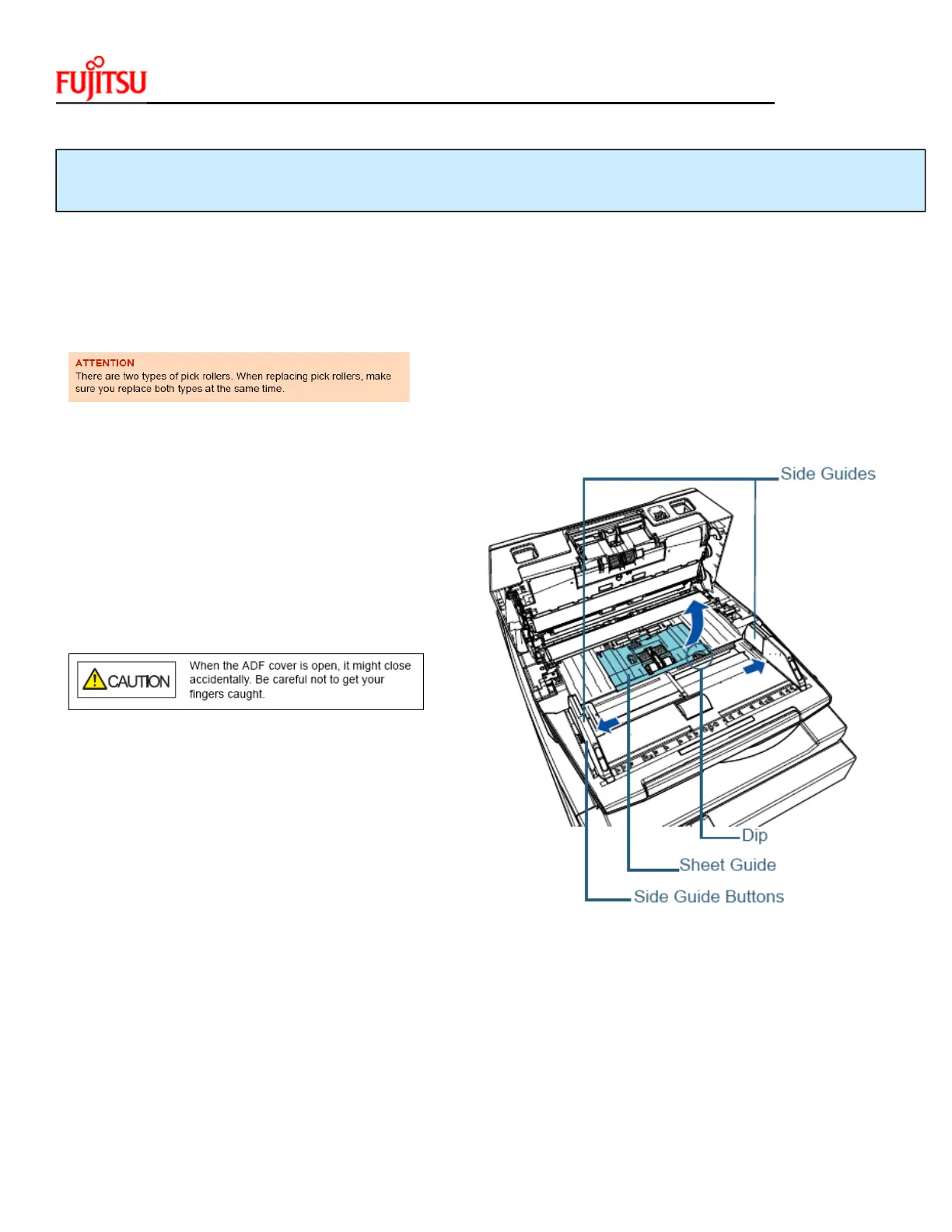
.Openthesheetguide.
Slidethesideguidesallthewayoutbypressing
thesideguidebuttons,andpullthesheetguide
openfromthedip.


 To Next Page
 Loading...