If you have installed the software before
18
z ScanSnap Organizer/CardMinder
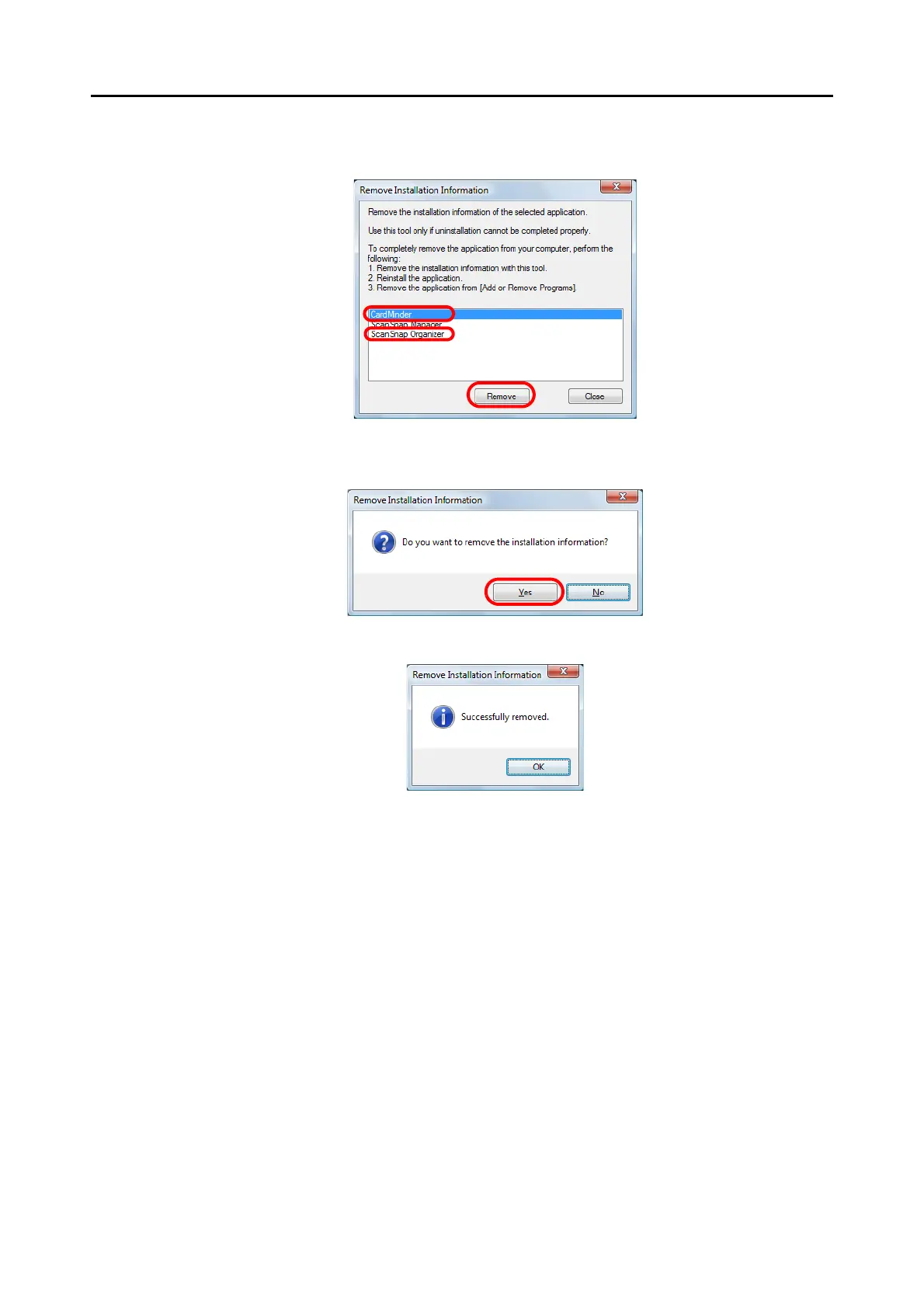
1. Select [ScanSnap Organizer] or [CardMinder], and click the [Remove] button.
D A confirmation message appears.
2. Click the [Yes] button.
D The installation information is removed, and the following message appears.
3. Click the [OK] button to close the [Remove Installation Information] dialog box.
6. By repeating step 5., remove the installation information of all the
software listed in the [Remove Installation Information] dialog box.
7. Click the [Close] button to close the [Remove Installation Information]
dialog box.



 To Next Page
 Loading...













