MCSOLADVANCONNRST03-02T-19056
DIGITAL THERMOSTAT
Ver. 03
RST Advanced
Tenha este manual na palma da
sua mão pelo aplicativo FG Finder.
1. DESCRIPTION
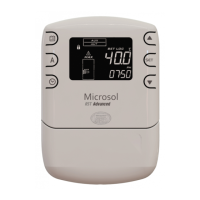
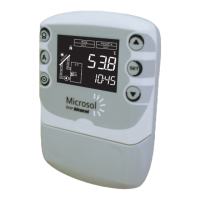
The Microsol RST Advanced is a digital thermostat with
control logic for heating and cooling. It has a clock, event schedule for rational and
economical use of the controlled load, as well as protection for accessing configuration
parameters.
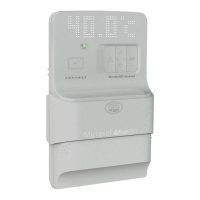
The Microsol Advanced line has NFC approximation data conect se caractisda
transfer technology for configuring and diagnosing your heating system through the
exclusive Microsol app.
It is characterized by a unique design for use in residential environments, by the ease of
operation with touch keys for easy access to the main features of the controller and by the
use of a customized display.
3. APLICAÇÃO
- Solar heating with auxiliary heating system.
2. APPLICATION
3. TECHNICAL SPECIFICATIONS
4. INTENDED USE
4.1 INTERFACE
1. Display
2. Auxiliary 1 Indication
3. NFC area
4. Auxiliary 1 key
5. Increase key
6. Decrease key
7. SET key
Output status of LEDs:
• Off = OFF
• Green = Automatic (AUT)
• Yellow= Manual (MAN)
• Yellow/White= Manual in WEEKEND mode
Each controller output has a colored LED to indicate the state and output mode. The color
of the LED indicates the mode selected for the output. The flashing led indicates that the
output is on.
6. OPERATIONS
6.1 KEYMAP
Short press - Access user settings.
Long press (4 seconds) - Access advanced settings.
Short press - Checks the status of the function lock.
Long press (4 seconds) - Enables/Disables Function Lock.
See chapter 6.3 Function lock.
Short press - Toggles the temperature display (T1, TIME). Shows time
remaining when in manual mode.
Long press (4 seconds) - Inhibits audible alarm.
Short press - Changes auxiliary 1 mode (AUT/MAN/OFF).
Long press (4 seconds) - Enables/Disables Weekend mode on
auxiliary 1.
Operating temperature
Operating humidity
Control output
Control temperature
104 x 160 x 34mm (4.09” x 6.30” x 1.34”)
Resolution
Dimensions
0.1°C between -10 and 100°C and 1°C in the rest of the range
0.1°F between -10 and 100°F and 1°F in the rest of the range
AUX 1 - Relay output, max. 16A, 3500W resistor at 220Vac
(1750W at 127Vac)
T1: Thermostat – Sensor SB19, 2,5m
10 a 90% UR (without condensation)
Power
115Vac ±10%(50/60Hz) or 230Vac ±10%(50/60Hz)
Sensor T1: -20 to 105ºC / -4 to 221ºF
0 to 50°C (32 to 122°F)
Sensors
4.2 OUTPUT INDICATION
5. NFC FUNCTIONALITY
NFC is a technology for data exchange and wireless communication. Perform controller
setup and verify your data using the Microsol app with a
compatible smartphone. For more information, visit the website:
http://microsolconnect.fullgauge.com/ or scan the QRcode with your cell phone.
Attention! Check your smartphone's compatibility with NFC technology.
1 - Bring the cell phone closer to the highlighted NFC position, as shown in image (1). With
the cell phone close to it, the controller will beep, signaling that the cell phone has been
detected by the controller.
2 - Keep your cell phone close to initiate communication.
Note: Check the position of the NFC antenna on your cell phone. Using images (2) and
(3) as a reference, it is possible to improve performance by bringing the cell phone
antenna closer to the highlighted position. The correct approximation with the
highlighted NFC position on the controller contributes to an easy and practical use.
Indicates the approach of the smartphonecompatible with NFC
technology. At this point, communication between the controller
and the smartphone will be initiated.
Indicates the sending of new parameters to the controller.
Indicates updating of data saved in the controller's
NFC memory.
Digital input
Configurable dry contact type
1
2
3
Consumption
3
1
2
4
5
6
7
Note: When Manual mode is selected, the backup output remains in this state for the
period defined in this mode for the time defined in A1.08 - Auxiliary 1 manual
activation time. The manual mode is used when you want to eventually heat the thermal
reservoir outside the times specified in the event schedule.
OFF / AUT / MAN
Press for
4 seconds
AUT
OFF
MAN
Short press
Short press
Short press
MANUAL in
WEEKEND mode
WEEKEND: Support operates in Manual
mode disregarding the time defined in
A1.08. This parameter has a time limit of
3 days, after this period it returns to
automatic mode.
OFF: Auxiliary output off.
AUT: Support in automatic mode, operating
according to the configuration of the event
sche du le a nd s en sor temp er at ure
configured in parameter A1.02.
MAN: Support in manual mode, remains in
this mode for the time defined in A1.08 -
Time of manual activation of the auxiliary.
Afterwards, it returns to automatic mode. If
A1.08 = OFF, it remains in manual mode
until reaching the Setpoint, after which it
returns to automatic mode.
6.2 AUXILIARY OPERATION MODE
Each short press on the auxiliary key A1 changes the operating mode of the support
output between OFF, AUTO and MANUAL modes. By pressing auxiliary key A1 for 4
seconds, MANUAL is set to WEEKEND mode.
6.3 FUNCTION LOCK
For security reasons and in order to prevent unauthorized persons from changing the
controller settings, there is a function lock feature. With this setting activated, the
parameters cannot be changed, only viewed, according to the configured protection
level. Parameter GE.05 determines which type of locking will be performed. In the lock
condition, when trying to change the value of a locked parameter, the message11111111
appears on the display. To enable/disable the functions lock, the key must be pressed
for the time configured in parameter GE.06 - Time for locking functions.
3.3VA
Have this manual in the palm of
your hand through the FG Finder.

 Need help?
 General

 To Next Page