14
EN
Sound Select
1) Press [SOUND] to display the currently selected audio
language and the number of available languages.
2) Press [SOUND] repeatedly to cycle through the available
audio languages.
1) Press [SOUND] to display the currently selected audio
mode.
2) Press [SOUND] repeatedly to cycle through the available
audio mode.
• The display image can be found on the “TV Screen
Information” at the right column.
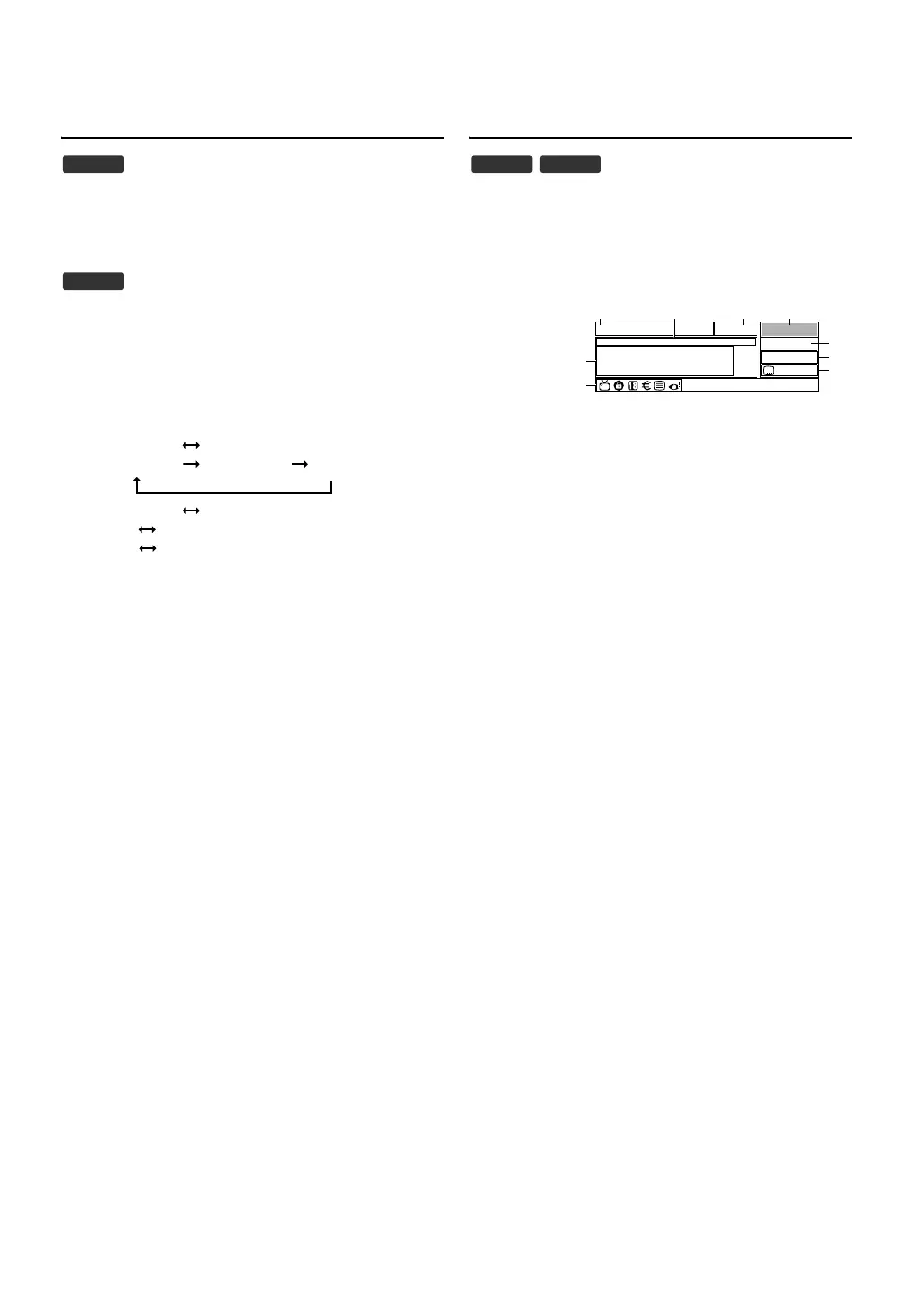
TV Screen Information
You can see the broadcasting information.
1) Press [I (information)].
• Fewer information menu will appear.
2) Press [I (information)] again to display more
informations.
1 Channel name
2 Present programme name / time
3 Programme information
4 Current time
5 Channel number
6 Resolution / Format / TV aspect ratio
7 Audio language (DTV) / Audio mode (ATV)
8 Subtitle
9 TV / Radio
10 Lock status
11 Parental rating
12 Pay TV
13 Teletext
14 Audio Description
3) Press [BACK] to exit.
• TV Screen information menu will automatically disappear in a
few seconds.
1. Nicam Stereo Mono
2. Nicam Dual1 Nicam Dual2 Mono
3. Nicam Mono Mono
4. Stereo Mono
5. Dual1 Dual2
6. Mono
DTV
ATV
Note:
When the programme information consists of more than
3 lines, press [K / L] to scroll.
DTV ATV
576i SD 16:9
ETV
07:00-09:59
09:37
18
1/3
Hit Music
You're turned to the Sounds, keep it here for the biggest
sounds around, it doesn't get fresher than this! Call
09012 345 678 now to select a video
English
English


 To Next Page