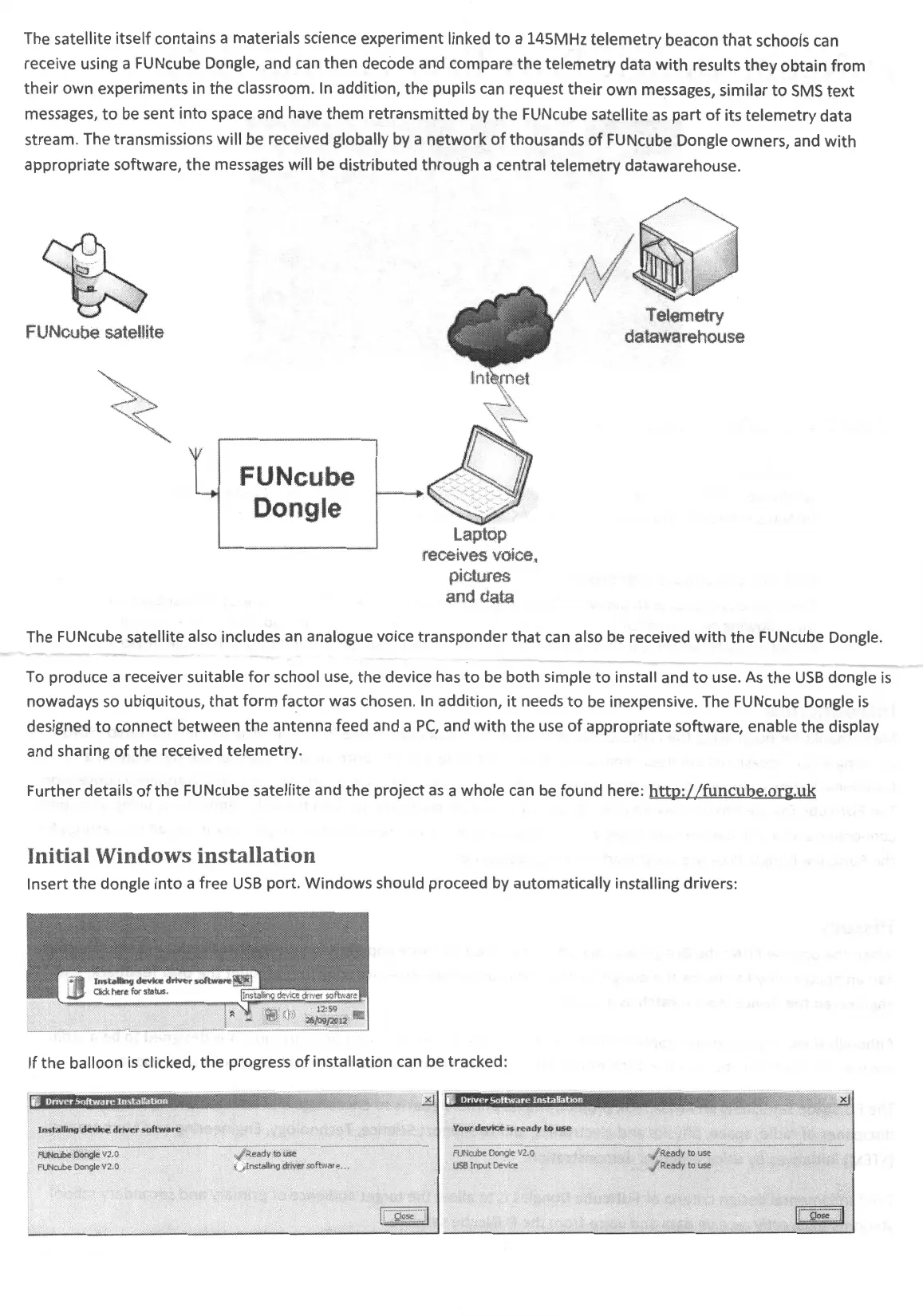
The satellite itself contains a materials science experiment linked
to
a 145MHz
telemetry
beacon
that
schools
can
receive using a FUNcube Dongle, and
can
then decode and compare
the
telemetry data
with
results
they
obtain from
their
own experiments in
the
classroom.
In
addition,
the
pupils
can
request
their
own
messages, similar
to
SMS
text
messages,
to
be
sent
into
space and have
them
retransmitted by
the
FUNcube satellite
as
part
of
its
telemetry
data
stream. The transmissions will
be
received globally
by
a
network
of
thousands
of
FUNcube Dongle owners, and
with
appropriate software,
the
messages will
be
distributed through a central telemetry datawarehouse.
FUNcube
s,atellite
FUNcube
Dongle
Laptop
receives voice,
pictures
and data
The FUNcube satellite also includes
an
analogue voice transponder
that
can
also
be
received
with
the
FUNcube Dongle.
To
produce a receiver suitable
for
school
use,
the device
has
to
be
both simple
to
install and
to
use.
As
the
USB
dongle
is
nowadays
so
ubiquitous, that
form
factor was chosen.
In
addition,
it
needs
to
be
inexpensive. The FUNcube Dongle
is
designed
to
connect between the antenna feed and a
PC,
and
with
the
use
of
appropriate software, enable the display
and sharing
of
the received telemetry.
Further details
of
the
FUNcube satellite and
the
project
as
a whole can
be
found here:
http://funcube.org.uk
I
nitia
l Wi
ndow
s
ins
tallati
on
Insert
the
dongle
into
a free
USB
port. Windows should proceed by automatically installing drivers:
If the balloon
is
clicked, the progress
of
installation
can
be
tracked:
lnstallinq dev:tce driver
software
FUNrube
Dongle
V2.
0
FUN
ru
be
Dongle
V2.
0
.
~R
eady to -
use
\.)
In
stall
ing
d
ri
ver software~ ...
Your
devK;e. -
ts
ready
tu
use
FUNrub
e
Oongs
e
V2.
0
U
SB
Input Device
,./
Ready
oo
use
./
Ready
oo
use


 To Next Page
 Loading...