EasyManua.ls Logo

FUNcube Dongle Pro+ - Page 3

Default Icon
5 pages
Print Icon
To Next Page IconTo Next Page
To Previous Page IconTo Previous Page
Loading...
()
NFM
()
AM
()
L5e
()
USB
(.!;~O.:FM
(j
ose
()
!:\V-L
()
Cd-U
F<«l""'"'•
····
······
·····
97
,3
0()
:
(lO~
::J'
C
e,ttec
.........
fr7
:
300
;
00
:
z
~
:::::sh,,
o:
h!t~t
t:;pe
F-iiter
~rn:twi<:!':h
Filter ¢t<R',;
Con¢ct IQ [ij
~\Wap
l
&Q
[~]
FM
Sterec
[J
Ma:k
P~h
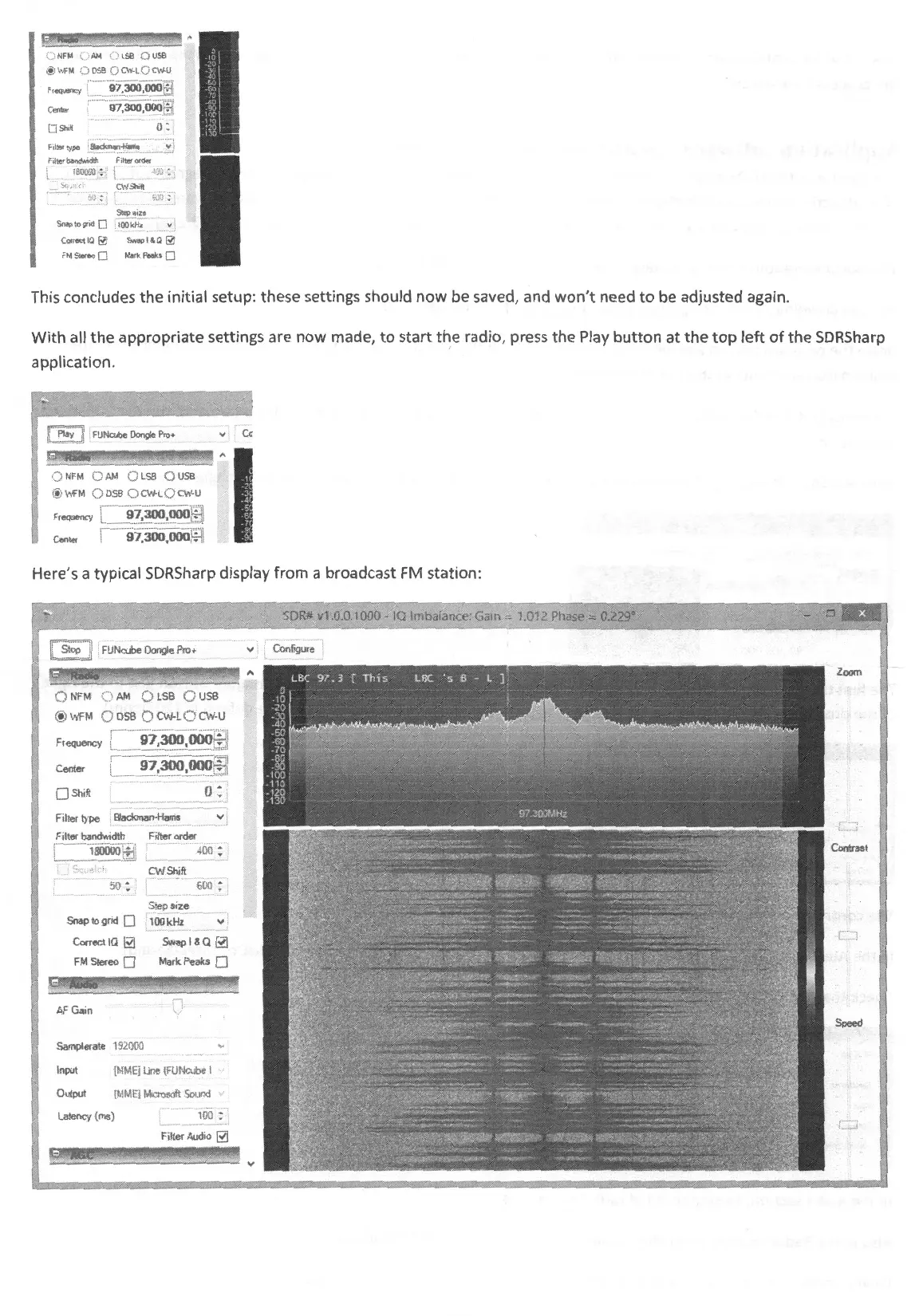
This concludes
the
initial setup: these settings should
now
be
saved, and
won't
need
to
be adjusted again.
With
all
the
appropriate settings are
now
made,
to
start
th
,e radio, press the Play
button
at
the
top
left
of
the
SDRSharp
application.
::
<!
.>
"!N~F~M~=
c=,
,,=•.r,::1
=c=
.)
!L:':ss::::
o::j!
u!sB=~~
~
I
..
1
~)
V/FM
()
OS8
()
CY'l-l.
()
Od-U
F tL>qUeric; _9_7
c_
,3
_0_0
.c_,
{_
JO
_
{i
fB!
············
··· ; ····
··
.
·Tc
'i!
Cente,
97,300,000
r.,
Here's a typical SDRSharp display from a broadcast
FM
station:
Frequency
Center
[l
Shift
Filter type
·······
gj)iriri.oo~
~!
...
~?
.~
00
.
000
~1
o:
Filter bandwidth
AF
Ga,n V
Sampletate
192000
"
Input
IM
M EJ
Un~
(HJ
Mcube
I '"
Output fMMl'j r,krosdt Scund
Latency (ms)
100
:
Filter Audio
RJ

Related product manuals