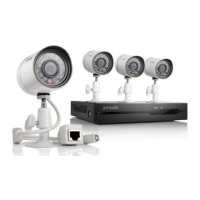
How to fix Funlux Network Hardware when the system won't turn on?
J
jameswilliamsAug 12, 2025
If your Funlux Network Hardware system won't turn on, first ensure the power brick is properly connected to the wall plug. Unplug it and replug it until it fits snugly. Also, verify that your power adapter is correctly plugged into both the power outlet and your NVR system. If the system still doesn't receive power, check the NVR front panel for the POWER LED indicator. If it's on, your monitor might be off or not properly connected to the NVR. If connected through a surge protector, ensure the surge protector is on. Finally, test the power outlet with another device to confirm it's working.
A
Amy RoyAug 16, 2025
What to do if Funlux Network Hardware cameras will not properly connect to the NVR?
L
Larry HernandezAug 16, 2025
If your Funlux Network Hardware cameras aren't connecting to the NVR, first check that your IP cameras are properly connected. Verify the connections at the IP camera's Ethernet port and the NVR's camera ports. To check if the camera is on, place your hand next to the camera's lens. If you hear a clicking sound, the camera is switching to night-time viewing, indicating it's on. The NVR may be detecting offline IP cameras.
T
Tommy HughesAug 19, 2025
Why is the hard drive not detected by my Funlux Network Hardware system?
C
Carrie DavisAug 19, 2025
If the hard drive is not detected by your Funlux Network Hardware system, remove the cover and check that the SATA power and data cables are properly connected to both the logic board and the hard drive. Also, ensure that your hard drive is compatible with the system.
L
Lauren HayesAug 23, 2025
How to troubleshoot a Funlux Network Hardware mouse that is not working?
A
Andrew MitchellAug 23, 2025
If the mouse is not working with your Funlux Network Hardware, first check the back panel of your NVR to ensure that the mouse is connected to the correct USB port. If it's connected but still not recognized, disconnect and reconnect the mouse, then reboot the system using the power switch on the back panel.
J
Julie CastilloAug 27, 2025
What to do if my Funlux Network Hardware NVR is detecting offline IP cameras?
S
Samantha ZunigaAug 27, 2025
To resolve the issue of your Funlux Network Hardware NVR detecting offline IP cameras:
1. Access the [Device Management] page and unmark the "Search and Add All Devices Automatically" option.
2. Under the "Channel" column, select the channel of the camera that is not properly connected, then press the "Delete Device" button on the bottom right.
3. Select the "Auto Add" option and wait 3-5 minutes. If the proper cameras still aren't setup, please repeat steps 1-2 and proceed to step 4.
4. Press the "Search for Device" function and a list will appear. Select the device with the corresponding MAC address that is shown on your IP camera. Alternatively, you can directly add the camera by selecting "Add Device Manually" and inputting the MAC address manually.
A
Alicia DanielAug 31, 2025
Why is my Funlux Network Hardware showing the wrong live feed on my NVR?
J
Julian SimonAug 31, 2025
If your Funlux Network Hardware NVR is showing a live feed that doesn't match your camera, the NVR might be adding other IP cameras on your network. To fix this:
1. Access the [Device Management] page and unmark the "Search and Add All Devices Automatically" option.
2. Under the "Channel" column, select the channel of the undesired camera feed and then press "Delete Device" to remove the device from the system.
3. Press the "Search for Device" function and a list will appear. Select the device with the corresponding MAC address shown on your IP camera. Alternatively, add the camera directly by selecting "Add Device Manually" and inputting the MAC address.
S
Stacey ReidSep 4, 2025
What to do if Funlux Network Hardware remote control is not detected by the system?
A
Angel NielsenSep 4, 2025
If the remote control is not detected by your Funlux Network Hardware system, first install two new AAA alkaline batteries into the remote control. Also, ensure that the front panel of your NVR is not obstructed by any objects. Place your NVR in an open area and point your remote at the NVR during use.
J
Jennifer AlvarezSep 8, 2025
How to fix Funlux Network Hardware when HDD is full and the unit is not recording?
W
William PatelSep 8, 2025
If the HDD is full and your Funlux Network Hardware unit isn't recording, it may be set to stop recording when the HDD is full. To resolve this:
1. Access the [General Settings] menu and open the [Disk Drive Info] page.
2. Open the drop-down menu at the top next to "Hard Disk Drive Full", select "Overwrite" and press save.



 To Next Page
 General