
EasyManua.ls Logo

Funlux ZP-NE14-S - User Manual

Funlux ZP-NE14-S
61 pages
Print Icon
To Next Page IconTo Next Page
Loading...
1

Questions and Answers

Summary

Before Using This Product

Understanding the Manual

Explains manual organization and conventions for setup and reference.

Safety Precautions

Important safety instructions for operating and setting up the NVR.

Minimum Requirements

Lists the minimum hardware and network requirements for full NVR functionality.

Product Introduction

Product Overview

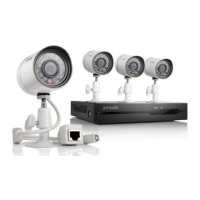
Introduces the Funlux NVR system, its features, and benefits.

Technical Specifications

Details technical specifications for the NVR and IP camera models.

Package Contents

Lists all items included in the NVR system package.

Getting Familiar with Your NVR

Overview of the NVR's main functions and features.

Front Panel

Describes the components and indicators on the front of the NVR unit.

Rear Panel

Details the ports and connections available on the rear of the NVR.

First-Time Setup

NVR Installation

Guide for installing the NVR hardware, including HDD installation.

Connecting Your NVR

Step-by-step instructions for connecting the NVR to power, display, and network.

Connecting an External Alarm

Instructions for connecting external alarm devices to the NVR.

Camera Installation

Guide for connecting the IP cameras to the NVR.

Mounting the Camera

Instructions for physically mounting the IP cameras on a wall.

NVR First-Time Startup

Guide to initiating the NVR setup wizard and initial configuration.

Startup Guide Explained

Details the steps and options within the NVR's startup wizard.

Home Screen Introduction

Introduces the NVR's main interface and default display.

Main Menu

Accesses the NVR's full feature set via the quick menu.

New Notification

Explains where and how notifications appear on the NVR.

Single View

Allows viewing a single camera feed in full-screen.

Quad View

Toggles the display to show four camera feeds simultaneously.

Playback

Accesses recorded surveillance footage for review.

Logout; Shutdown

Options for logging out the user or shutting down the NVR.

Using the NVR

Main Menu Detailed

Explains how to navigate and use the NVR's main menu features.

General Settings

Manages accounts, date/time, display, logs, firmware, and factory reset.

Account Management

Manages user accounts and permissions for the NVR.

Date & Language

Configures system date, time, and display language.

Display Settings

Customizes content displayed on the NVR home screen.

System Log

Reviews system events, notifications, and alerts.

Disk Drive Info

Displays HDD information, allows formatting, and shows capacity.

System Settings

Configures basic settings, resolution, and firmware upgrades.

Help & FAQ

Provides links to support resources and FAQs.

Device Management

Manages IP cameras connected to the NVR.

Adding a Device

Details methods for adding IP cameras to the NVR.

Video Stream Settings

Adjusts video quality, frame rate, and resolution for streams.

Network Transmission Stream

Configures video streaming for remote viewing.

Video Mask

Allows masking/hiding specific areas in camera feeds.

Network Settings

Configures network parameters like IP address and ports.

DDNS

Configures Dynamic DNS for remote access.

UPNP

Enables Universal Plug and Play for network connectivity.

Event Management

Configures recording modes and critical event settings.

Motion Detection

Sets up and configures motion detection features and schedules.

External Alarm

Configures external alarm inputs and outputs.

Camera Controls

Accesses and adjusts camera settings like image and zoom.

Image Setting

Adjusts image parameters such as brightness, contrast, and orientation.

Zoom

Enables zoom functionality for camera feeds.

Playback

Reviews and browses recorded surveillance footage.

Backup

Instructions for backing up recorded video files to a USB drive.

Remote-viewing Setup

Guides through setting up remote access to the NVR via mobile app.

Updating Your NVR

Instructions for updating the NVR firmware using a USB drive.

Support

Troubleshooting

Provides solutions for common NVR problems and issues.

Warranty

Outlines the warranty policy and terms for Funlux products.

Funlux Support

Provides contact information for online resources and technical support.

Funlux ZP-NE14-S Specifications

General IconGeneral
ModelZP-NE14-S
ManufacturerFunlux
WirelessYes
Frequency2.4 GHz
App ControlYes
Remote ControlYes
Timer FunctionYes
Schedule FunctionYes
Energy MonitoringNo
Wireless StandardIEEE802.11b/g/n

Related product manuals