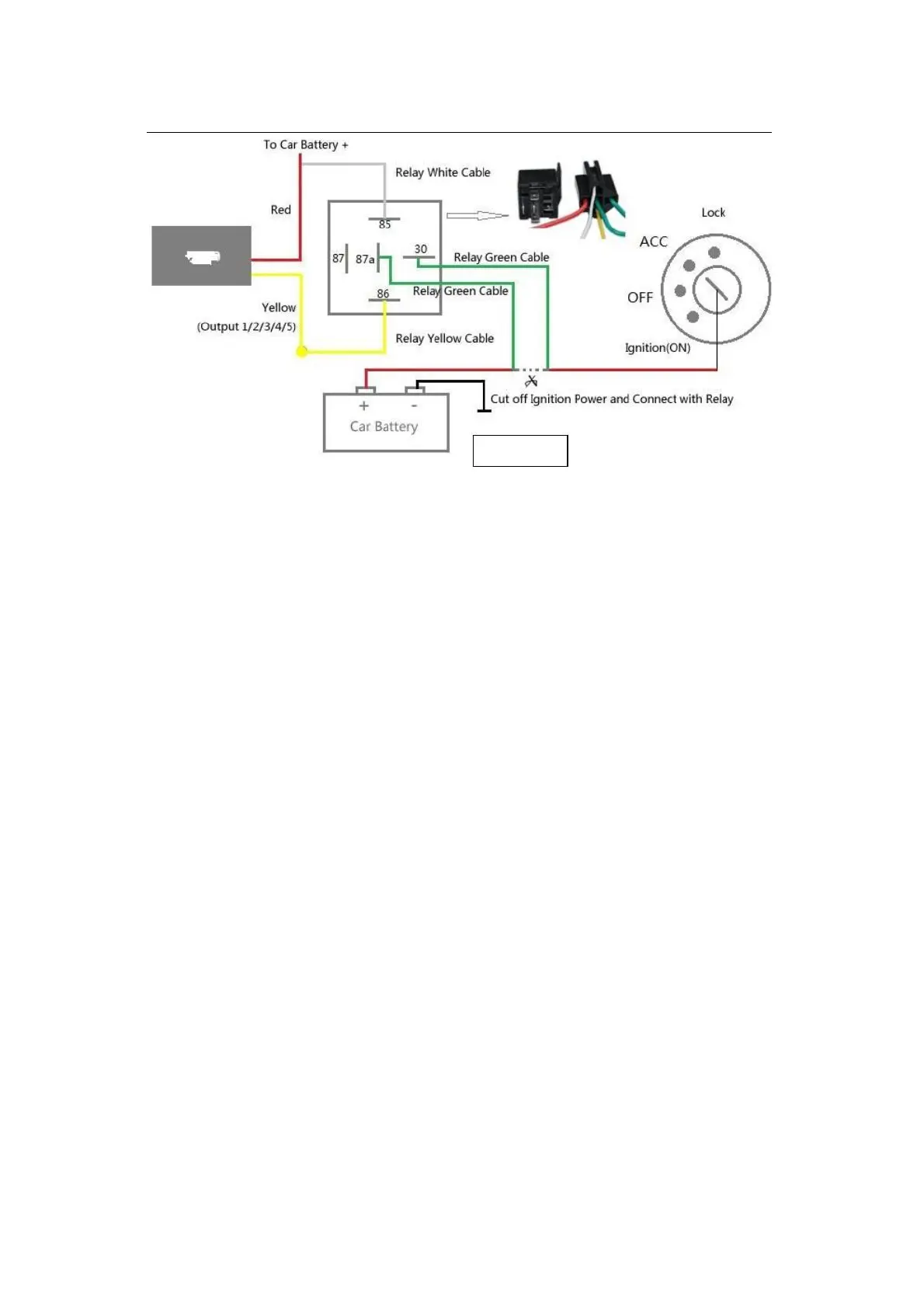
Turn on the unit outdoors by Pushing the button to“On”the indicator is on.when
the green light and blue light are both flashing , you can do setting command by
step
3.2 Setting Steps
Set admin number,by sending a SMS command to the SIM card inside
device.For example: admin123456 +86186******** (+86186********should be
your phone number)
Set APN: APN123456 CMNET (please use your local APN instead of
CMNET,if you do not know the APN content,you should contact your SIM
card supplier)
Login by the app or platform by ID number to check if it is working


 To Next Page