Need help?
Do you have a question about the Funsnap Capture 2 Gimbal and is the answer not in the manual?
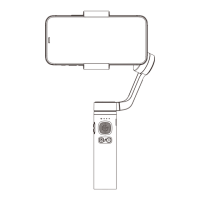
The device described in this manual is the Capture 2 Gimbal, a three-axis handheld gimbal designed specifically for mobile phones. Its primary function is to assist mobile phone shooting, effectively eliminating external jitter caused by the shooting process, and creating stable and smooth images. The Capture 2 Gimbal supports both horizontal and vertical positions of the mobile phone. The shooting angle of the mobile phone can be adjusted manually and quickly by controlling the button to meet the needs of daily shooting and film production.
The Capture 2 APP enhances the device's capabilities, offering a variety of photography functions such as hyperlapse, smart tracking, and panorama. The app can be downloaded from the App Store, Google Play, or by scanning a QR code provided in the manual.
The product package includes:
To charge the Capture 2 Gimbal, connect it to the charger via the power cable. The charging time is approximately 2.5 hours, and the maximum run-time is 12 hours. During charging, the red LED flashes, and the green LED is always on when charging is completed. The battery status can be checked via the battery indicator. A green LED indicates the battery is fully charged. A red LED flashes when the battery is less than 30% charged. If the red LED flashes, the battery condition is less than 10%.
a. Place the mobile phone in the mobile phone holder while pulling out the holder. It is recommended to keep the mobile phone close to the right. b. Mount and balance the mobile phone when the Gimbal is powered off. Ensure the phone is installed correctly, as shown in the manual (correct installation indicated by a checkmark, incorrect by an 'X').
Power on the Gimbal, enable Bluetooth on your mobile phone, start the Capture 2 APP, then search for the Gimbal in your Bluetooth settings.
| Button Mode | Indicator Status | Mode / Status | Description
 General
| Brand | Funsnap |
|---|---|
| Model | Capture 2 Gimbal |
| Category | Cell Phone Accessories |
| Language | English |

 To Next Page